Recurring documents
Bill retainers, rent and subscriptions on a schedule — each run makes a new invoice, issued or left as a draft for you to check.
A recurring schedule makes the same document for a customer on a cadence: every month, every quarter, every week.
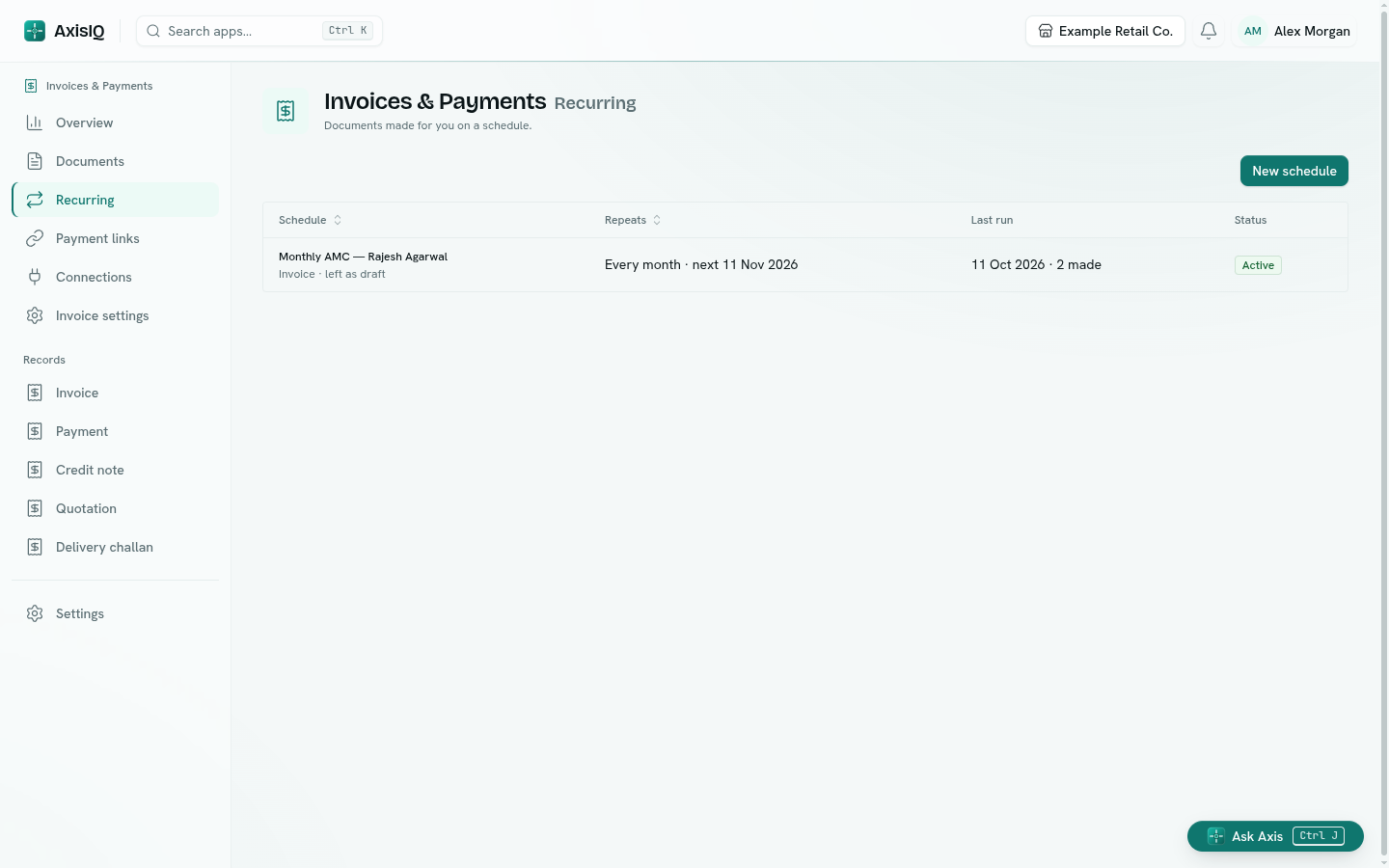
Create a schedule
- Go to Recurring and click New schedule.
- Give it a Name, choose the Document type and the Customer.
- Set Every and the Unit (days, weeks, months or years), the First run date and, optionally, Ends on.
- Turn on Issue automatically to issue each run straight away. Leave it off to get a draft you check and issue yourself.
- Add the lines every document should carry, and any notes.
- Click Create schedule.
Runs happen in the morning of the due date (around 11:30 IST). A month that has no matching day (the 31st in a 30-day month) uses its last day.
Manage schedules
Right-click a schedule, or use its ⋯ menu:
- Create one now — make this period's document immediately.
- Pause / Resume — stop and restart runs without losing the schedule.
- Open last document — the most recent document it made.
- Edit or Delete.
Tip: Issuing automatically with a messaging connection lets a flow send each new invoice the moment it is issued.