Approvals
How leave, expense claims and attendance corrections are routed to managers and HR, who can decide them, and what happens when there is no manager.
Leave requests, expense claims and attendance corrections all go through the same approvals. The route is decided when the request is filed.
Routes
| Route | Steps |
|---|---|
| Reporting manager | The employee's Reports to decides. |
| HR | Anyone with Can approve decides; your HR contacts are notified. |
| Manager, then HR | The manager first, then HR. |
| Approved automatically | No steps — approved on filing. |
Each leave type has its own route. Claims and attendance corrections use the routes under Rules & settings › General › Approvals.
Who decides
- The approver of the current step, or anyone with Can approve on People (HR).
- If HR decides the manager step, a following HR step is done too.
- Nobody decides their own request, except the workspace owner.
- If an employee has no manager, or their manager doesn't sign in to the workspace, the manager step goes to HR.
Where approvers work
Team & approvals lists what is waiting on you — leave, claims and corrections — with Approve and Reject on each. Rejecting asks for a note, which the employee sees. Below, My team today shows who is in, away or not in yet.
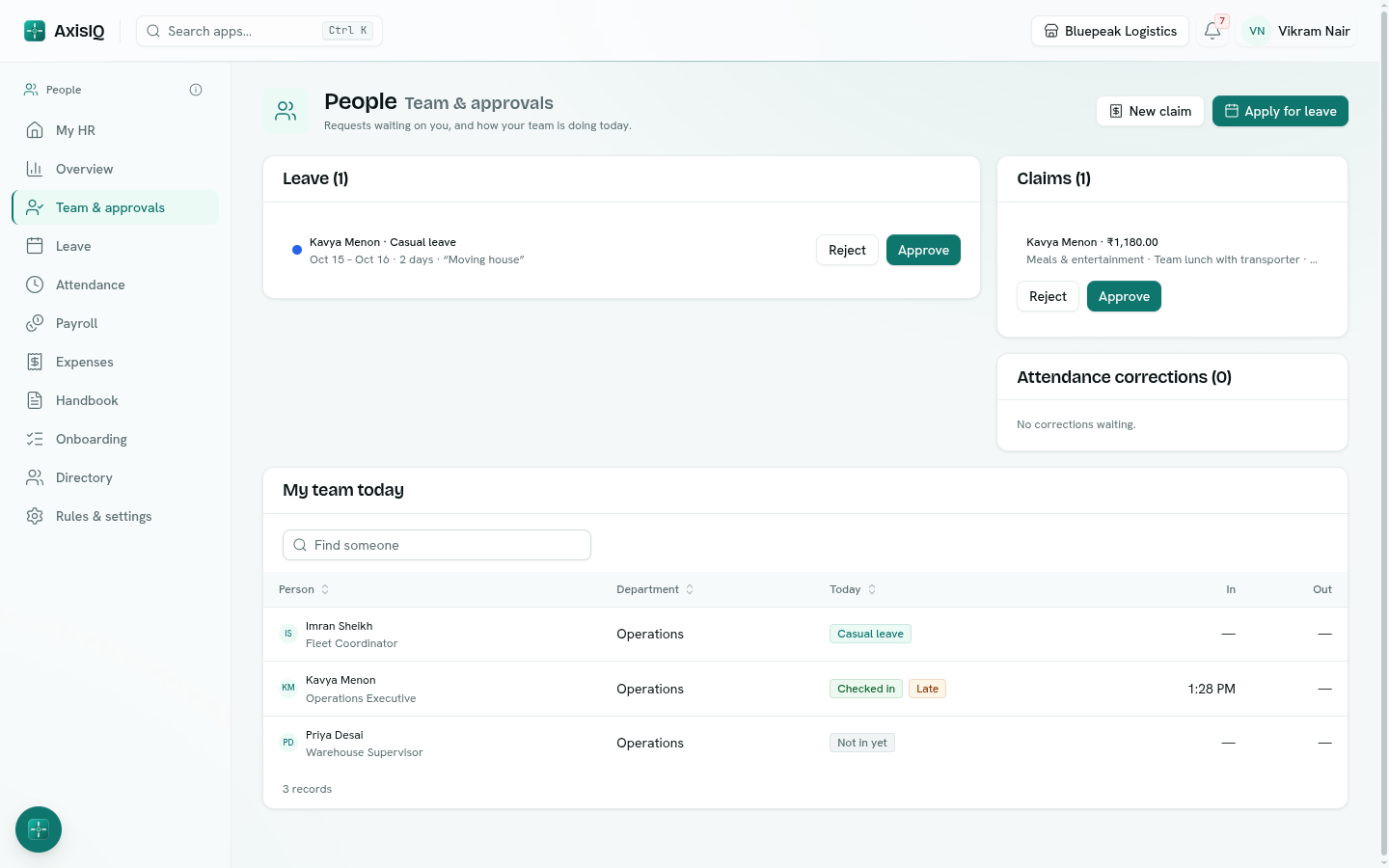
My HR and the notification bell also tell you when something is waiting.
HR contacts
Rules & settings › General › Approvals › HR contacts — the people notified when a request reaches its HR step. Empty means the workspace owner.