People
Run HR in your workspace: employees and departments, leave, attendance, payroll and payslips, expense claims, your company handbook and joining and exit checklists.
People is the HR app inside your workspace. Keep your employees and departments, let people apply for leave and check in, run monthly payroll with payslips, reimburse expense claims, publish your company handbook and track joining and exit checklists. Every rule is yours to set — leave entitlements, work weeks, holidays, salary structures, approval routes — so it follows the way your company already works.
What you can do
- Set it up in one screen — work week, leave year and payroll rules, with sensible starting rules you can change later. Set up People
- Keep employees and departments — records with reporting lines, an org chart and a directory everyone can see. Employees and departments
- Take leave — apply with a live preview of days and balance, see the team calendar, cancel. Apply for and manage leave
- Write your own leave rules — entitlements, monthly or yearly earning, carry forward, notice, documents, who each type is for. Leave types and balances
- Set work weeks and holidays — weekly days off, alternate Saturdays, office hours and holiday lists. Work schedules and holidays
- Track attendance — check in and out from the web, a monthly register and corrections. Attendance
- Approve requests — leave, claims and attendance corrections go to the right person automatically. Approvals
- Run payroll — salaries, monthly runs, payslips as PDFs, bank transfer file and ledger posting. Payroll and payslips
- Statutory deductions — Provident Fund, ESI, professional tax and income tax (TDS), with every rate editable. Statutory deductions
- Reimburse expenses — claims with receipts and limits, paid with the next salary. Expense claims
- Publish your handbook — your own policies, who they apply to, and who has acknowledged them. Handbook and policies
- Onboard and offboard — checklists that start by themselves when someone joins or leaves. Onboarding and exit checklists
Before you start
- Everyone gets self-service. Any member who is also an employee sees their own leave, attendance, payslips, claims and tasks under My HR — no role needed. An employee is matched to their sign-in by Work email.
- Managers see their team. Whoever an employee Reports to sees that person's requests and attendance, and approves them — for their whole reporting line, at any depth.
- HR roles come from People (HR) on the Roles page:
| Level | What it allows |
|---|---|
| Can view everyone | See every employee's leave, attendance, claims and checklists. |
| Can approve | Everything above, plus deciding anyone's leave, claims and attendance corrections, and applying on someone's behalf. |
| Runs HR | Everything above, plus leave rules, schedules, holidays, the handbook, checklists and leave adjustments. |
| Full control | Everything above, plus salaries and payroll. |
- The workspace owner can do everything. The HR role template on the Roles page grants Full control of People together with editing records, so it can add employees.
- Switching it off: People is an optional app. It must be on in Settings › Apps. A workspace created before People existed gets it when the owner takes the pending update in Settings › Workspace.
Where to find it
Launcher category People › People. The left rail has:
| Section | What it shows |
|---|---|
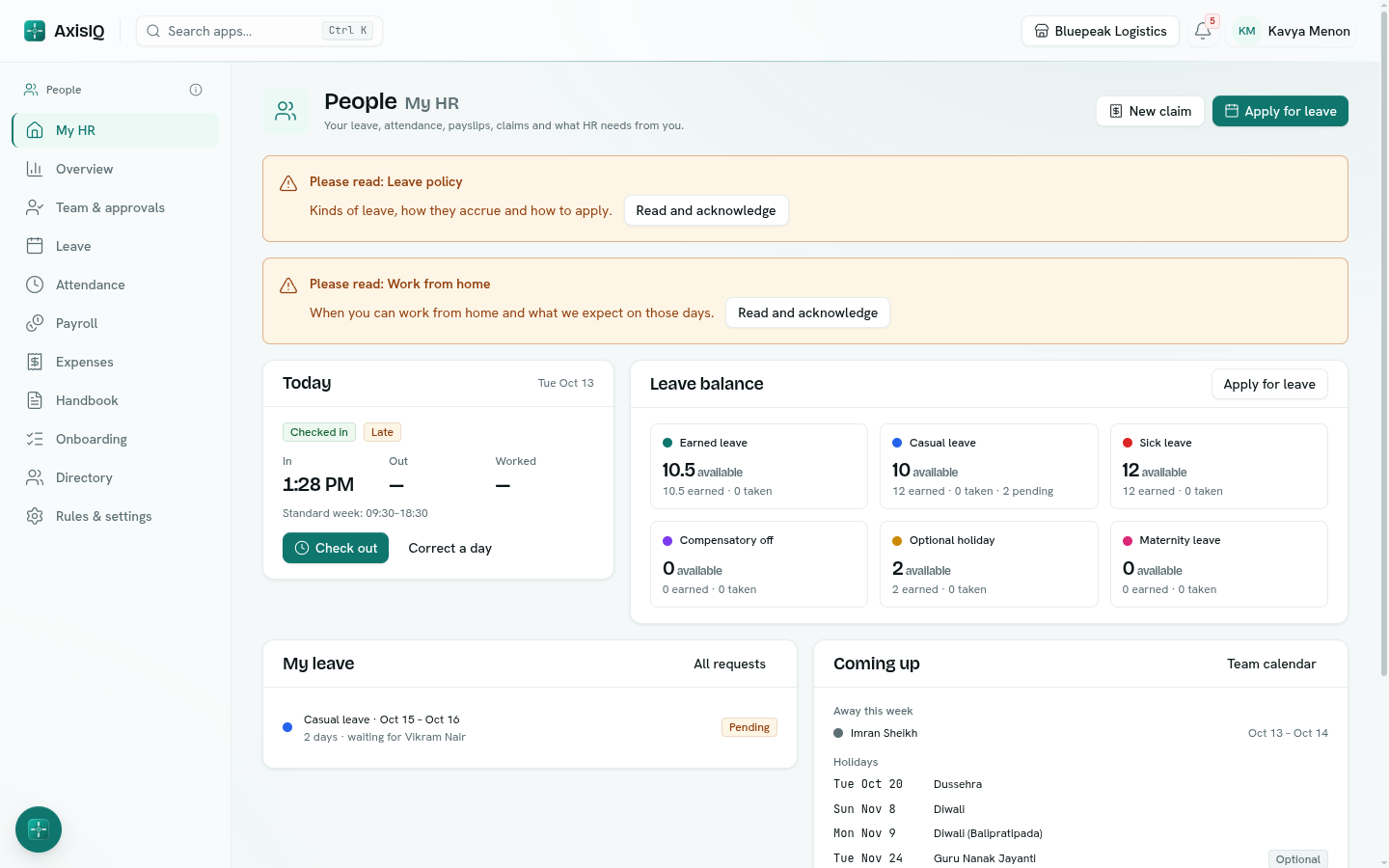
| My HR | Your balances, today's check-in, your leave, payslips, claims, tasks and coming holidays. |
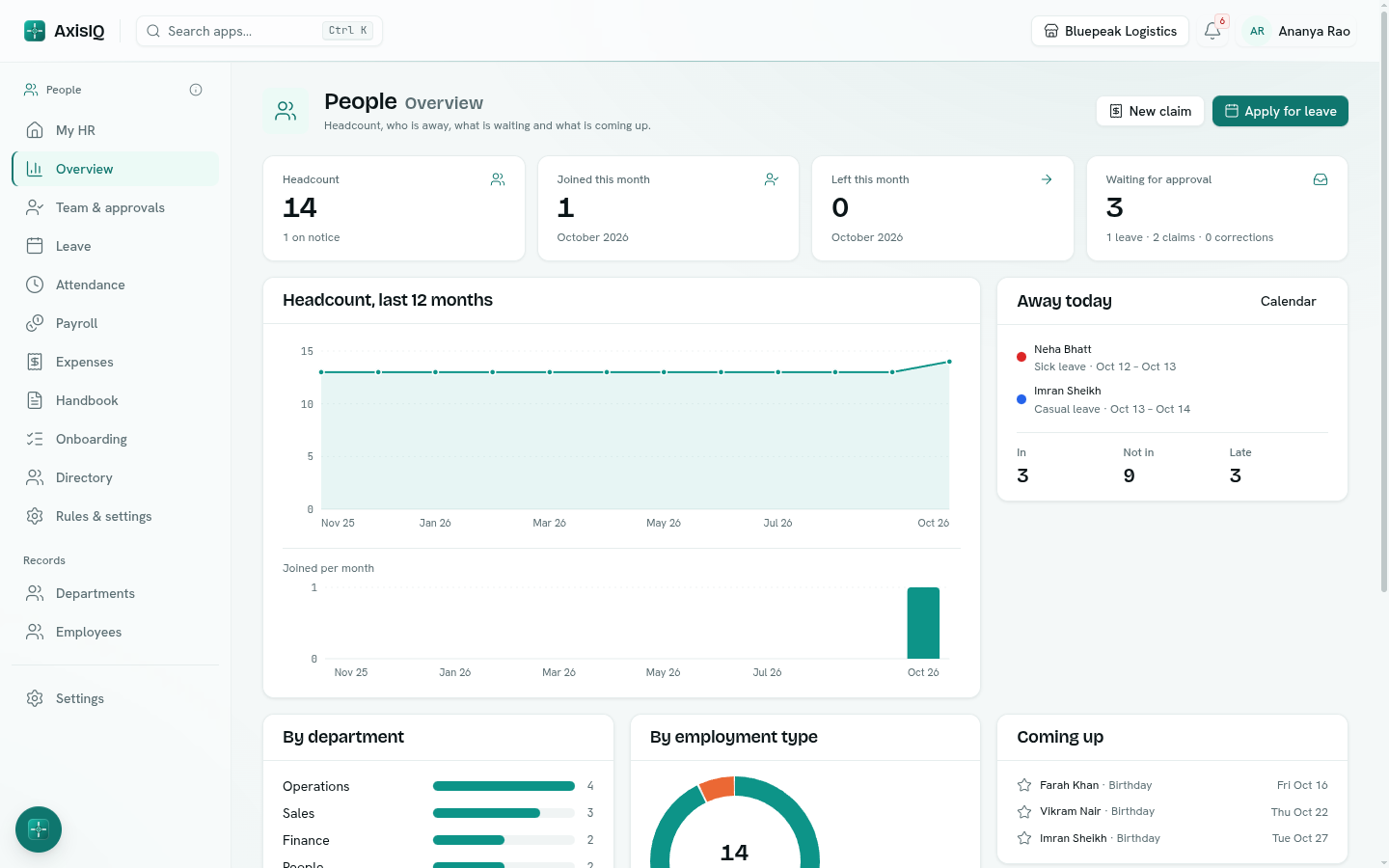
| Overview | Headcount, joiners and leavers, who is away, approvals waiting, what needs attention and this month's payroll. |
| Team & approvals | Requests waiting on you and how your team is doing today. |
| Leave | Requests, the team calendar and everyone's balances. |
| Attendance | Today's check-in, the month register and corrections. |
| Payroll | Monthly runs, salaries and your payslips. |
| Expenses | Claims, approvals and reimbursements. |
| Handbook | Your company's policies. |
| Onboarding | Joining and exit checklists and the tasks on them. |
| Directory | Everyone in the organisation, as a list or an org chart. |
| Rules & settings | Leave types, schedules and holidays, pay, expenses, checklists and approvals. |
Departments and Employees are listed under Records in the same rail. Apply for leave and New claim sit at the top of every People page.
Key ideas
| Term | What it means |
|---|---|
| Employee | A record in the Employees list. It can exist without a sign-in — they are still on payroll and in the directory. |
| Reports to | The employee's manager. It decides who approves their requests and who sees their data. |
| Leave type | A kind of leave with its own rules: how many days, how they are earned, who approves. |
| Balance | Days earned, less days taken, adjusted or lapsed. Pending requests are held back from what is available. |
| Work schedule | The working week, office hours and holiday list an employee follows. |
| Payroll run | One month's payslips for everyone employed that month. A draft until it is finalized. |
| Loss of pay | Unpaid days — unpaid leave, and unexcused absence if you turn that on — that reduce the month's pay. |
Tip: Ask Axis knows People too. Try "how much leave do I have?", "who is out next week?", "apply for casual leave on Friday" or "what does our leave policy say about carry forward?". Applying, approving and cancelling leave always ask you to confirm first.