Payroll and payslips
Set pay components and salary structures, give each employee a salary, run monthly payroll with loss of pay and statutory deductions, finalize, and share payslips.
Payroll turns salaries into monthly payslips. A run works out each employee's paid days, earnings, deductions and claims to reimburse, then you check it, finalize it and pay.
Before you start: payroll needs Full control on People (HR). Employees only ever see their own finalized payslips.
1. Pay components and structures
Under Rules & settings › Pay:
- Pay components — the lines on a payslip. Each is an Earning, a Deduction or an Employer contribution (a cost, not in net pay); Taxable; Reduce for unpaid days; and, for statutory lines, Computed by statute.
- Salary structures — how a CTC splits into components. Each line is Worked out as a fixed amount, a % of CTC, a % of basic, a % of gross, or the balance (whatever is left of monthly CTC after the other earnings and employer PF).
The starting Standard structure is basic 40% of CTC, HRA 50% of basic and special allowance the balance.
2. Salaries
Payroll › Salaries lists everyone with their structure, annual CTC and monthly amount. Click an employee to set a salary: Structure, Annual CTC, Effective from, optional overrides for single components and a fixed monthly TDS. The preview shows the monthly breakdown and Monthly net pay (full month).
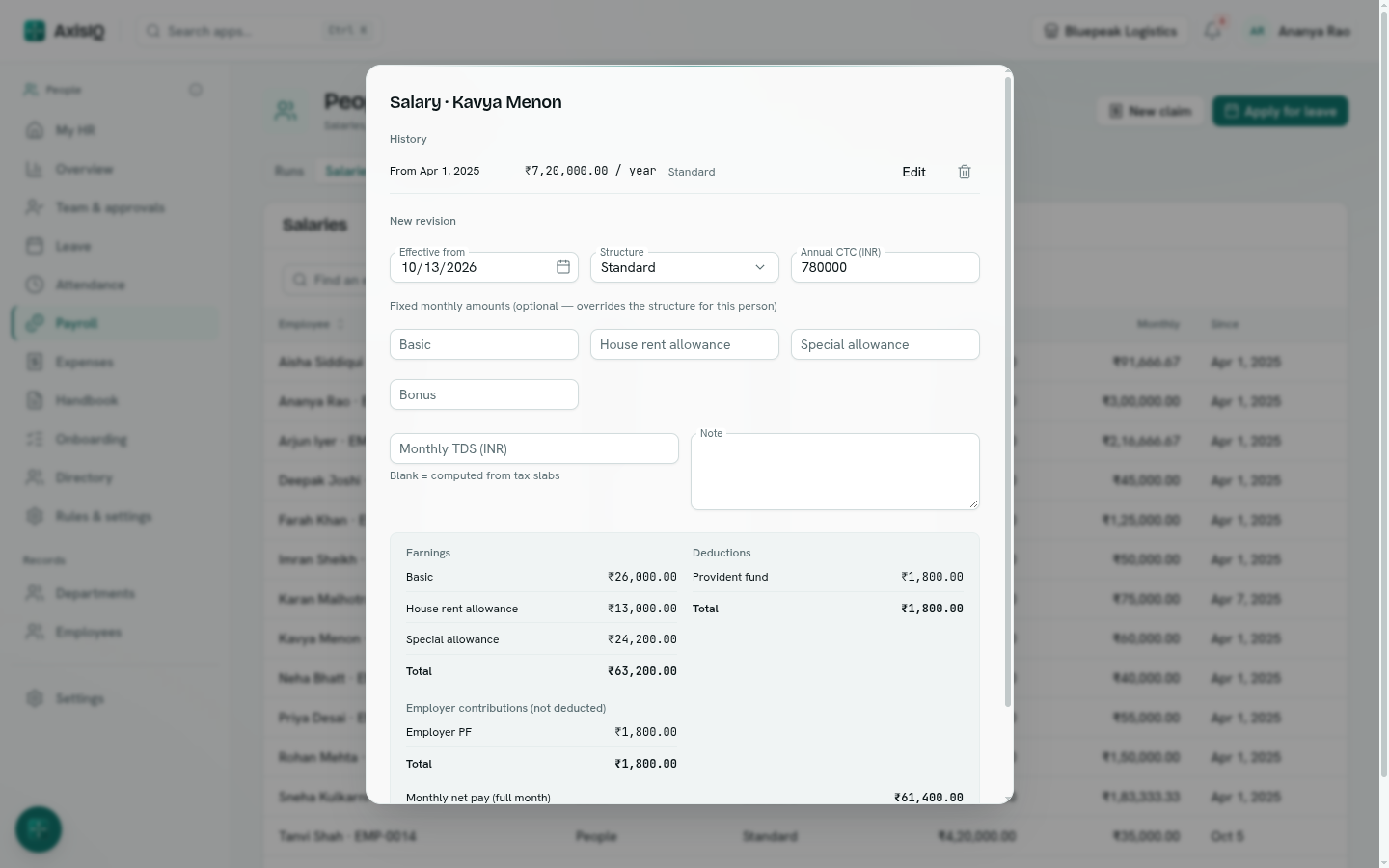
A raise is a new salary with a later Effective from — earlier ones stay in History. A run uses the salary in effect at the end of its month.
3. Run payroll
- Go to Payroll › Runs and click New run. Pick the month.
- The run lists everyone employed that month with paid days, loss-of-pay days, gross, deductions, reimbursements and net pay. Employees, Gross, Deductions, Net pay and Employer cost sit on top.
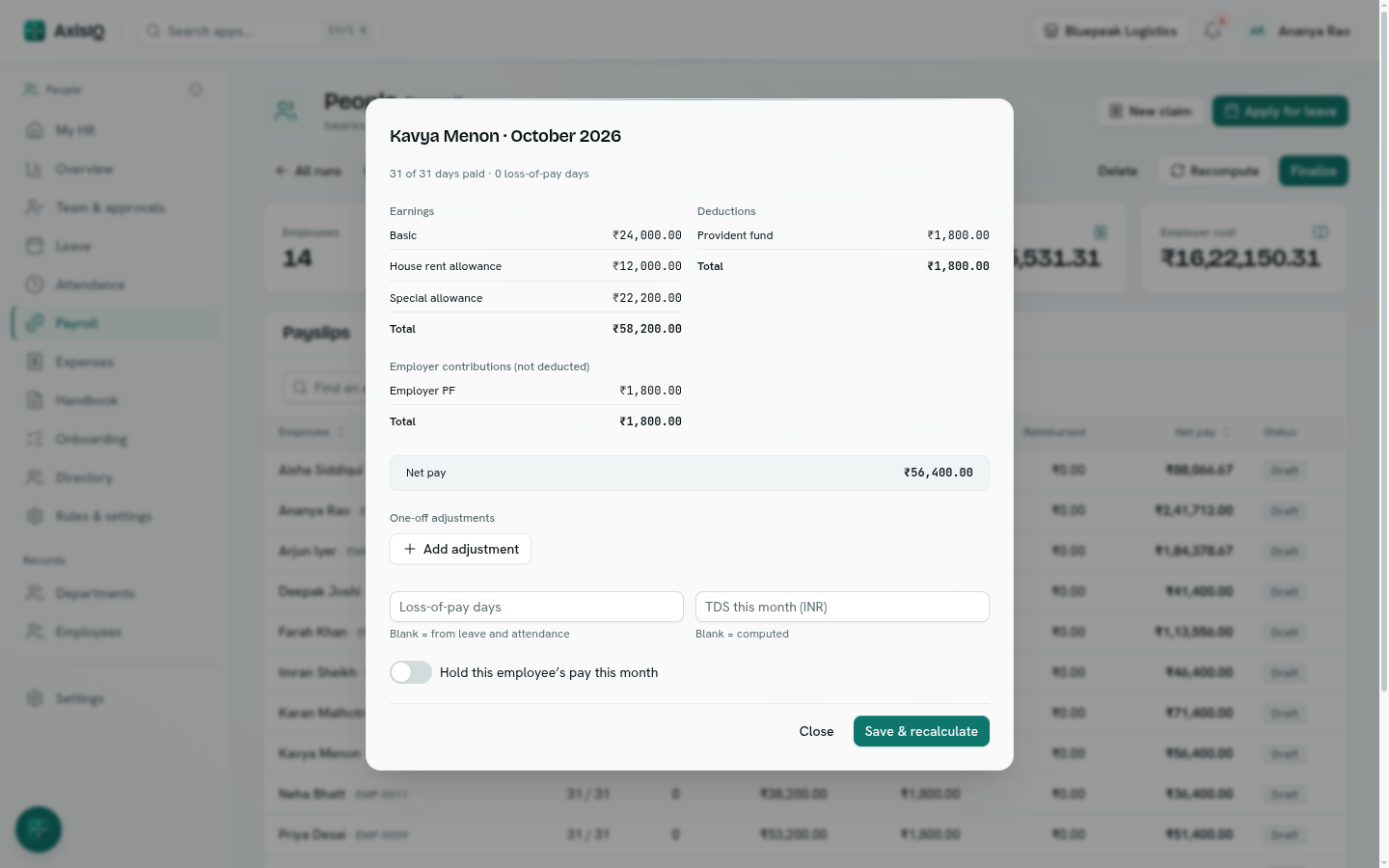
- Click a payslip to change it: Loss-of-pay days, One-off adjustments (an earning such as a bonus or arrears, or a deduction such as an advance), or Hold this employee's pay this month.
- Recompute picks up new salaries, leave and claims — your changes to payslips are kept.
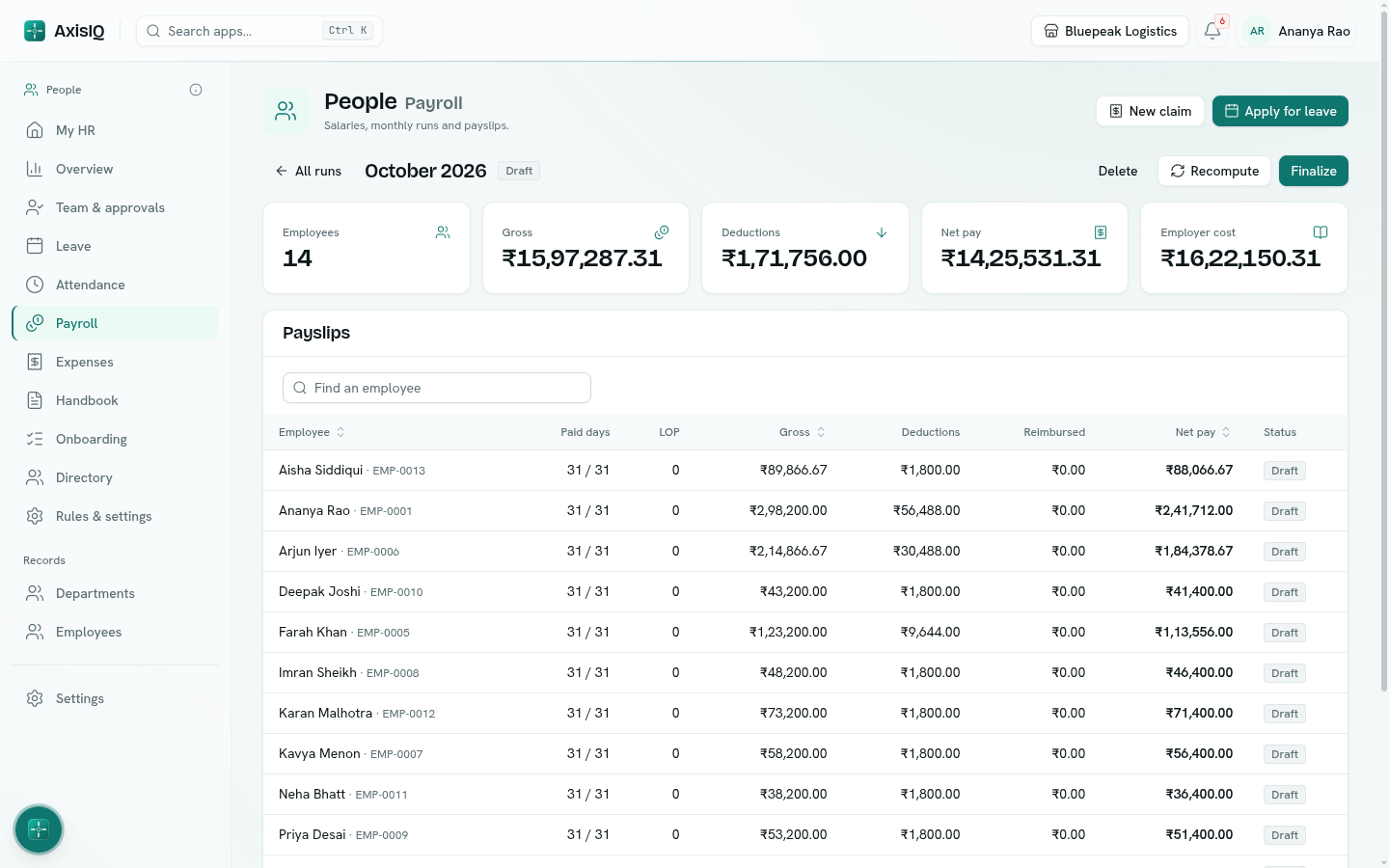
How a payslip is worked out
- Paid days = days employed in the month less loss-of-pay days. Someone joining or leaving mid-month is paid for their days.
- Components marked Reduce for unpaid days are reduced by the same share.
- Statutory deductions are worked out on the reduced amounts. See Statutory deductions.
- Approved expense claims not yet paid are added as reimbursements — outside gross and tax.
- Amounts are exact to the paisa; statutory lines are rounded to whole rupees. Round net pay to whole units is under Rules & settings › Pay.
4. Finalize and pay
- Click Finalize. The run is worked out one last time and locked.
- Payslips are released — each employee sees theirs under My HR and Payroll › My payslips, and can download the PDF.
- Claims on the run are marked reimbursed.
- If you mapped payroll accounts, one journal entry is posted to Accounting: salaries expense against net pay payable and statutory dues payable. Map them under Rules & settings › Pay › Ledger.
- Download the Bank transfer file (CSV of names, accounts, IFSC and net pay) for your bank, and the Payroll register for your records.
- When the money has gone out, click Mark paid.
A finalized run can't be edited. A draft run can be deleted and started again.
Troubleshooting
Someone is missing from the run They have no salary, or weren't employed that month. Payroll › Salaries shows No salary beside them.
"Not posted" Map the three payroll accounts under Rules & settings › Pay › Ledger; runs finalized after that post on their own.