Accounting
Keep double-entry books: post balanced journal entries, reverse mistakes, read the ledger and run financial reports.
Accounting is your double-entry ledger. You post balanced journal entries against a chart of accounts, and AxisIQ turns them into balances, a ledger per account, and three reports: profit and loss, balance sheet and trial balance.
What you can do
- Understand the rules — debits, credits, immutability and currencies. How the books work
- Set up accounts — the list your entries post to, grouped by kind. Chart of accounts
- Post an entry, or reverse one — a balanced set of debits and credits. Post and reverse entries
- Browse postings — the journal, and one account's ledger with a running balance. Journal and ledger
- Run reports — profit and loss, balance sheet, trial balance, with CSV export. Reports
Before you start
- Who can use it: the Accounting ledger row on the Roles page. Can view reads the journal and balances. Can post entries also posts entries and reversals. Without it you see "No access to the books".
- Adding or editing accounts uses record permissions on the Accounts record type (create or update), not the ledger permission.
- Switching it off: Accounting is an optional app. It must be on in Settings → Apps.
- Nothing posts automatically. Invoices and payments do not create journal entries. You post them yourself, or through the API.
Where to find it
Launcher category Money › Accounting. The left rail has:
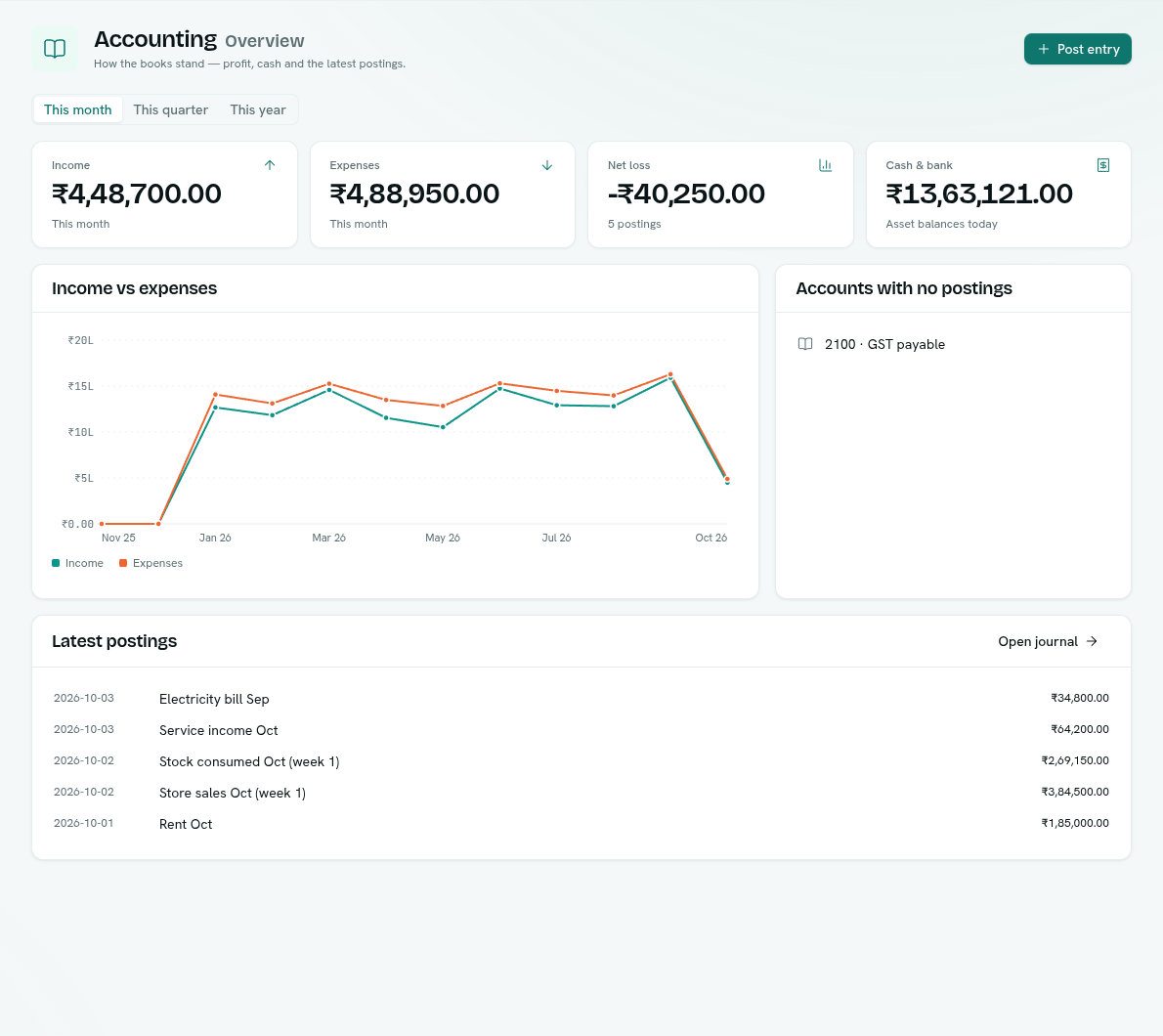
- Overview — income, expenses, net profit or loss, cash and bank, a 12-month chart, accounts with no postings and the latest postings.
- Journal — every entry, newest first.
- Ledger — one account's postings with a running balance.
- Chart of accounts — your accounts grouped by kind.
- Reports — profit and loss, balance sheet, trial balance.
The Post entry button at the top right is available on every section if you can post.
The overview
Choose This month, This quarter or This year. The tiles show:
| Tile | What it shows |
|---|---|
| Income | Income accounts for the period. |
| Expenses | Expense accounts for the period. |
| Net profit or Net loss | Income minus expenses, with the number of postings. |
| Cash & bank | Asset account balances today. |
Click a tile to open the matching report. Below are Income vs expenses (12 months), Accounts with no postings and Latest postings (with Open journal). A yellow banner "Some postings are on accounts without a kind" means an account has no kind and is left out of income and expense totals. Give it a kind in the chart of accounts.
Key ideas
| Term | What it means |
|---|---|
| Account | A place money sits or comes from, such as Cash, Sales or Rent. |
| Journal entry | One posting. A set of lines, each a debit or a credit. |
| Debit and credit | The two sides of a line. Total debits always equal total credits. |
| Reversal | The way to fix a mistake: a mirror entry that cancels the original. |
| Kind | Asset, liability, equity, income or expense. Decides where an account appears in reports. |