Receivables and payables ageing
See who owes you and whom you owe, by how long it has been due, straight from your books.
The ageing report shows who owes you money, and whom you owe, split by how long it has been due. It reads your books directly, so it matches your balance sheet.
Before you start: you need Can view under Accounting ledger. The report reads one currency at a time.
Open it
- Open Accounting › Reports.
- Click Ageing.
- Pick Receivables (customers who owe you) or Payables (suppliers you owe), and set As at if you want an earlier date.
How to read it
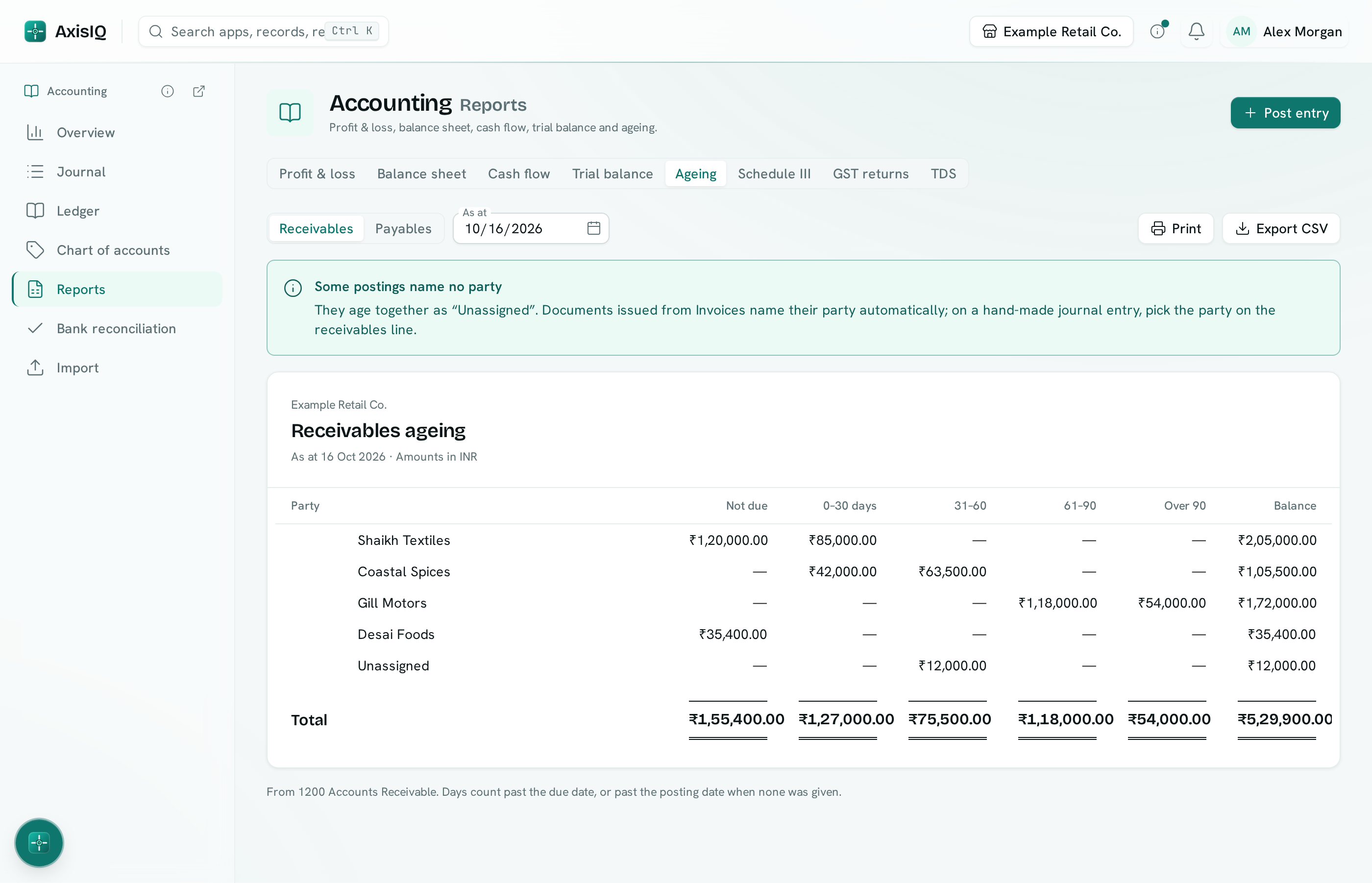
There is one row per customer or supplier, with these columns:
| Column | What is in it |
|---|---|
| Not due | Amounts whose due date has not come yet. |
| 0–30 days, 31–60, 61–90, Over 90 | Amounts past due by that many days. |
| Advance | Shown only when someone has paid more than they owe. |
| Balance | What is outstanding in total. |
- Days count from the due date. When a posting has no due date, they count from its date.
- Payments settle the oldest amounts first, the way a customer statement does.
- A reversed entry and its reversal cancel out.
- The line under the report names the accounts it read.
Party statement
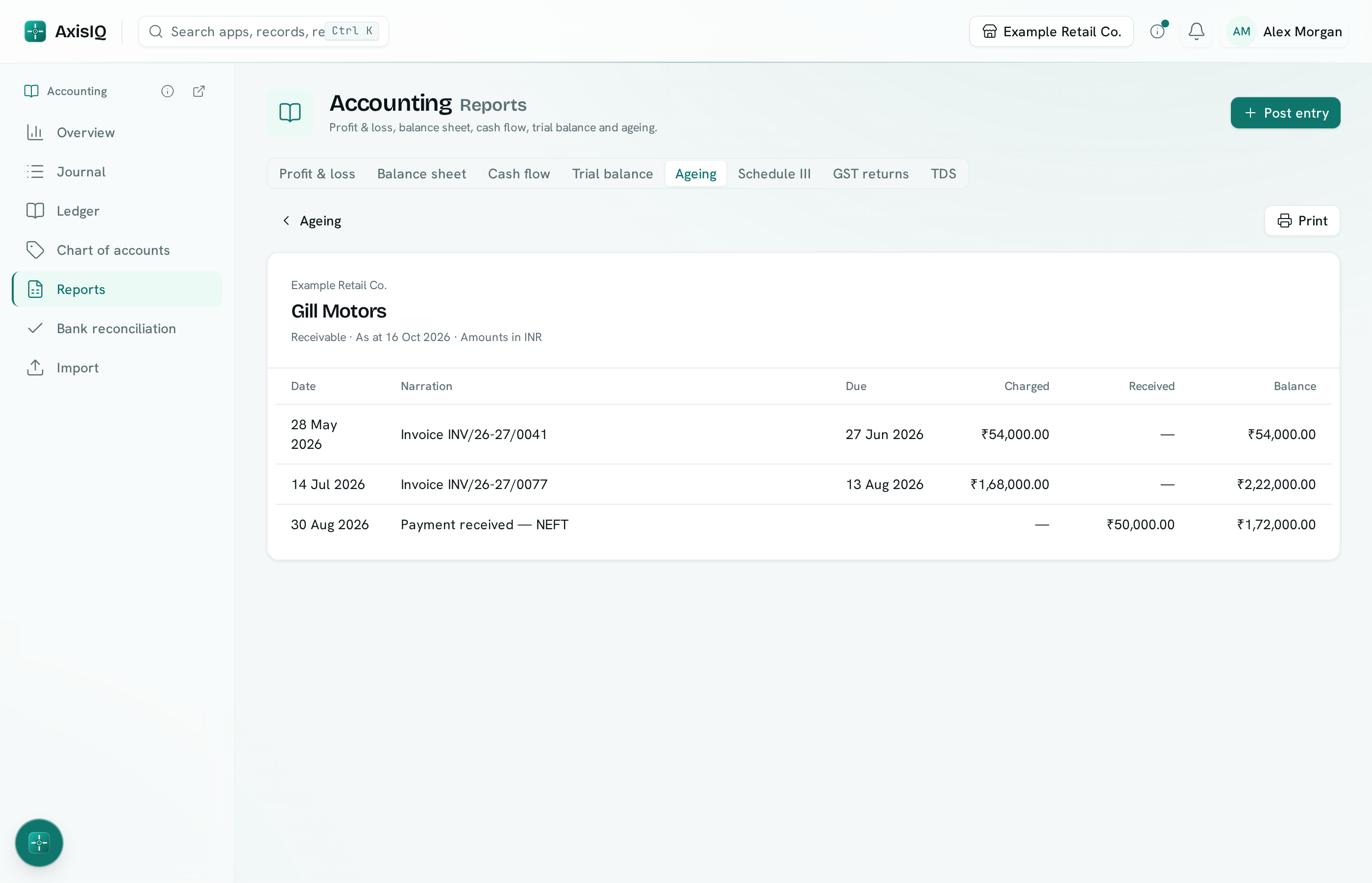
Click a row to see that customer's or supplier's statement: date, narration, due date, charged and received (or billed and paid), and a running balance. Click a line to open its journal entry. Click ‹ Ageing to go back.
Where the customer comes from
- Invoices, bills, credit notes, payments, bill payments and TDS from Invoices name their customer or supplier automatically, and invoices and bills carry their due date.
- On an entry you post yourself, pick the party on the receivables or payables line. See Post and reverse entries.
- Postings that name nobody are grouped as Unassigned, with a note explaining how to fix that. Entries posted before parties were added appear there too.
Which accounts count
The report reads accounts named like Accounts Receivable or Accounts Payable, Debtors or Creditors, or accounts whose Schedule III line is set to trade receivables or trade payables.
Print and export
Print gives a clean page. Export CSV downloads the rows with every bucket.