Chart of accounts
See your accounts grouped by kind with their balances, and add or edit accounts.
The chart of accounts is the list of accounts your journal entries post to. Accounts are ordinary records, so adding or editing one uses the standard record form.
Before you start: to view the chart you need Can view under Accounting ledger. To add or edit accounts you need permission to create or update records of the Account type.
Read the chart
Open Accounting › Chart of accounts. Accounts are grouped under Assets, Liabilities, Equity, Income, Expenses, and Not classified if any account has no kind. Each group shows its total. Each row shows Code, Account and Balance to date in the selected currency. A zero balance shows a dash.
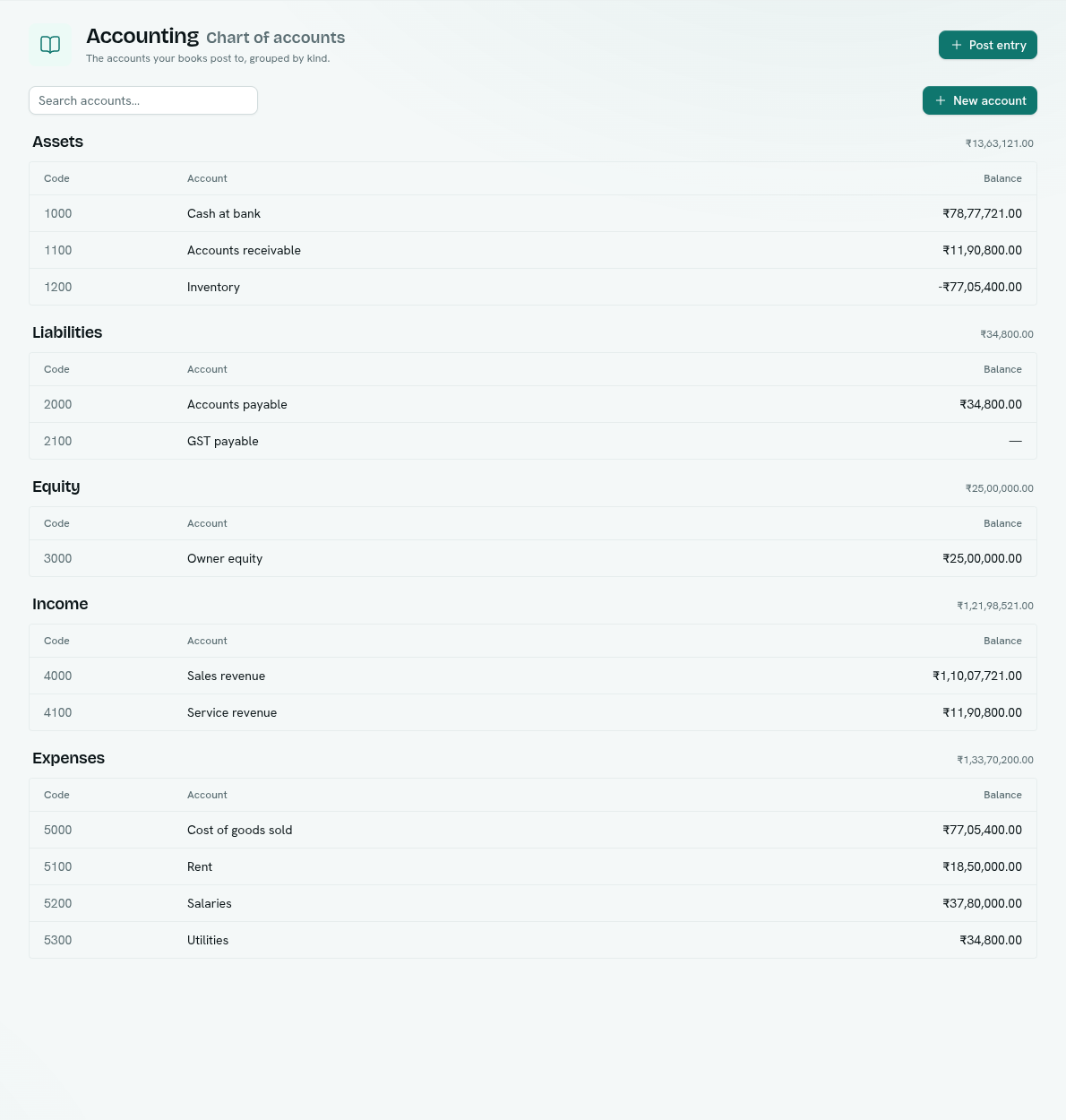
- Use Search accounts… to filter by name or code.
- Click a row to open that account's ledger.
- Right-click a row for Open ledger, Journal entries (the journal filtered to the account), and Edit account.
Add an account
- Click New account.
- Fill in the record form:
Field Required Notes Account code Yes Must be unique. Name Yes Kind Yes asset,liability,equity,revenueorexpense. - Save. The account appears in its group and in the account lists on the journal, ledger and Post journal entry.
Edit an account
Right-click it and choose Edit account. Changing the Kind moves the account to another group and changes how reports treat its past postings.
Troubleshooting
There is no New account button You can read the chart but not create or update Account records. Ask for a role with edit access to Accounts.
"No accounts yet" Add accounts such as cash, sales and rent. Every posting moves money between two of them.
Balances could not be loaded Click Retry.