Journal and ledger
Browse every posting in the journal, and follow one account in the ledger with a running balance.
The Journal lists every entry. The Ledger shows the postings of one account with the balance after each.
Before you start: you need Can view under Accounting ledger.
The journal
Open Accounting › Journal. Entries are listed newest first, 50 per page, with Date, Description, Accounts and Amount. A badge marks special entries: Reversal, Reversed, or the source (for example "invoice") when it did not come from manual posting.
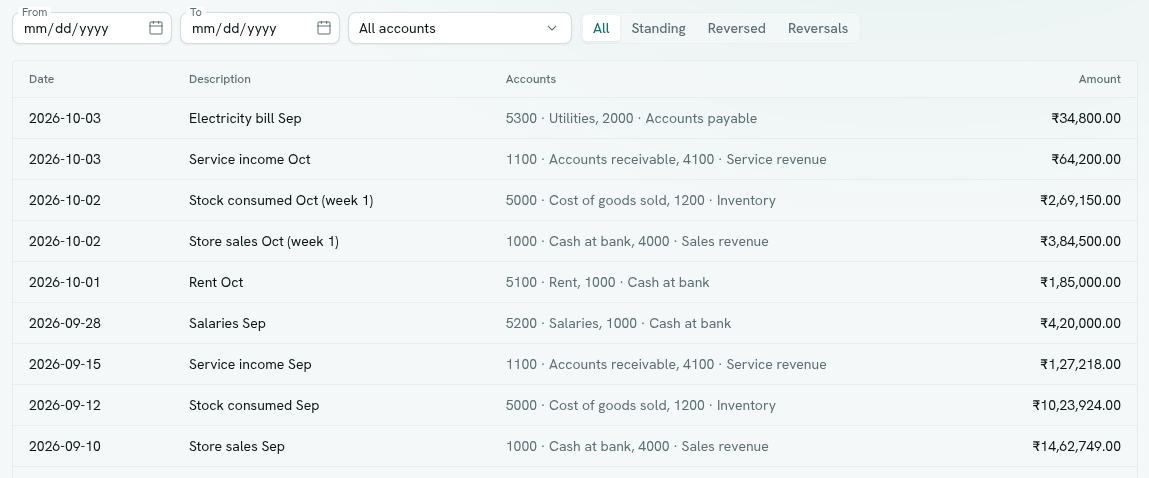
Filter with:
- From and To dates.
- Account — All accounts or one account.
- Status — All, Standing (neither reversed nor a reversal), Reversed, or Reversals.
- Clear removes all filters.
Click an entry to open it. The window shows the date, Total, and the lines (Account, Note, Debit, Credit). Click a line to open that account's ledger. Filters and the open entry are kept in the page address, so you can send a link to a colleague. Right-click for Open, the ledger of the first account, and Reverse… (if you can post). See Post and reverse entries.
Empty states: "No journal entries yet" with Post an entry, or "No entries match" when filters are too narrow.
The ledger
Open Accounting › Ledger, or click an account in the chart.
- Choose an account from Choose an account….
- Optionally set From and To. When you set From, the first row is an Opening balance carrying in everything before that date, so the numbers match the full ledger.
- Read the columns: Date, Description, Debit, Credit, Balance. The last row is the Closing balance with the account's kind.
The balance is debits minus credits. An income or liability account therefore shows a negative balance when it has more credits than debits, which is normal. Click a row to open its journal entry.
If your books hold more than one currency, use the Currency selector. See How the books work.
Troubleshooting
"No postings to yet" Nothing is posted to this account, or none in the period.
The ledger shows "Pick an account" Choose an account. If there are none, the page links to the chart of accounts.