Team & Permissions
Invite people, give them roles, issue access keys for scripts, and check exactly who can do what.
Team & Permissions is where you decide who is in your workspace and what each person can do. Everything a person can do comes from the roles you give them. The workspace owner is the only exception: the owner can do everything.
What you can do
- Invite people with their roles already chosen. Invite and manage people
- Build roles app by app in plain words, from a template or from scratch. Create and edit roles
- Open pages and forms to the public with a role for visitors who are not signed in. Create and edit roles
- Issue access keys so a script or integration can sign in as a service account. Access keys
- Check access before someone runs into a wall. Access check
- Look up what a level means for any app. Permission levels by app
Before you start
- Who can use it: anyone who holds at least one of these on the Roles page, under People & permissions: Can invite people, Can manage people or Full control. Anyone else sees "You don't manage this workspace's team". The owner always can.
- What each level of People & permissions allows:
- Can invite people — send invitations. Cannot change permissions.
- Can manage people — invite, remove, and move people between roles. Includes the Access check.
- Full control — everything above, plus creating roles and editing what they allow.
- This app is part of the core of AxisIQ. It cannot be switched off in Settings → Apps.
- Nothing has to be set up first. A new workspace has no roles; you create them here.
Where to find it
Launcher category Platform › Team & Permissions. The left rail has four sections:
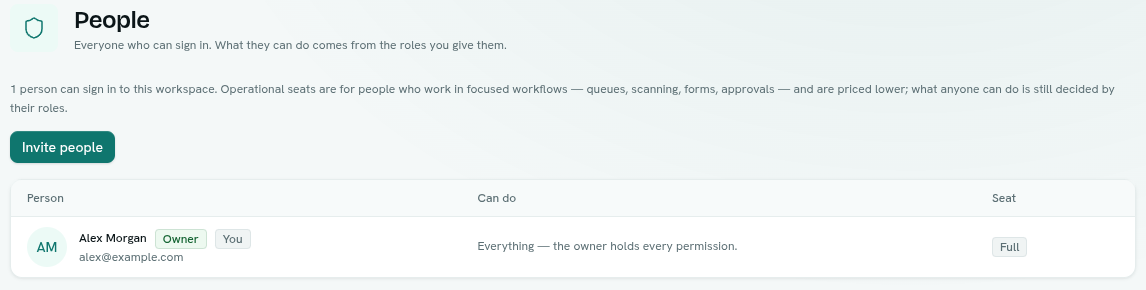
- People — everyone who can sign in, their roles and seat type, and pending invitations.
- Roles — the roles you have created.
- Access keys — service accounts and their keys.
- Access check — ask whether a person can do a specific thing.
Key ideas
| Term | What it means |
|---|---|
| Owner | The person who created the workspace. Holds every permission, cannot be removed, and has no controls on their row in People. |
| Role | A named set of permissions you give to people. A person can hold more than one role. |
| Level | How much access a role gives in one app, for example Can view or Full control. |
| Service account | A non-human identity for a script or integration. It holds roles like a person does. |
| Access key | The secret a service account uses to sign in. Shown once. |
| Public role | A role that applies to everyone who is not signed in. |