Attendance
Check in and out from the web, see the month register for your team, correct a missed check-in, and decide whether unexcused absence cuts pay.
Attendance shows who worked when. Each day is worked out from check-ins, the person's schedule, approved leave and holidays.
Turn on check-ins
Check-ins are off until HR turns them on: Rules & settings › General › Attendance › Check in and out from the web. In the same place:
- Unexcused absence cuts pay (loss of pay) — a working day with no check-in, no leave and no holiday reduces pay. Off by default.
- Corrections allowed for (days back) — how far back people may ask to fix their attendance.
Check in and out
Under My HR or Attendance, the Today card shows your status. Click Check in when you start and Check out when you finish. It shows when you checked in and out and how long you worked.
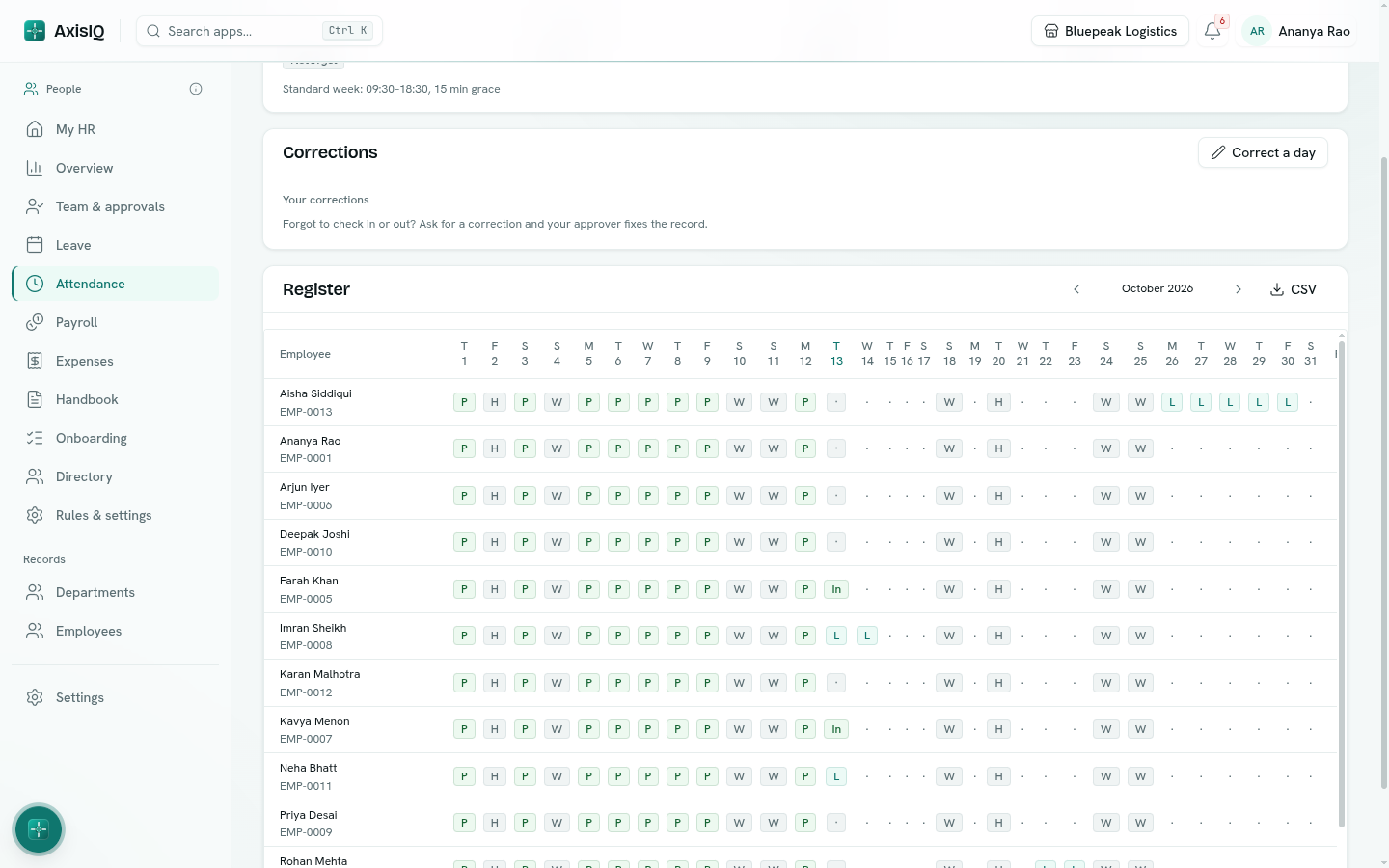
The register
Attendance › Register shows a month for everyone you can see — yourself, your team as a manager, or everyone with Can view everyone. Each day is marked:
| Mark | Meaning |
|---|---|
| P | Present — worked a full day. |
| OD | On duty — marked by HR, for example travelling for work. |
| ½ | Half day — worked the half-day minutes but not a full day. |
| L / ½L | On approved leave, for a full or half day. |
| A | Absent — no check-in on a working day. |
| ? | Checked in but never checked out. |
| W / H | Weekly off / holiday. |
| · | Not checked in yet, or nothing recorded. |
Late check-ins — after start plus grace — are counted in the Late column.
Totals for present, absent, leave and late sit at the end of each row. CSV downloads the month.
With Runs HR, click a day to Mark as present, absent, half day or on duty with a note — your mark replaces the worked-out status.
Correct a day
Forgot to check in or out? Click Correct a day, pick the Day, enter Checked in, Checked out and Why, and click Send. It goes for approval (your manager by default — set under Rules & settings › General). When approved, the corrected times apply.
How attendance reaches payroll
Loss-of-pay days in a payroll run come from unpaid leave, plus unexcused absence when that switch is on. A day missing only its check-out is not counted against anyone. HR can still change loss-of-pay days on any payslip before the run is finalized.