Leave types and balances
Define your own leave types: how many days, earned yearly or monthly, carry forward, limits, notice, documents, approvers and who each type is for. Adjust balances by hand or in bulk.
Every leave type follows rules you set under Rules & settings › Leave types. Change them whenever your policy changes; balances are worked out from the rules.
Before you start: changing leave types needs Runs HR on People (HR).
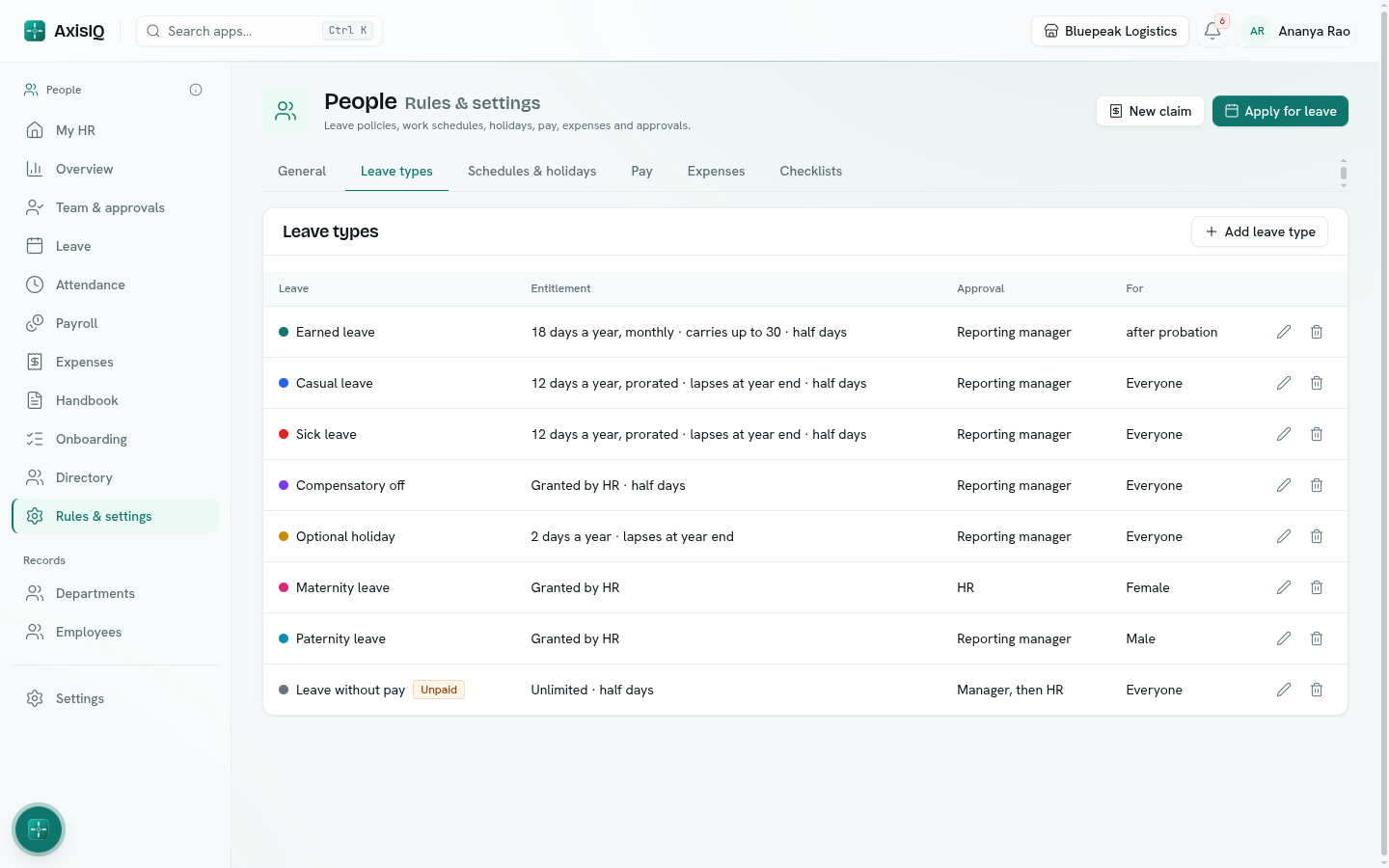
The starting leave types
| Leave type | Starting rule |
|---|---|
| Earned leave | 18 days a year, earned monthly, carries up to 30 into next year, balance never above 45, 7 days' notice, at most 15 days at a time, after probation. |
| Casual leave | 12 days a year, prorated for joiners, lapses at year end, 1 day's notice, at most 3 days at a time. |
| Sick leave | 12 days a year, prorated, lapses at year end, can be applied up to 7 days back, a document over 2 days. |
| Compensatory off | Granted by HR. |
| Optional holiday | 2 days a year, only on holidays marked optional. |
| Maternity leave | Granted by HR, approved by HR, counts every calendar day. |
| Paternity leave | Granted by HR. |
| Leave without pay | Unlimited, tracked as loss of pay, approved by manager then HR. |
Edit, delete or add types to match your policy.
Edit a leave type
Click the pencil beside a type, or Add leave type.
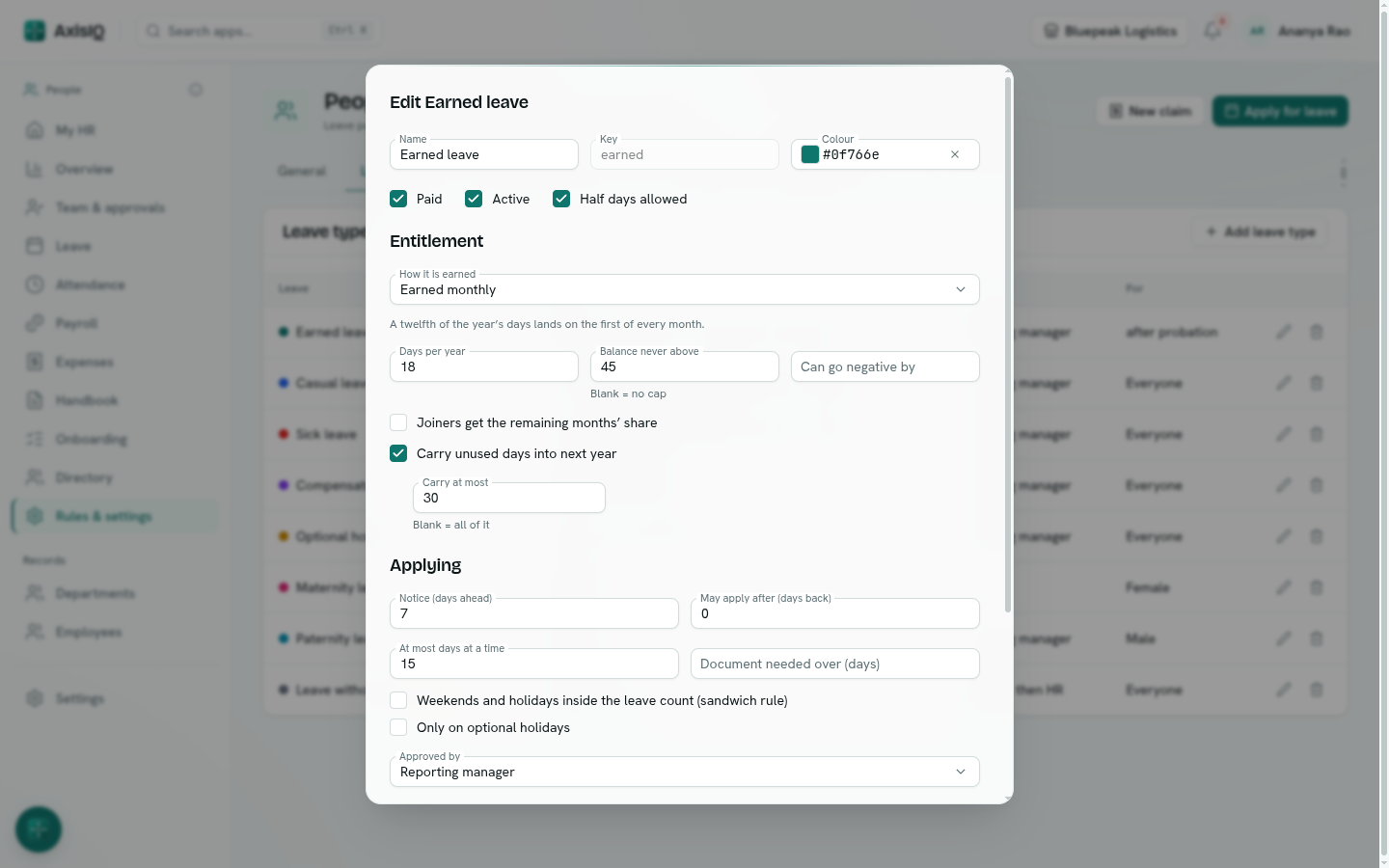
Basics — Name, Colour, Paid (unpaid days become loss of pay in payroll), Active, Half days allowed.
Entitlement — How it is earned:
| Choice | What happens |
|---|---|
| Whole year up front | The year's days land on the first day of the leave year. |
| Earned monthly | A twelfth of the year's days lands on the first of every month. |
| Granted by HR | Only what HR adds by hand — comp-off, special leave. |
| Unlimited, tracked only | No balance — for leave without pay or on duty. |
Then Days per year, Balance never above, Can go negative by, Joiners get the remaining months' share (someone joining after the 15th starts from the next month), Carry unused days into next year and Carry at most. Days not carried lapse at the end of the leave year.
Applying — Notice (days ahead), May apply after (days back), At most days at a time, Document needed over (days), Weekends and holidays inside the leave count (sandwich rule), and Only on optional holidays.
Approved by — Reporting manager, HR, Manager, then HR or Approved automatically. See Approvals.
Who it is for — limit a type to employment types, genders or departments, to people with some days of service, or to people past probation. Leave it empty for everyone.
How a balance is worked out
A balance is a running list of entries: days earned, taken, returned (a cancelled leave), adjusted by HR and lapsed at year end. Open an employee's balance in Leave › Balances to see each entry. Available is the balance less days in pending requests, plus any amount the type may go below zero.
Note: Balances start from the employee's joining date, or the day your company set up People, whichever is later. Bring in balances from before with an adjustment.
Adjust balances
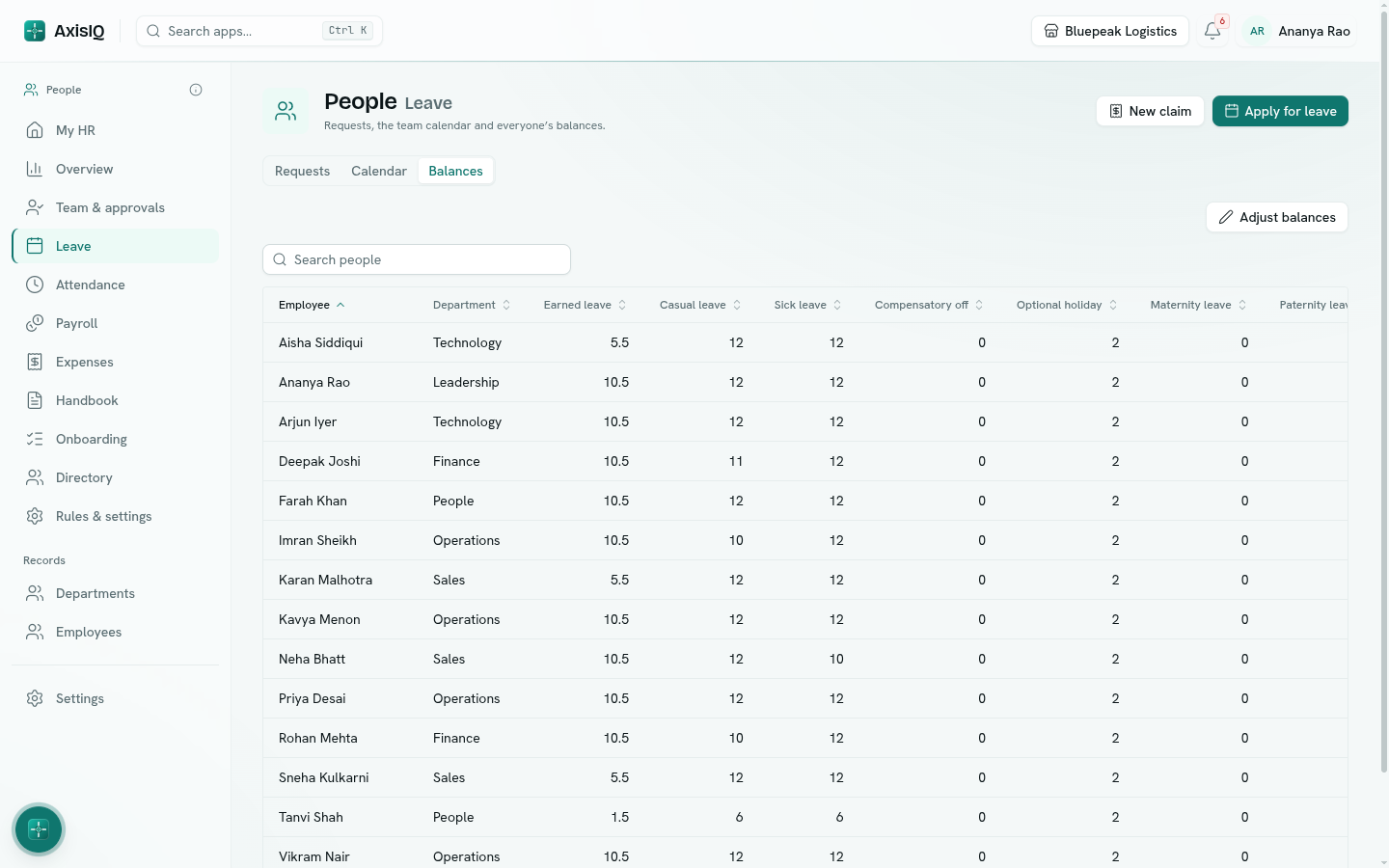
In Leave › Balances, click Adjust balances:
- One person — pick the employee and leave type, enter Days (− to deduct) and a Note.
- Paste a list — one line per adjustment (employee ID, leave type key, days, note), for example opening balances when you start, or comp-off for a weekend shift.
Adjustments are kept in the balance history with who made them.