Handbook and policies
Write your company policies, publish them to the people they apply to, ask for acknowledgement, and see who has read each version.
The handbook holds your company's own policies — code of conduct, leave, work from home, travel, anything you need people to read.
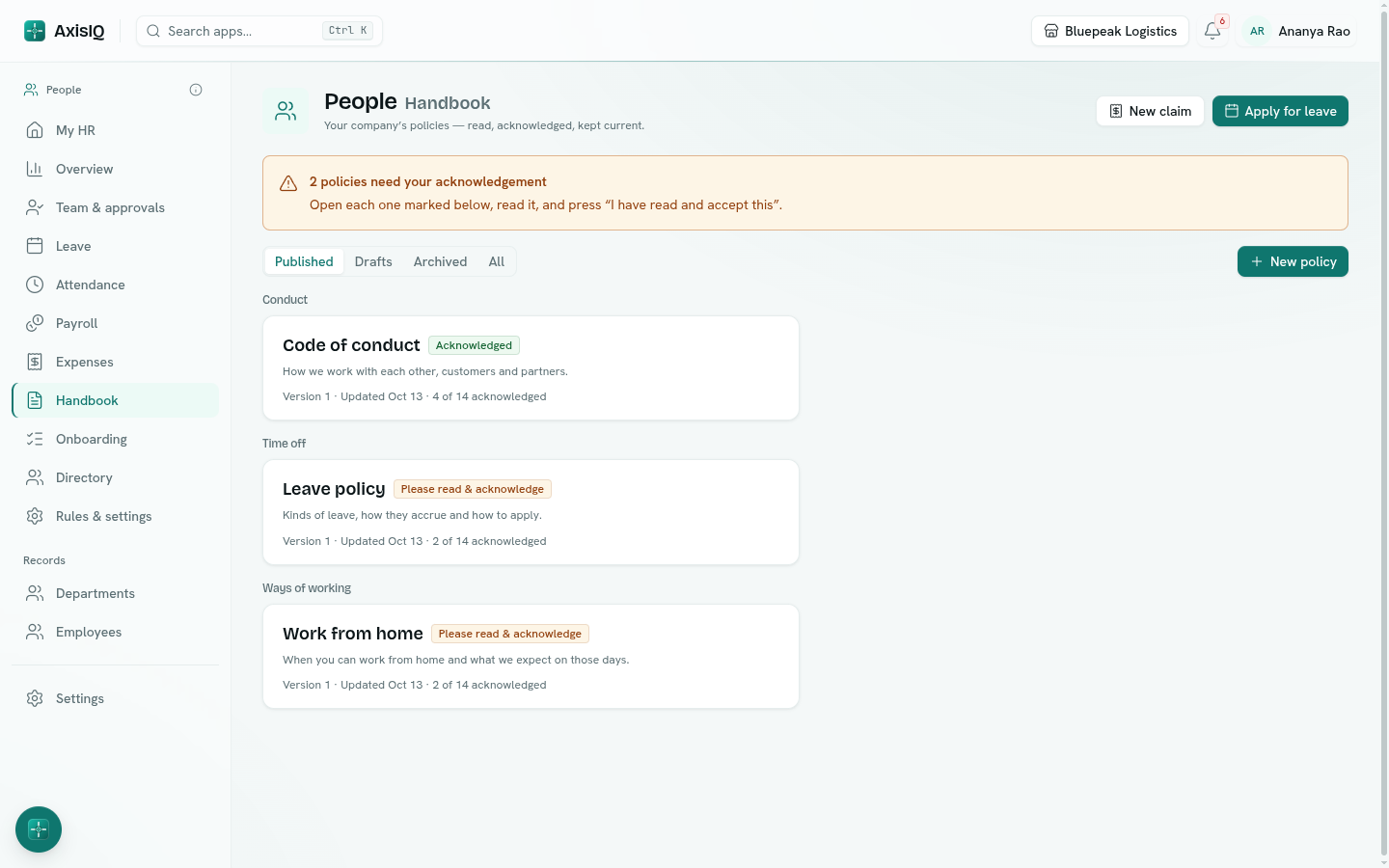
Read and acknowledge
Policies that apply to you are under Handbook. One that needs your acknowledgement is marked Please read & acknowledge and shows on My HR. Open it, read it and click I have read and accept this.
Write a policy
Before you start: writing and publishing policies needs Runs HR on People (HR).
- Go to Handbook and click New policy — or open one of the drafts setup created.
- Fill in Title, Category (it groups the handbook) and a One-line summary.
- Set Effective from, and tick Everyone it applies to must acknowledge it if you need a record that people read it.
- Under Who it is for, limit it by Employment types, Genders, Departments, After days of service or Only after probation — or leave it empty for everyone.
- Write the policy in the editor (headings, lists, tables and links), with Preview to check it.
- Save keeps a draft. Publish makes it visible and notifies the people it applies to.
Versions and acknowledgements
Publishing again after an edit makes a new version — and asks everyone to acknowledge again, so you always know who agreed to the current text.
Open a published policy to see acknowledgement progress: who has Acknowledged, who is Pending, and who has No sign-in — can't acknowledge. Remind notifies everyone still pending.
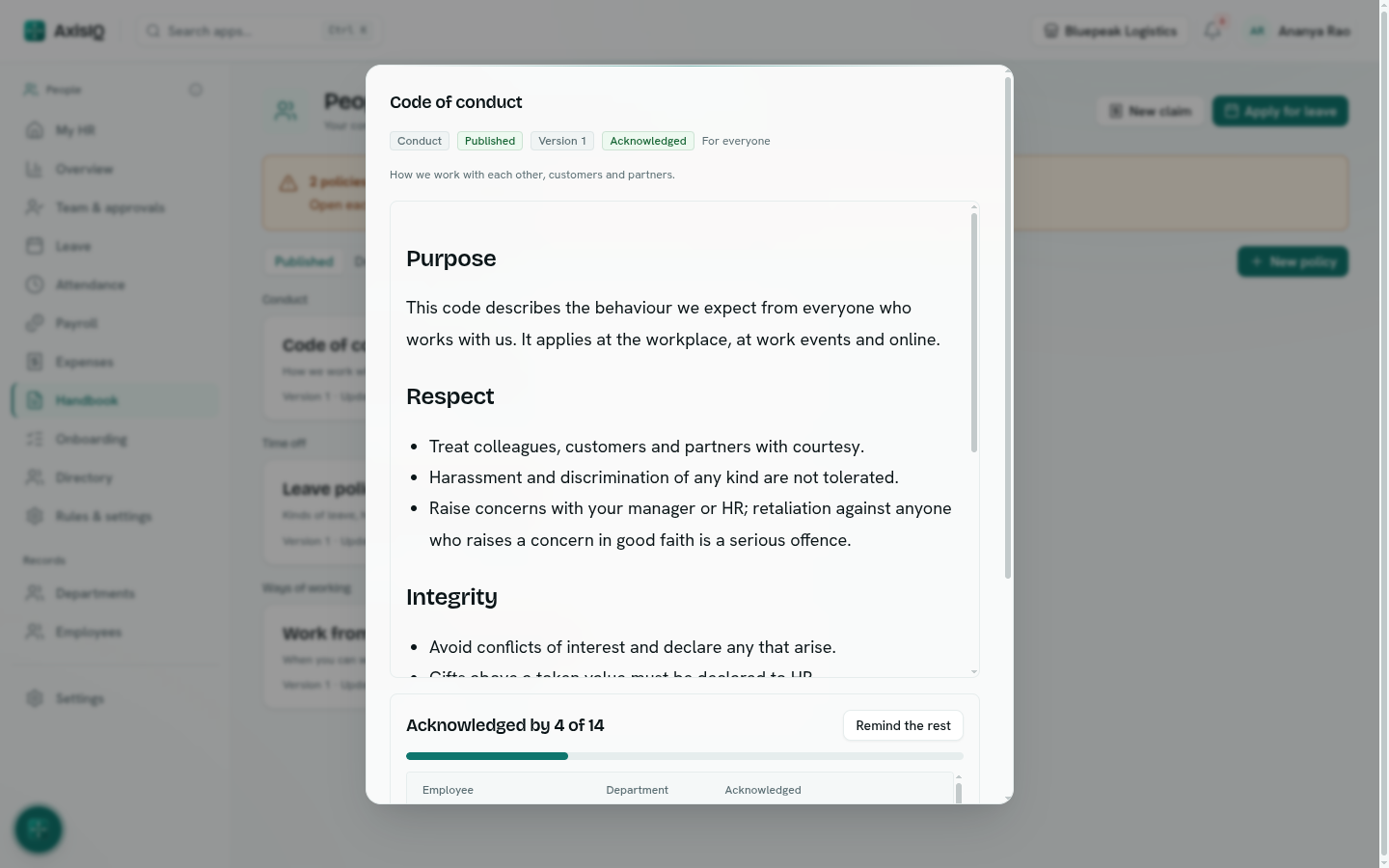
Archive takes a policy out of the handbook. Published policies are archived, never deleted, so the record of who acknowledged them stays.