Employees and departments
Add and import employees, set who they report to, link them to their sign-in, and see everyone in the directory and org chart.
Employees and departments are ordinary records, so you add, edit, import, search and report on them like any other list in your workspace. People reads them to know who works here, who reports to whom and who is on which schedule.
Add a department
Go to People › Departments (under Records in the rail) and click New. Give it a Name, an optional Code, its Head and, for a sub-team, the department it is Part of.
Add an employee
- Go to People › Employees and click New.
- Fill in Full name, Date of joining and Work email. The Employee ID is issued for you if you leave it blank.
- Set Department, Designation and Reports to — the manager who approves their leave and claims.
- Set Employment type (full time, part time, contract, intern), Gender, Date of birth and Probation ends if your leave rules use them.
- Pick a Work schedule if they don't follow the default week.
- Add payroll details: PAN / tax id, UAN / PF number, ESI number, Bank name, Bank account and IFSC / routing code.
- Click Save.
The new employee's joining checklist starts by itself. See Onboarding and exit checklists.
Important: Work email must be the email the person signs in with. That is how People knows that a member is this employee, and gives them My HR. Invite them from Team & Permissions › People with the same address.
Import many at once
On the Employees list, use Import with a CSV file. Match Reports to and Department by name. Import departments first so the references resolve.
Someone is leaving
Set Status to On notice and fill in Last working day. Their exit checklist starts by itself. On their last day, set Status to Left (exited). They stay in the records — payroll stops after their last working day, and Include people who left shows them in the directory.
The directory
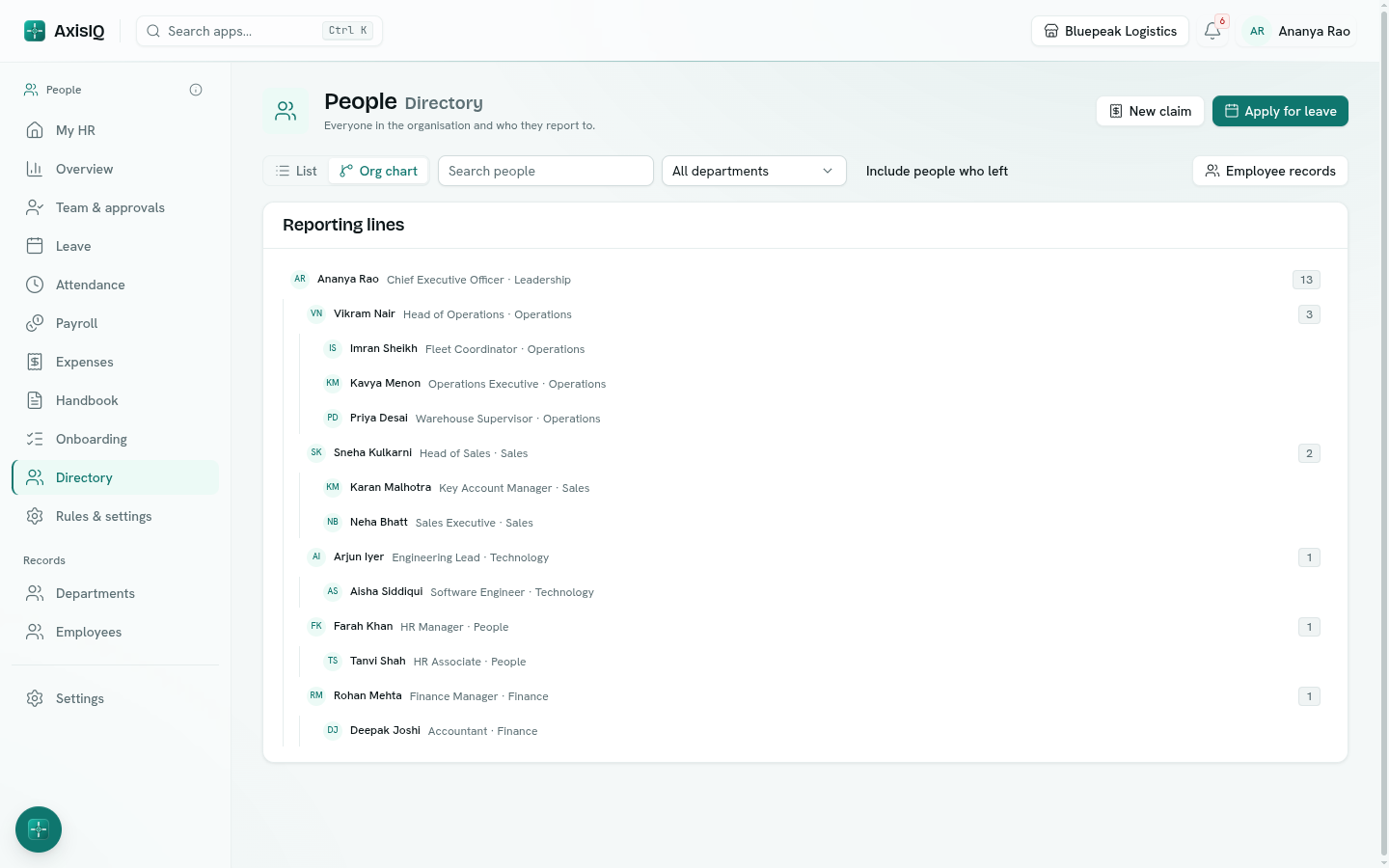
People › Directory lists everyone in the organisation with their designation, department, manager and whether they are away today. Every member can see it — it shows work details only (birthdays as day and month).
- Search by name, ID, designation, department or email, or filter by department.
- Click a person for their details. With Can view everyone, Open employee record opens the full record.
- Org chart draws the reporting lines as a tree; the number beside a manager is everyone below them.
Letters
If you added the letter templates at setup, open an employee record and use Documents to print an Offer letter, Experience letter or Relieving letter with their details filled in. Edit the layouts in Templates.
Custom fields
Add any field your company tracks — blood group, shirt size, notice period — with Fields on the Employees list. People ignores fields it doesn't use, and keeps working if you rename the ones it does.