Status and do not disturb
Show what you are doing with a status, see who is active, and pause notifications.
Who is active
A green dot on someone's picture means they have Relay open right now. An empty ring means they are away. People in the sidebar lists everyone, with Active now to show only those who are online.
Set a status
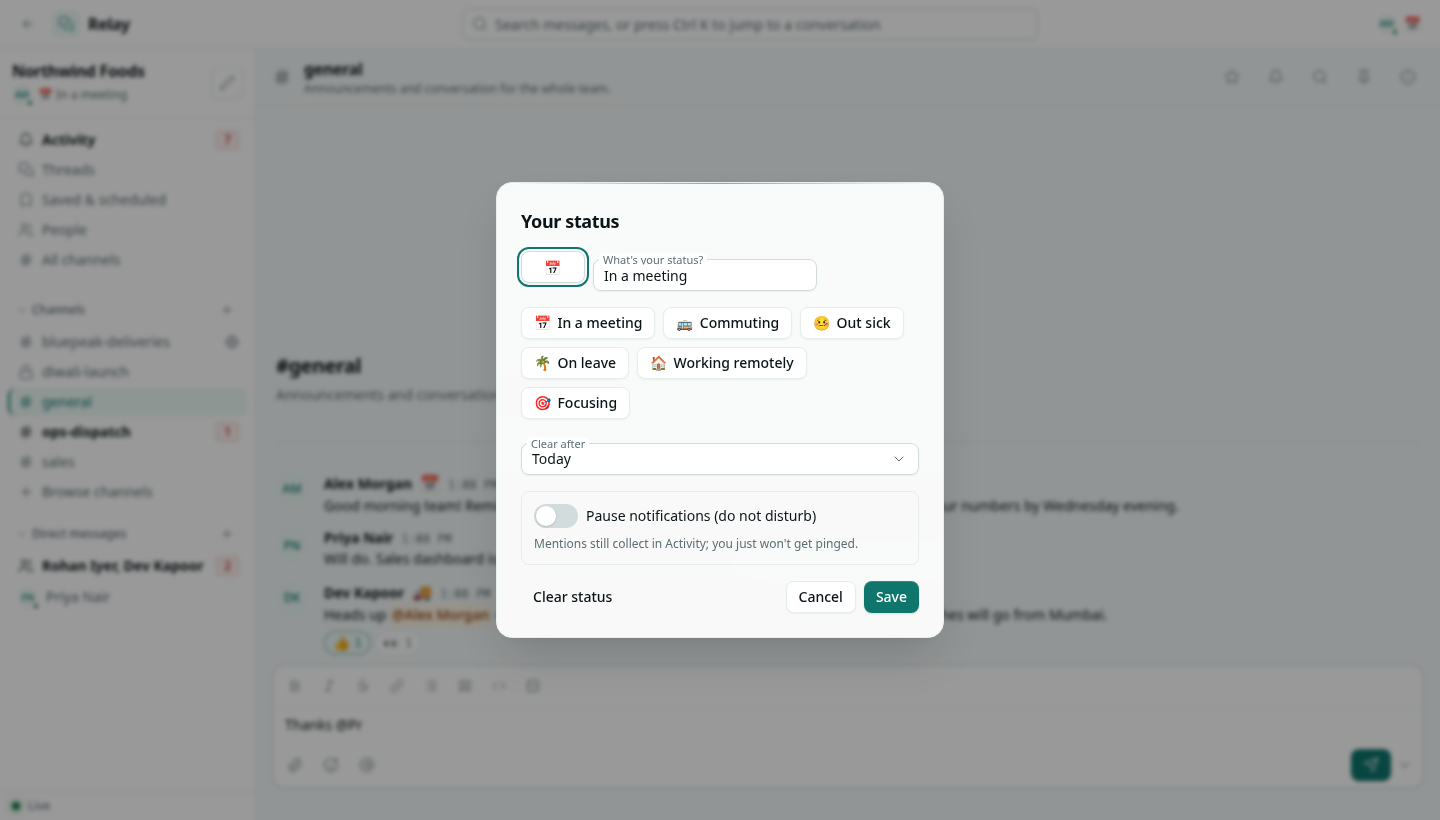
- Click your status under the workspace name in the sidebar, or your picture in the top bar.
- Pick a suggestion (In a meeting, Commuting, Out sick, On leave, Working remotely, Focusing) or type your own, with an emoji.
- Choose Clear after: 30 minutes, 1 hour, 4 hours, Today, This week or Don't clear.
- Click Save.
Your status emoji shows next to your name on your messages and in People. Clear status removes it.
Do not disturb
Turn on Pause notifications (do not disturb) in the same dialog and choose for how long: 30 minutes, 1 hour, 4 hours, until tomorrow 9:00 or one week. While it is on, nothing reaches the bell; mentions, replies and direct messages still collect in Activity for when you come back.