Ask Axis on WhatsApp
Message Ask Axis from WhatsApp and get answers as yourself, with your permissions, in any of your workspaces.
You can chat with Ask Axis from your phone in WhatsApp. It answers as you, with your permissions, and still asks before it spends money, messages someone or deletes data.
Before you start: you need a verified mobile number on your account (the number you added at sign-up or in Account security). The WhatsApp card on the Account security page only appears when WhatsApp is set up for your platform. There is nothing to switch on: your verified number is what identifies you.
Steps
- Open Account security from your user menu (
/settings/security). - Find the Ask Axis on WhatsApp card. It shows the AxisIQ WhatsApp number to message.
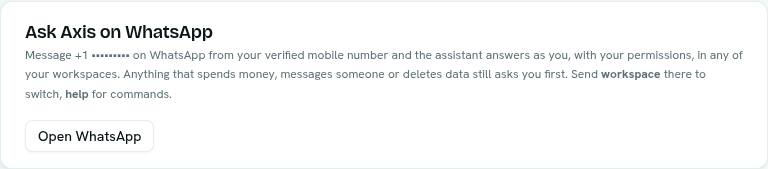
- Click Open WhatsApp and send a message from the verified mobile number.
- If the card says to add a mobile number first, use the phone section above it, then come back.
How it behaves
- Which workspace: you can reach every workspace you belong to. If you belong to one, it is chosen for you. If you belong to several, you get a numbered list to pick from.
- Commands: send
workspaceto switch workspace,newto start a fresh conversation andhelpto list commands. - Questions and confirmations: options arrive as a numbered list. Reply with the number, or type your own answer. For a confirmation you can also reply "yes".
- Text only: it reads text messages. If you send a photo or file, it asks you to type instead.
- Replies: short, with bold text and links kept, and long answers are split into parts marked (1/2), (2/2).
- Replies only: Ask Axis answers when you write first. It does not start conversations.
Tips
- Anything that spends money, messages someone or deletes data asks you first, just like in the app. See Confirmations and questions.
- Your plan's AI allowance applies. If you reach it, the reply says so.
- Messages are matched to the verified mobile number on your account, so always write from that number.
Troubleshooting
The Ask Axis on WhatsApp card is missing WhatsApp is not set up for your platform. Ask your administrator.
The card says to add a mobile number first Add and verify a mobile number in the phone section of Account security. It is how WhatsApp messages are matched to you.