Send for e-signature
Set the signing order, send a contract for e-signature, follow its progress, and download the sealed signed copy with its certificate of completion.
Send a contract for signature from Axis: each signer gets a personal link, confirms it's them with a one-time code sent to their email, and types their name to sign. When everyone has signed, you get a signed copy with a certificate of completion, sealed so any later change shows.
Send a contract
- Open the contract and choose the Signing tab.
- Click Add signer for each person who signs, including you if you sign for your side. Enter their Name and Email.
- Set the Step. Signers on step 1 get their links first; step 2 gets theirs when everyone on step 1 has signed, and so on. Give two people the same step to have them sign at the same time.
- Click Save signers, then Send for signature and confirm.
The contract's text is frozen as a PDF from that moment. You need Full control on Contracts to send.
What signers see
Each signer gets an email from AxisIQ with Review and sign. The link opens the document — no account needed.
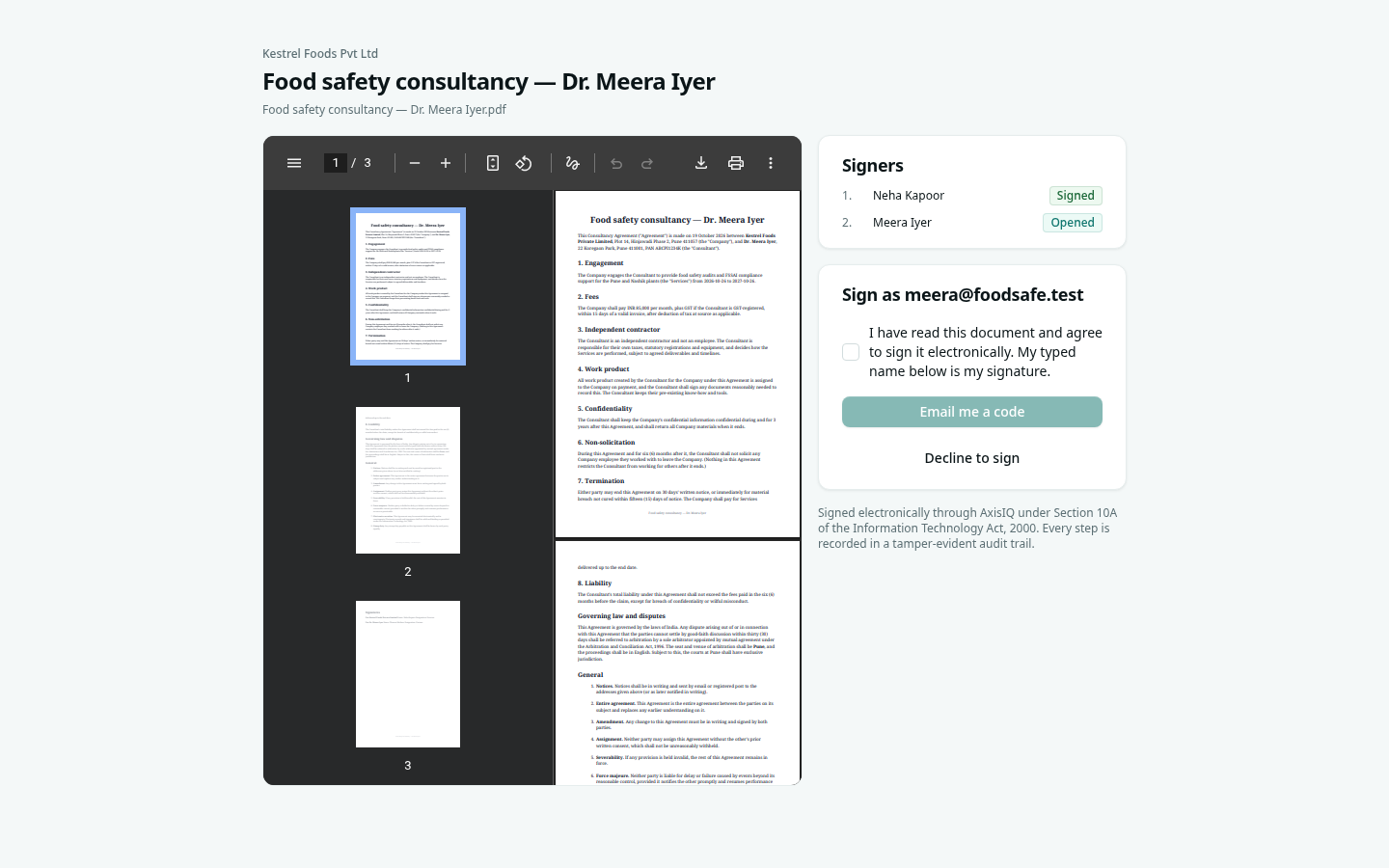
- They read the document and tick the box agreeing to sign electronically.
- They click Email me a code and enter the 6-digit code (it expires in 10 minutes).
- They type their full name and click Sign.
They can also Decline to sign with a reason — signing stops and you are told.
Follow progress
- Out for signature in the rail lists every contract waiting for someone.
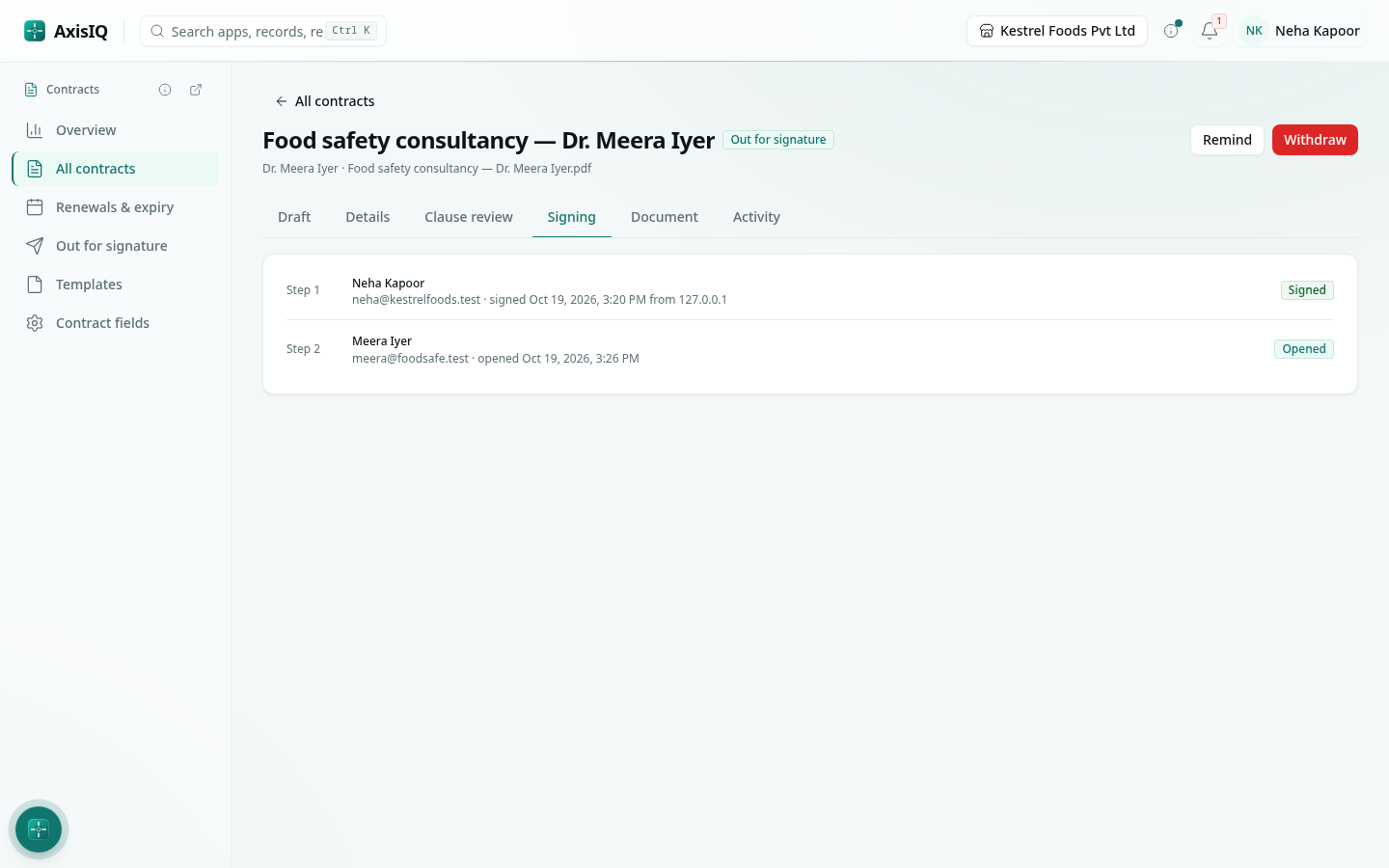
- The contract's Signing tab shows each signer's status — link sent, opened, signed — with the time and IP address of each signature.
- Remind sends a fresh link to whoever's turn it is (at most once an hour per person).
- Withdraw stops signing; every link stops working and signers are told by email.
The signed copy
When the last signer signs, Axis adds a certificate of completion to the end of the document — who signed, when, from where, how each was identified, the document's fingerprint and the full audit trail — and seals the whole file. Download it with Signed copy; each signer is emailed a link to it too.
Open the signed PDF in Adobe Acrobat or another reader and look at its signature panel: it shows the document has not changed since it was sealed. Any later edit makes the seal show as invalid.
The audit trail
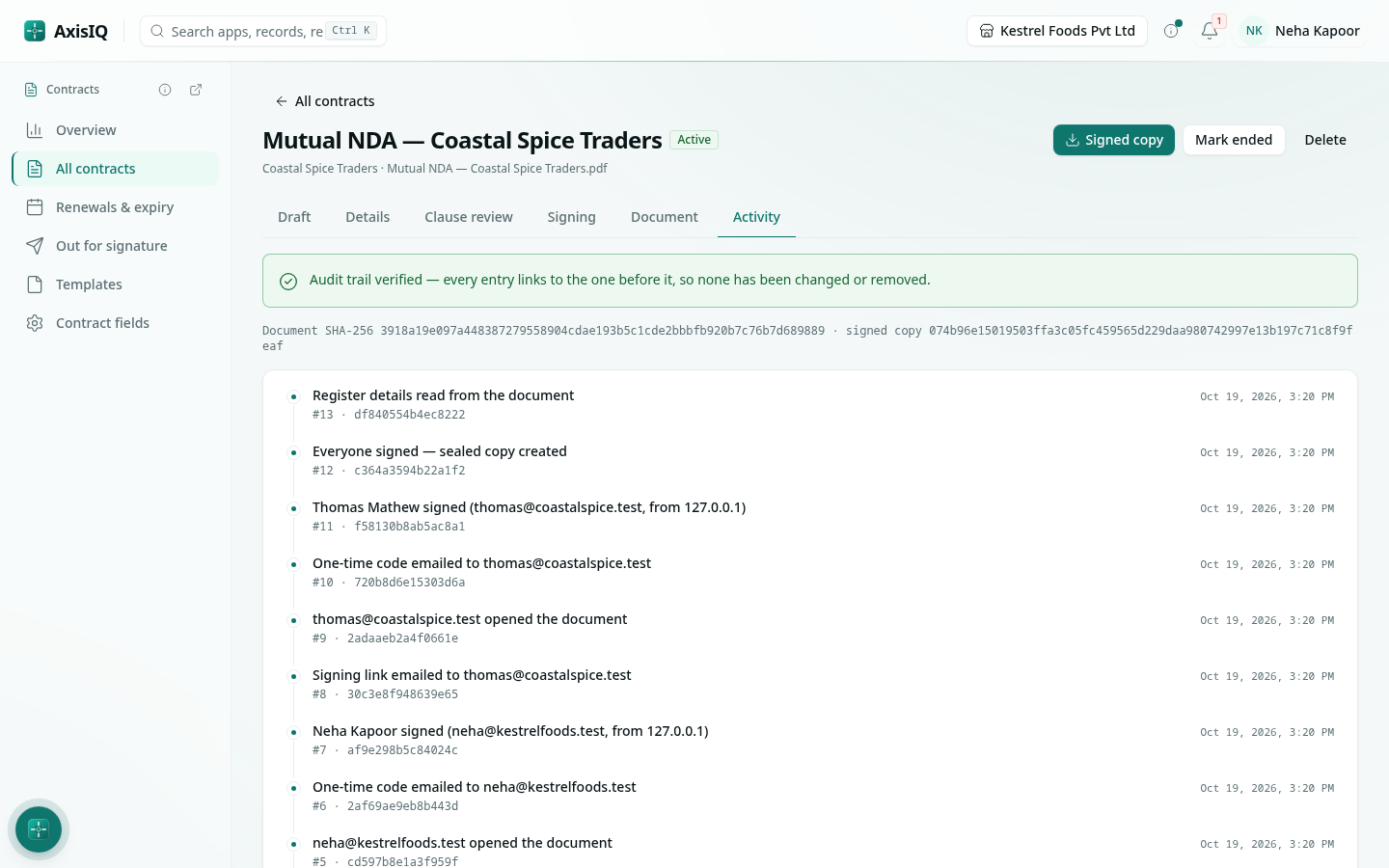
The Activity tab lists every step — created, uploaded, sent, opened, code sent, signed, completed. Each entry is linked to the one before it, and Axis checks the whole chain every time you open it: Audit trail verified means nothing has been changed or removed.
Good to know
- The contract becomes Active when everyone has signed, with today as its start date if none was set.
- Contracts of a kind Indian law doesn't allow to be signed electronically — leases and sales of property, powers of attorney, trusts, wills and promissory notes — can't be sent. Sign those on paper and upload the executed copy. See Legal validity in India.