Register, renewals and reminders
Keep every contract in one register — details read from the document, tags and your own fields — and get reminded before notice and end dates.
Every contract — written here, signed here, or signed on paper long ago — sits in one register with its term, value and renewal worked out for you.
Add a contract signed elsewhere
- Click New contract and choose Already signed.
- Enter a Title, attach the PDF and click Create.
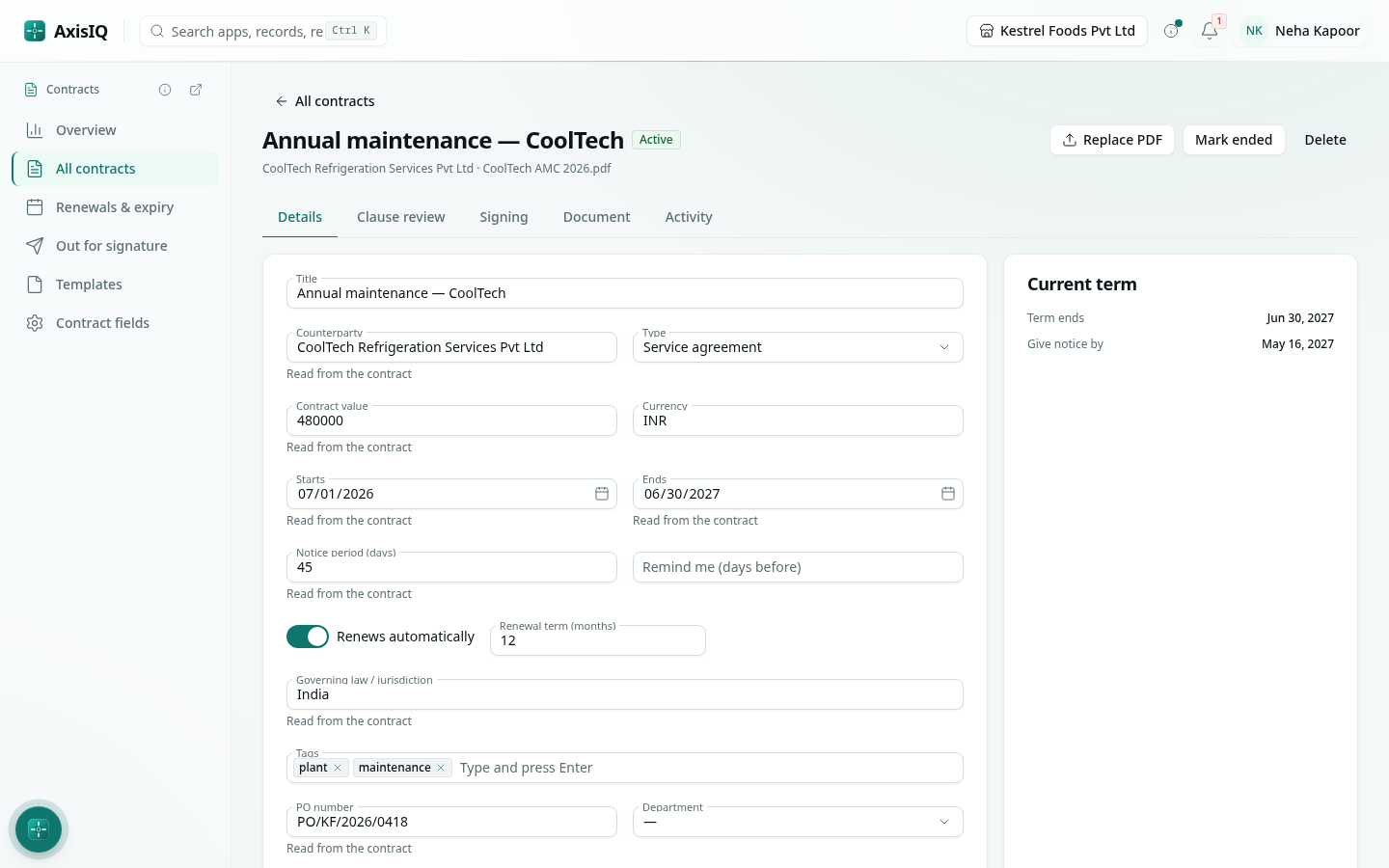
- Axis reads the document and fills in the counterparty, type, start and end dates, auto-renewal, notice period, value, governing law and your own fields — usually within seconds. You don't type them.
Values read from the document are marked Read from the contract on the Details tab. Axis only ever fills empty details; anything you enter is kept, and once you change a value the mark goes away.
The same reading happens when you upload a PDF to any contract, when you send a contract written here for signature, and when you run a clause review.
The term, renewals and notice
On Details, Current term shows when the contract ends and the last day to give notice. A contract that Renews automatically rolls into its next term by itself, so the dates are always for the current term.
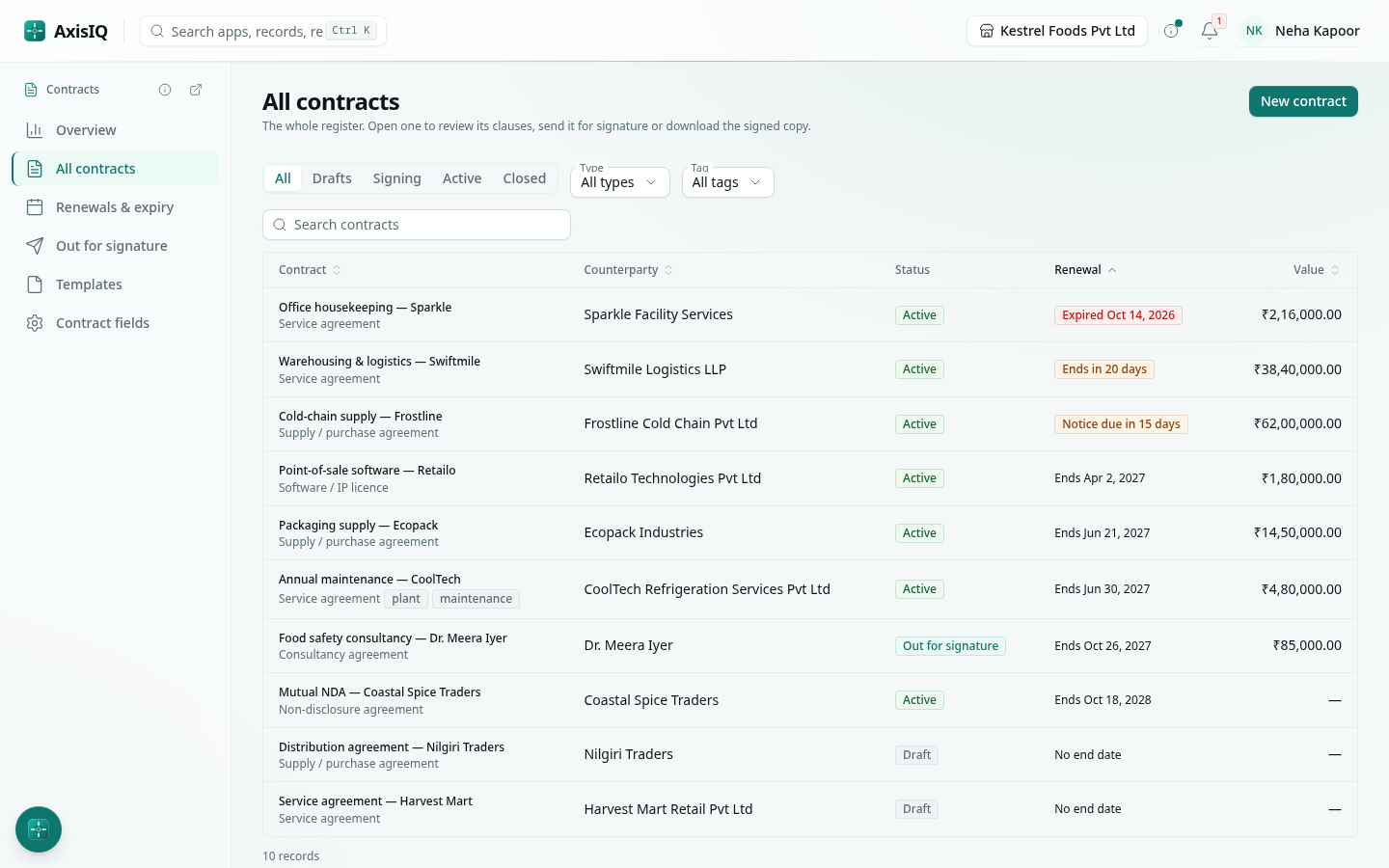
Renewals & expiry in the rail lists active contracts whose notice date or end date is inside their reminder window, and those already expired. Each row says what is due: Notice due in 15 days, Ends in 20 days, Expired.
Reminders
The contract's owner (and whoever created it) gets a reminder in their inbox — and by email, depending on their notification settings — when the notice date and the end date come within the contract's Remind me (days before) window (30 days unless you change it). Each date reminds once per term. Turn the email copy on or off under Account › Notifications › Contracts.
Tags and your own fields
- Tags — add as many labels as you like on Details (for example a region or a business line). Filter the register by tag.
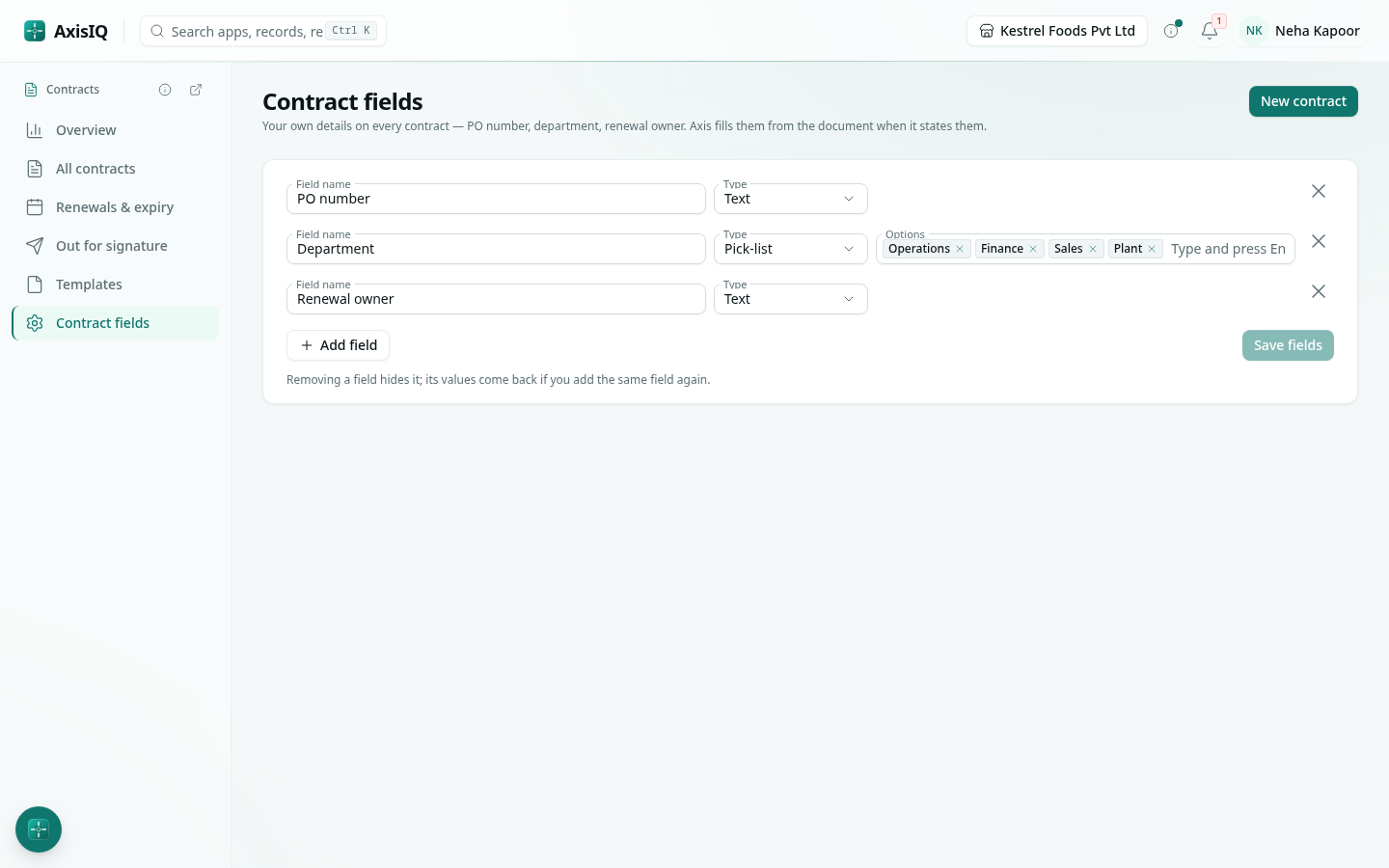
- Contract fields — in the rail, add the details you track on every contract: PO number, department, renewal owner. Choose text, number, date, a pick-list or yes / no. They appear on every contract's Details, and Axis fills them from the document when it states them.
Filter and find
On All contracts, filter by status (Drafts, Signing, Active, Closed), by type and by tag, and search by title, counterparty or tag. Sort by renewal date to see what ends next.
End a contract
Click Mark ended when a contract is terminated or not renewed; Reactivate brings it back. Ended contracts stop reminding.