Contracts
Write contracts from templates or with Ask Axis, review their clauses, get them e-signed with a sealed copy, and never miss a renewal or notice date.
Contracts is where your agreements are written, reviewed, signed and tracked. Start from a ready template or let Ask Axis draft one, check its clauses against Indian law, send it for e-signature, and keep every agreement — including ones signed on paper — in one register that reminds you before a notice date or an end date slips by.
What you can do
- Write a contract here — from a built-in template, your own templates, a blank page, or a draft Ask Axis writes for you. See Write a contract.
- Review its clauses — Ask Axis flags one-sided, unenforceable or missing clauses and helps you fix them. See Review clauses.
- Get it signed — signers sign in order with a one-time code sent to their email; you get a sealed signed copy with a certificate of completion. See Send for e-signature.
- Keep the register — upload contracts signed elsewhere; their dates, renewal, notice and value are read from the document for you. Add tags and your own fields. See Register, renewals and reminders.
- Know what is legally valid — what an e-signature here is and isn't under Indian law. See Legal validity in India.
Before you start
Roles have a Contracts app with these levels:
| Level | What it allows |
|---|---|
| Can view | See contracts, their files, clause reviews and signing progress. |
| Can add & edit | Everything above, plus adding contracts, writing drafts, uploading files, running clause reviews and managing templates and fields. |
| Full control | Everything above, plus choosing signers, sending for signature, reminding and withdrawing. |
Note: Contracts is an optional app. If you don't see it, the workspace owner can turn it on under Settings › Apps, and may first need to apply a workspace upgrade there.
Where to find it
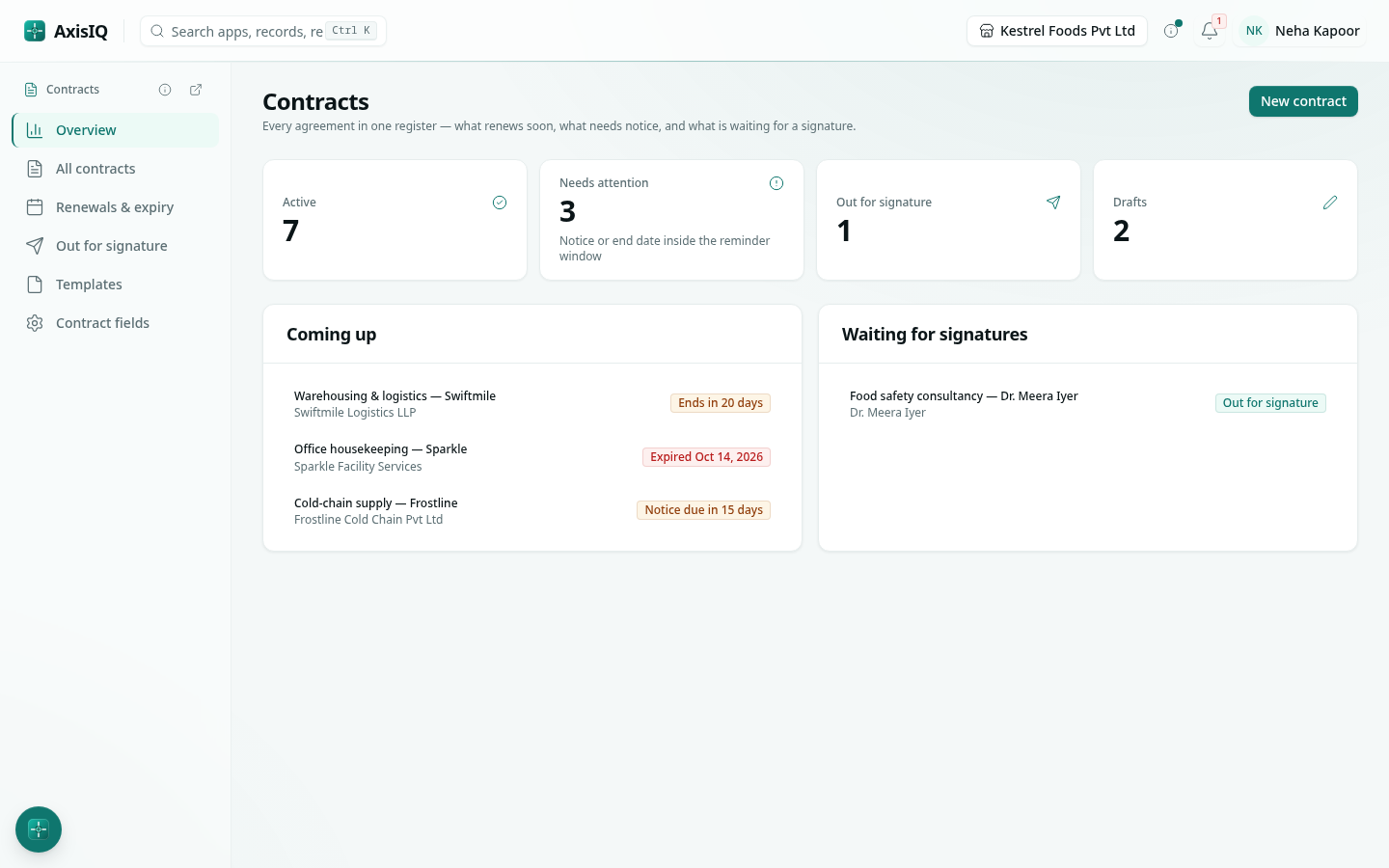
Launcher category Commerce › Contracts. The left rail has Overview, All contracts, Renewals & expiry, Out for signature, Templates and Contract fields. Open any contract for its Draft, Details, Clause review, Signing, Document and Activity tabs.
Quick start
- Click New contract.
- Choose From a template, pick one (for example Mutual non-disclosure agreement), give it a title and fill in what you know.
- In the Draft tab, replace the remaining blanks — they are listed above the text.
- Open Clause review and click Review with AI.
- In Signing, add the signers and click Send for signature.