Review clauses
Have Ask Axis read a contract, flag one-sided, unenforceable or missing clauses under Indian law, and fix them in the draft.
The clause review reads a contract — one you wrote here or a PDF you uploaded — and tells you what a careful in-house counsel would raise.
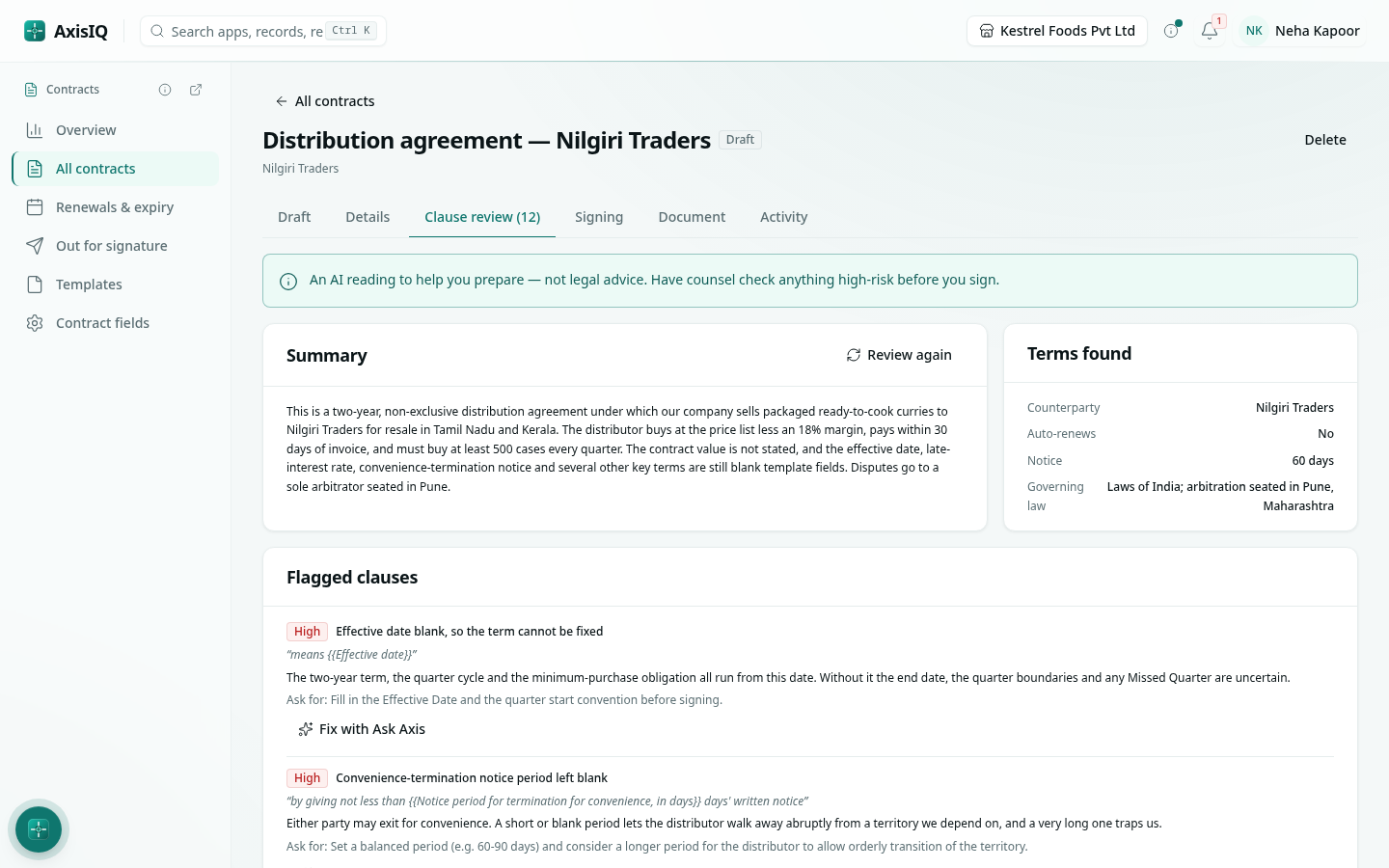
Run a review
- Open the contract and choose the Clause review tab.
- Click Review with AI. It takes about half a minute.
- Read the Summary, the Terms found and the Flagged clauses, highest risk first. Each finding quotes the clause, says why it matters, what to ask for, and the law involved where one applies.
- Usually present, missing here lists clauses a contract like this normally has.
Click Review again after you change the contract.
What it checks
- Non-competes that apply after the relationship ends (void under Section 27 of the Indian Contract Act) and clauses that bar going to court or shorten limitation periods (Section 28).
- Penalty clauses (courts award only reasonable compensation, Section 74), unlimited liability and one-sided indemnities.
- One-sided termination, very long notice periods, and auto-renewal with a short or hidden notice window.
- Missing or unclear governing law, jurisdiction or arbitration seat.
- Payment terms, GST treatment, interest on late payment.
- Personal data handled without the Digital Personal Data Protection Act, 2023 obligations.
- Intellectual property and confidentiality gaps, unilateral amendment rights.
- Documents that cannot be signed electronically, and stamp duty.
Fix a finding
On a draft written in Axis, each finding has Fix with Ask Axis. Ask Axis opens, changes only the passage concerned and tells you what it changed. For an uploaded PDF, take the finding back to the other side.
Good to know
- The review is a second pair of eyes to help you prepare — not legal advice.
- Dates, renewal, notice, value and governing law that the review finds also fill any of those details still empty on the contract. See Register, renewals and reminders.
- A scanned PDF with no text layer can't be reviewed.