Drafts, publishing and versions
Save changes to a function as a draft, test them, publish when ready, and roll back to any earlier version.
Saving a function no longer changes what runs. Your edits are kept as a draft until you Publish, and every publish is kept as a version you can go back to. Anything that runs the function — its public web address, flows, forms, work queues and Ask Axis — always runs the published version.
Before you start: saving drafts, publishing and rolling back need Full control on Custom code on the Roles page. Can view is enough to see the versions.
Save a draft
- Open the function and change the code.
- Click Save draft.
The function shows Unpublished changes, and the list shows a Draft badge beside its name. Nothing that runs the function sees the draft yet.
Test the draft
In the Run card, Run function runs your saved draft, not the live version, so you can try a change before anyone depends on it. Save first: unsaved edits in the editor are not part of the test.
Publish
Click Publish. Your code goes live straight away as the next version, and Live · version N updates. Publishing makes you the code's author, which decides whose access a flow, form or queue gets when it runs the function. See Limits and permissions.
To throw a draft away, click Discard draft and confirm. The editor goes back to the live code.
See earlier versions
Open the Versions tab. Every published version is listed, newest first, with who published it and when; the one running now is marked Live. Click a version to read its code.
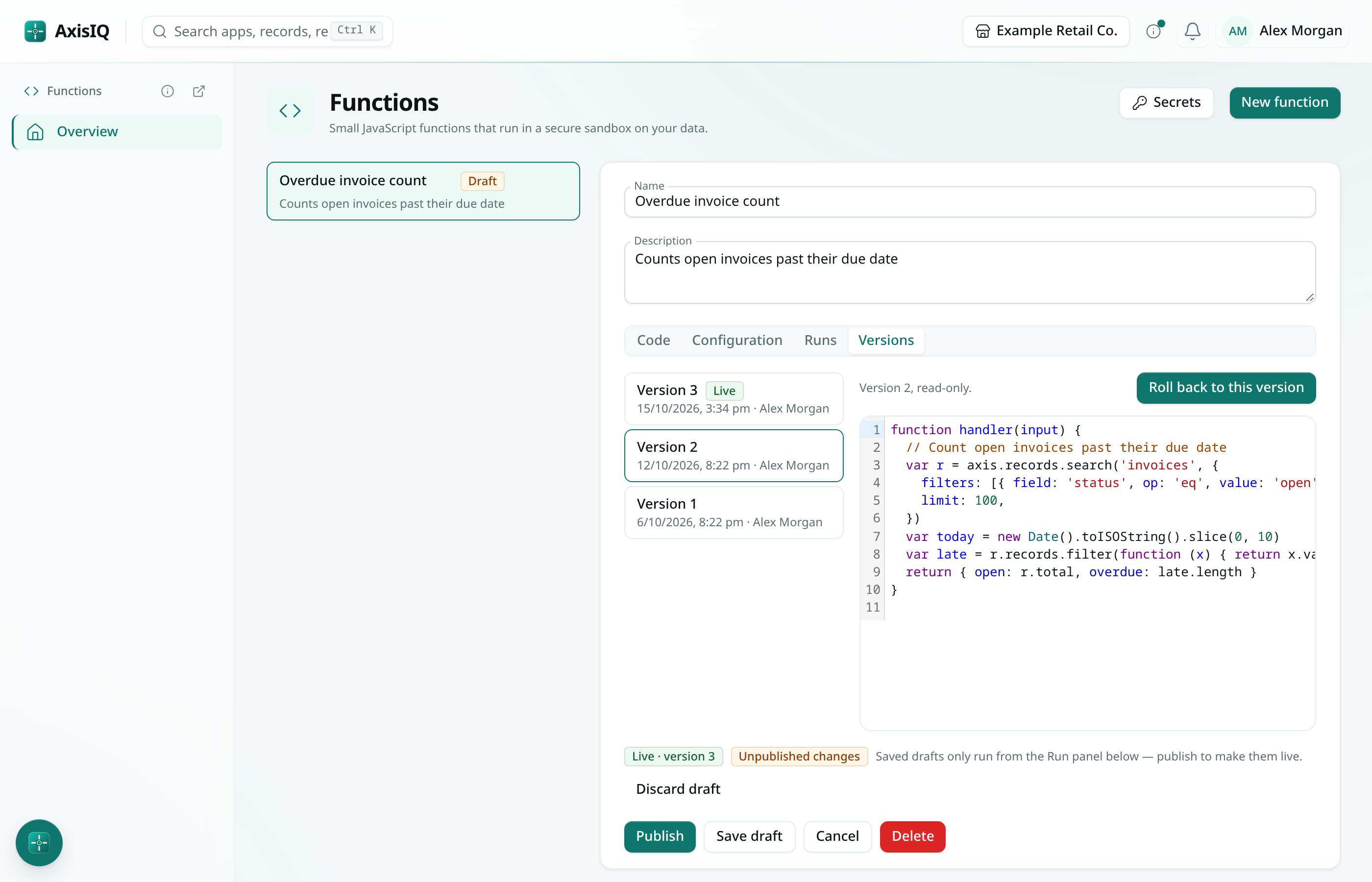
Roll back
- In Versions, click the version you want.
- Click Roll back to this version and confirm.
That code goes live again, everywhere the function runs, as a new version — so the version you replaced stays in the list and you can roll forward again the same way. A draft you are working on is left as it is.
Good to know
- Only the code has versions. The name, description, timeout, the Enabled switch and Expose over HTTP take effect as soon as you save.
- The newest 50 versions are kept.
- When Ask Axis changes a function's code, the change is published straight away as a new version, so it can be rolled back too.
- If two people save drafts of the same function, the last save wins.
- Run history does not show which version a run used.