Customer statement
See and download everything between you and one customer over a period: invoices, payments, credits and what they still owe.
A customer statement shows everything between you and one customer over a period: what you invoiced, what they paid, what you credited and what they still owe. Send it when a customer asks "what do I owe you?", or check it before a follow-up call.
Before you start: you need to be able to read the documents in Invoices & Payments. The statement only includes document types you can see.
Open a statement
- Open Invoices & Payments › Overview.
- Click Customer statement.
- Pick the Customer.
- Change From and To if you need a different period. It starts at the beginning of this financial year and ends today.
- If the customer is billed in more than one currency, pick the Currency. One statement shows one currency.
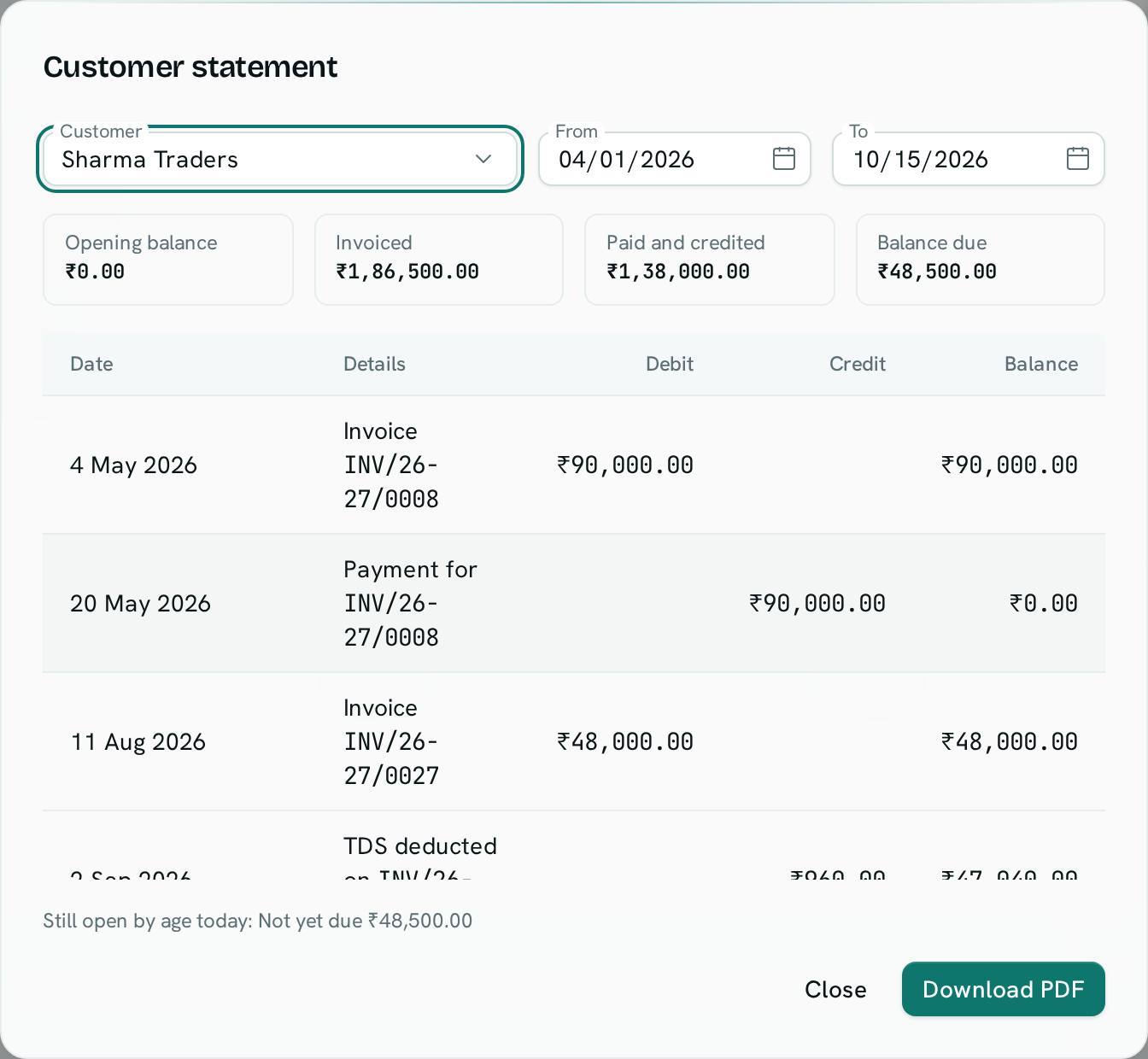
What it shows
- Opening balance — what the customer owed before the start date.
- Every invoice, credit note, payment, refund and TDS deducted by the customer in the period, in date order, with a running Balance.
- Invoiced, Paid and credited and Balance due for the period.
- Still open by age today — what is unpaid, grouped by how late it is: not yet due, 1–30, 31–60, 61–90 and over 90 days.
Download it
Click Download PDF. The PDF is a statement of account with your business name, logo and your invoice colour, and amounts written the Indian way (lakh and crore) for rupees. Attach it to an email or WhatsApp it to the customer.
Good to know
- Only issued documents count. Drafts and cancelled documents are left out.
- The age grouping is always as of today, even for a period that ended earlier.
- A statement covers at most 1,000 documents for one customer. Beyond that, only the newest 1,000 are included and the statement says so.