Terminals and devices
Record which payment terminal brands you use and keep a registry of every card machine, soundbox and all-in-one.
Devices has two parts: Terminal brands, and a Devices registry. Both are for your records. Terminals are record-only today. The machine takes the payment on its own network and the register records the payment. The register does not send amounts to the machine.
Before you start: anyone with view access can see this page. Setting up brands and adding, editing or removing devices needs Full control under In-store checkout.
Terminal brands
Open In-Store Checkout › Devices. Five brands are listed: Pine Labs, Razorpay POS, Paytm All-in-One POS, PhonePe POS and BharatPe. Each card shows the kinds of device (Card, UPI, Soundbox, All-in-one), a note, and how many devices you have of that brand. The heading shows "N of 5 configured".
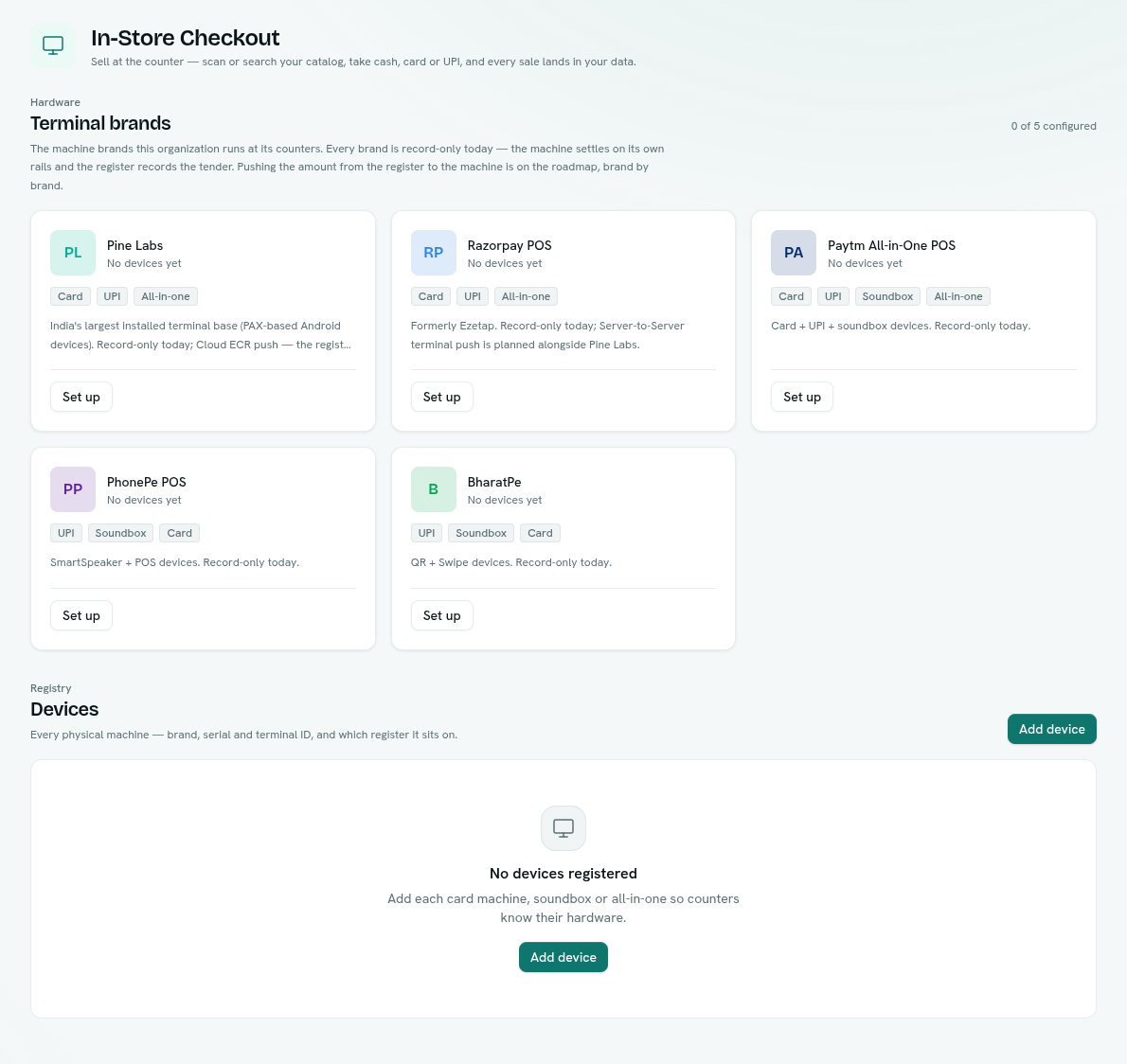
- Click Set up on a brand (Edit setup once configured).
- Enter its merchant details: Pine Labs has Merchant ID and Pine Labs store ID. Razorpay POS, PhonePe and BharatPe have Merchant ID. Paytm has Merchant ID (MID).
- Keep Enabled on, or switch it off to show the brand as Paused.
- Click Save. To undo, click Remove setup.
Secret fields, such as tokens and keys, are shown but disabled ("Available with terminal integration"). They cannot be entered yet.
Devices registry
Click Add device, and fill in:
| Field | Notes |
|---|---|
| Brand | One of the five brands. |
| Label | A name such as "Counter 1 card machine". Blank uses the brand and serial. |
| Model | For example "PAX A910". |
| Serial number | |
| Terminal ID (TID) | From your acquirer. |
| Register | A register it sits on, or Unassigned to keep it in the pool. |
| Active | Switch off to show it as Retired. |
Click Add device. The table shows Device, Brand, Serial / TID, Register and Status (Active or Retired). Registers show how many devices sit on them.
Right-click a device for Edit, Copy serial, Copy TID and Remove (confirm Remove device).
Tips
- Keep one device per machine, with its serial and TID, for audits and support calls.
- Add brands that match the machines you actually own.
Troubleshooting
Set up is disabled You do not have Full control.
"No devices registered" Add each card machine, soundbox or all-in-one so counters know their hardware.