Alerts on a number
Get told when a number from your data crosses a line — cash below a level, overdue invoices above a count — checked every 15 minutes, hour or day.
Watch one number — cash in the bank, overdue invoices, today's orders — and get told when it crosses a line. For example: "Tell me when cash drops below ₹2,00,000."
Before you start: you need Can query & read on Analytics & reports on the Roles page. Telling teammates as well needs Full control.
Create an alert
- Open Analytics & Reports and click Alerts in the left rail.
- Click New alert.
- Give it a Name, for example
Cash in bank. - Write a query that returns one number. The first column of the first row is the number watched, for example:
SELECT SUM(balance) FROM accounts WHERE kind = 'bank' - Under Tell me when it, pick drops below, goes above, is at most, is at least or equals, and type the Value.
- Under Check, pick Every 15 minutes, Every hour or Once a day.
- With Full control, add teammates under Also tell. You are always told.
- Click Save alert.
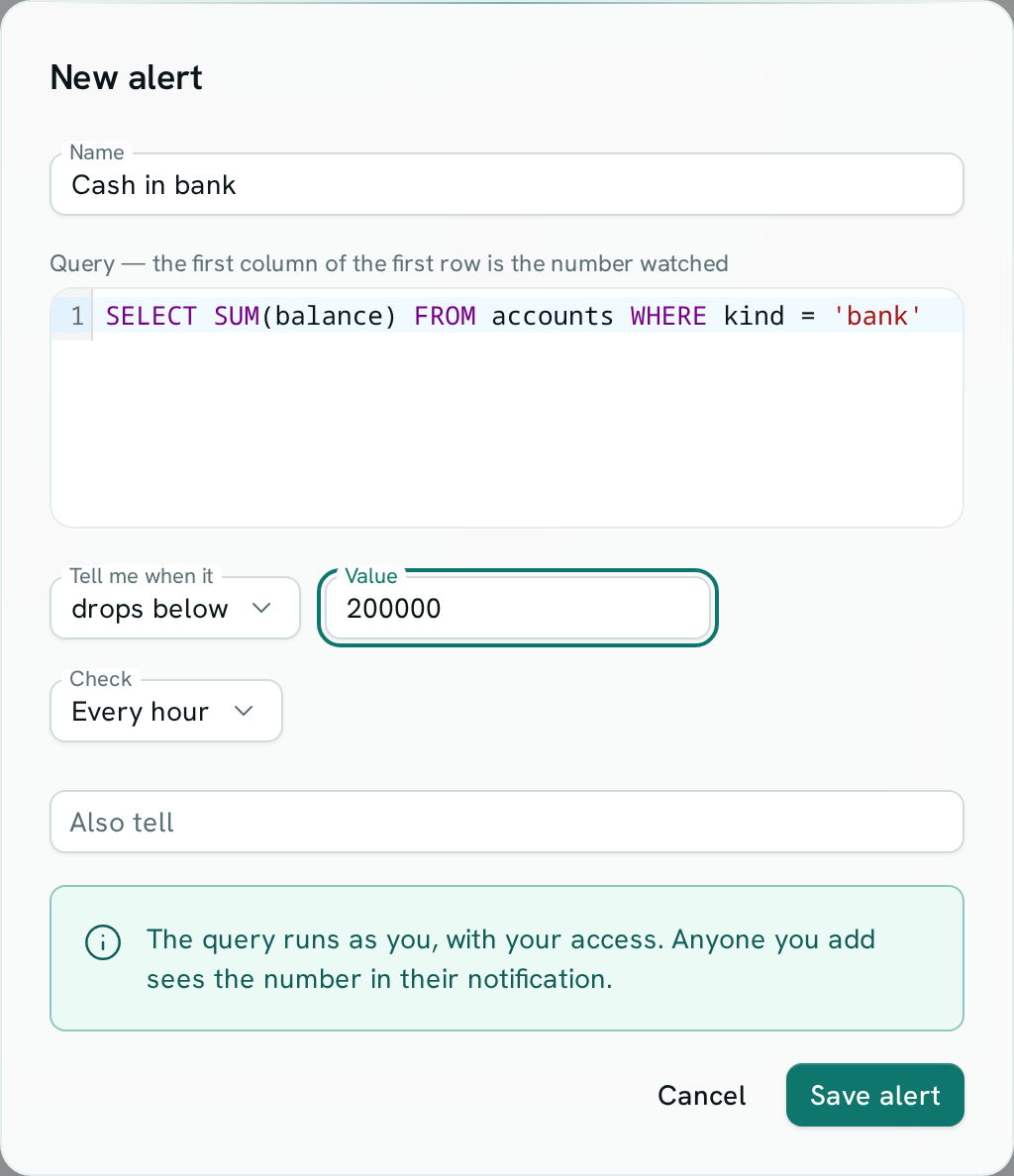
Saving runs the query once and shows today's number, so you know it works. A query that fails, returns no rows or does not return a number cannot be saved — the message says why.
To start from a query you already keep, right-click it in Saved queries and choose Create alert.
When you are told
You get a notification in the bell, and by email unless you have turned that off — once each time the number crosses the line, not on every check. You hear again only after the number goes back and then crosses again.
The notification names the alert and the number at that moment. Click it to open Alerts.
To choose how these reach you, open your notification settings and use the Metric alerts row. See Email, WhatsApp and push.
Your alerts
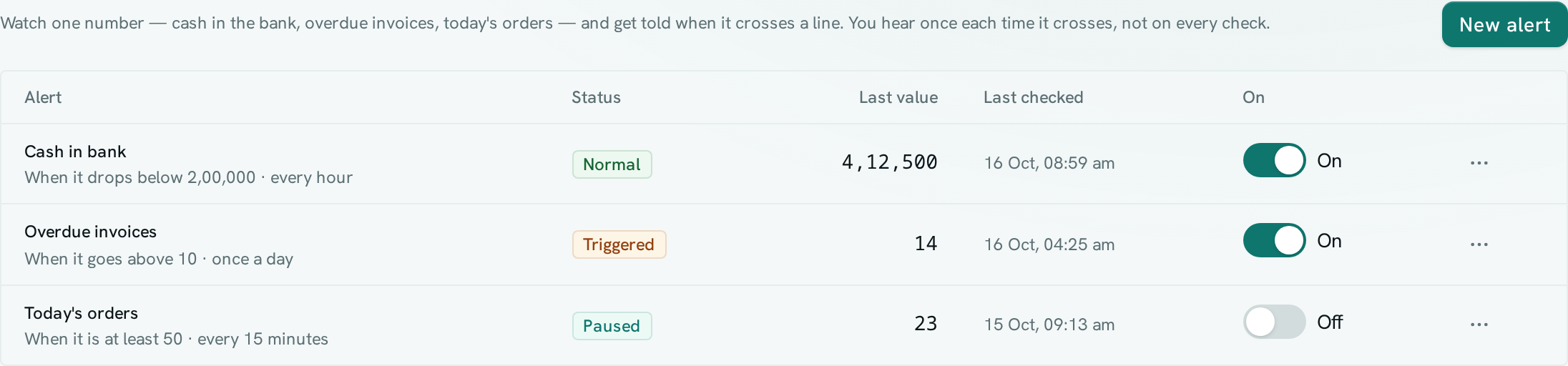
| Status | What it means |
|---|---|
| Waiting for first check | Saved, not checked yet. |
| Normal | The number is on the safe side of the line. |
| Triggered | The number crossed the line. You were told when it did. |
| Check failed | The query could not run at the last check. Open the alert to fix it; the last good state is kept. |
| Paused | Not being checked. |
Each row shows the condition, how often it is checked, the last value and when it was last checked.
- Pause or resume: use the switch, or Pause in the ⋯ menu.
- Edit: ⋯ › Edit. It is checked again within a minute.
- Delete: ⋯ › Delete and confirm.
You see your own alerts. People with Full control see everyone's.
Good to know
- The query runs with the access of the person who set the alert. Anyone added under Also tell sees that number in their notification, even data they could not open themselves.
- People who leave the workspace, or lose access to Analytics, stop being told.
- An alert keeps its own copy of the query. Changing the saved query later does not change the alert.
- A query with variables uses each variable's default value.
- The same SQL rules and limits apply, including the time limit.