Report history
Undo a bad edit to a report page: preview and restore any of its saved versions.
Analytics keeps the saved versions of every report page, so a bad edit — a deleted chart, a rearranged layout — can be undone.
Before you start: you need Full control on the Analytics & reports app on the Roles page. People who can only read reports do not see the history.
Open the history
Open the report and either:
- click Edit report, then History, or
- open the ⋯ menu next to the star and choose Version history…
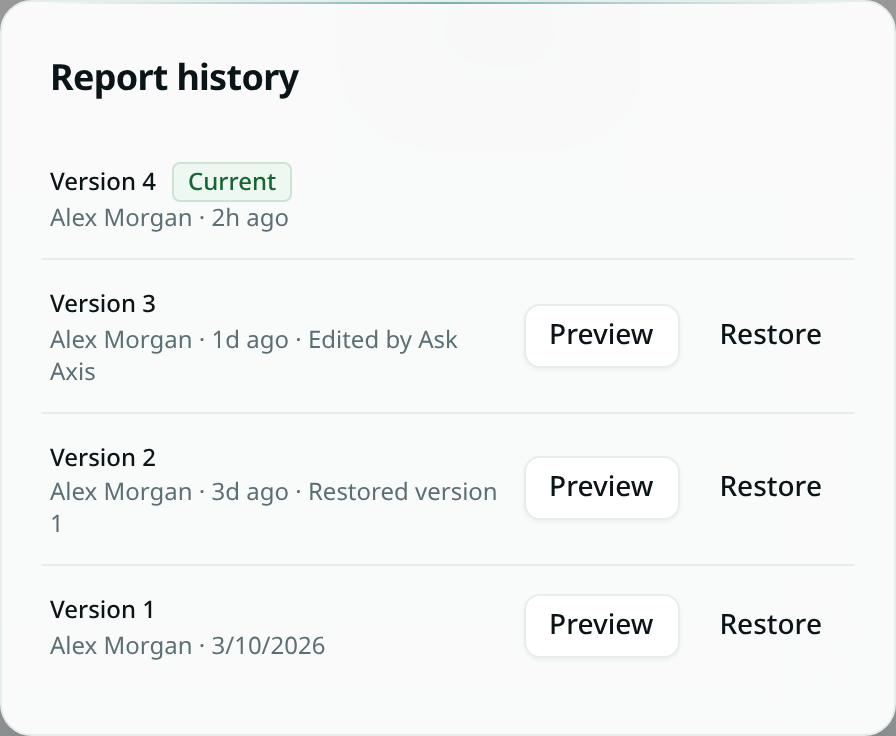
Each version shows who saved it and when. Versions saved by Ask Axis are labelled Edited by Ask Axis, and a restore is labelled Restored version N.
Preview and restore
- Preview shows the old version on the report page, with a banner at the top. Nothing changes for anyone else. Click Close preview to go back, or Restore this version to keep it.
- Restore makes the old version the current one for everyone straight away.
A restore is saved as a new version, so you can undo it the same way.
What is kept
- The report's name, its layout (sections, rows and widgets), its tags and its default time range.
- Your own quick edits within ten minutes count as one version, so the list stays readable. A different person's edit always starts a new version.
- The newest 100 versions are kept.
Note: history covers the report page itself. A saved query a widget points to is not part of the version — editing the saved query changes every report that uses it.