Share a public link
Send a Drive file or folder to someone outside your workspace with an expiring link and an optional password.
Send a file or folder to someone outside your workspace — your CA, a bank, a client or a vendor — as a link. They open it in a browser and download what they need. No account is needed.
Before you start: in your own personal spaces you can always make links. In team spaces and the Everyone space you need Can edit & share outside (or Full control) on Files for that space. The workspace owner can make links anywhere.
Make a link
- Open the space. To link one file or folder, right-click it (or open its ⋯ menu) and choose Public link…. To link the folder you are in, click Public link in the toolbar.
- Choose how long it works under Expires after: 1 day, 7 days, 30 days, 90 days or 1 year.
- Optional: set a Password. Use at least 4 characters, and send the password separately from the link.
- Optional: add a Note for yourself, for example "For our CA", so you can tell your links apart.
- Click Create and copy link. The address is copied, ready to paste into an email or WhatsApp.
What the other person sees
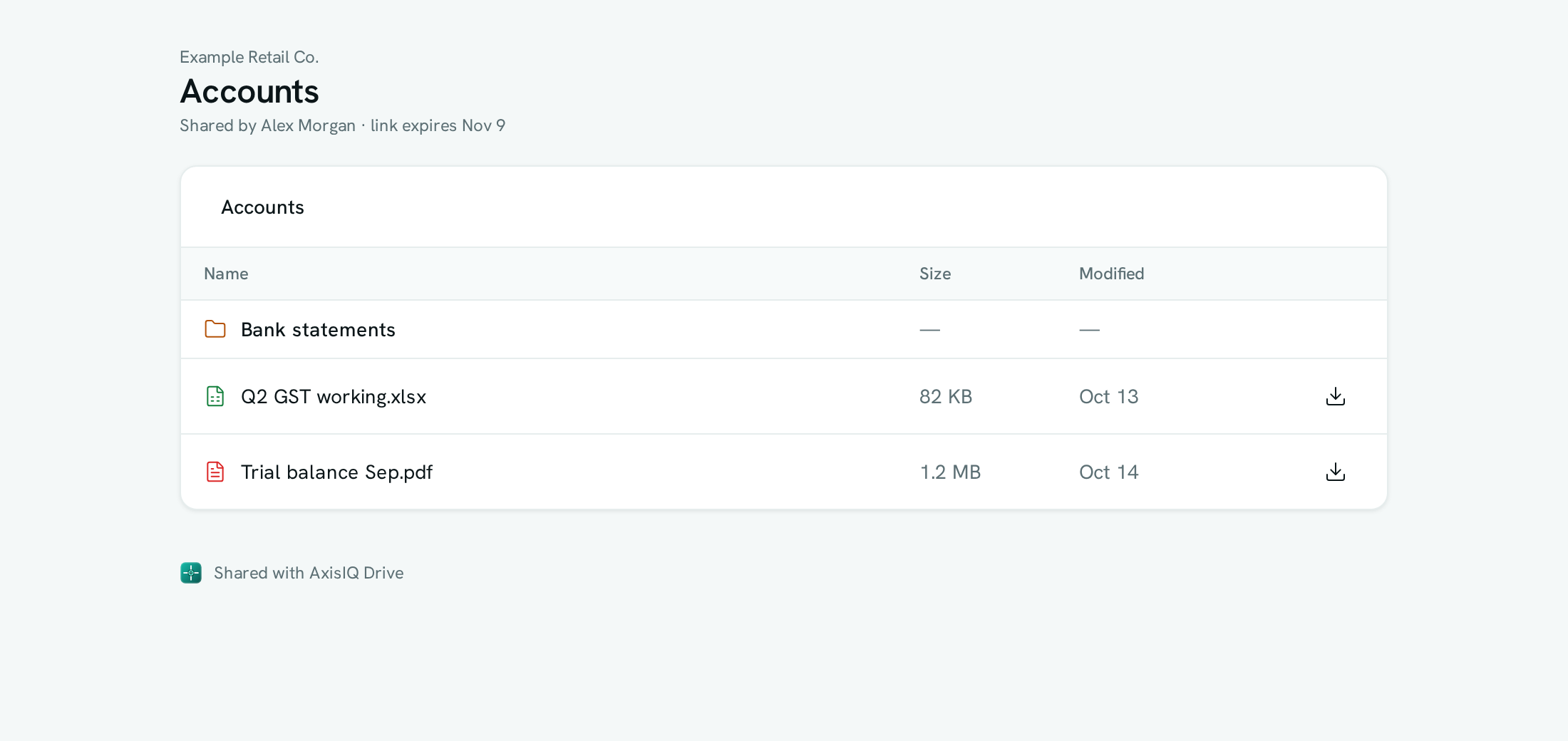
A clean page with your workspace name, who shared it and when the link expires. A file link shows the file with a Download button. A folder link lists the folder: they can open the folders inside it and download any file. If the link has a password, they are asked for it first.
Manage your links
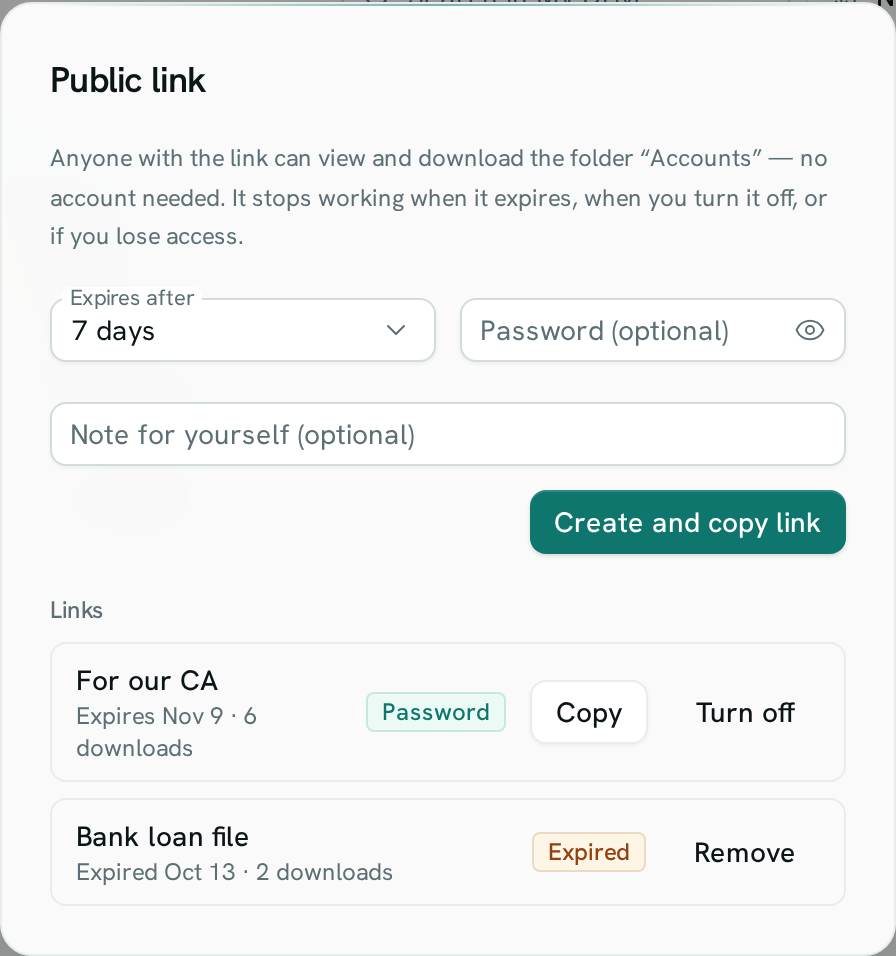
Open Public link… on the same file or folder again. Under Links each link shows its note, when it expires, how many times something was downloaded through it, and a Password badge when it has one.
- Copy copies the address again.
- Turn off stops the link at once. Anyone who opens it then sees "This link is no longer available".
- An expired link shows Expired. Remove clears it from the list.
Rules
- A link always expires. The longest is one year.
- A link to a file keeps working if you rename the file or move it to another folder. Moving it to the trash or deleting it ends the link.
- A folder link shows only that folder and what is inside it — never the folders around it.
- A link works only while you have access to what it points at. If you leave the workspace, or your access to the space is removed, your links stop working.
- Links are view-only. Nobody can upload, change or delete files through a link.
- Making, turning off and every download through a link are recorded in the workspace audit log.
Troubleshooting
There is no Public link option In a team space you need Can edit & share outside on Files. Ask the workspace owner. Spaces that belong to other apps, such as Content Studio media, cannot be linked.
"This link is no longer available" The link expired, was turned off, the file was deleted, or the person who made it lost access. Make a new link.
"That password is not right" Check the password with the person who sent the link.
Related
- Share files — give people in your workspace access
- Team & permissions