Call log, recordings and transcripts
Every call in and out of your phone lines: missed calls, voicemails, recordings, transcripts, AI summaries and notes.
Open Phone & Messages › Calls to see every call on the lines you can view, newest first.
Before you start: reading the call log, recordings and transcripts needs Can view on Phone & Messages. Adding notes needs Can take calls or higher.
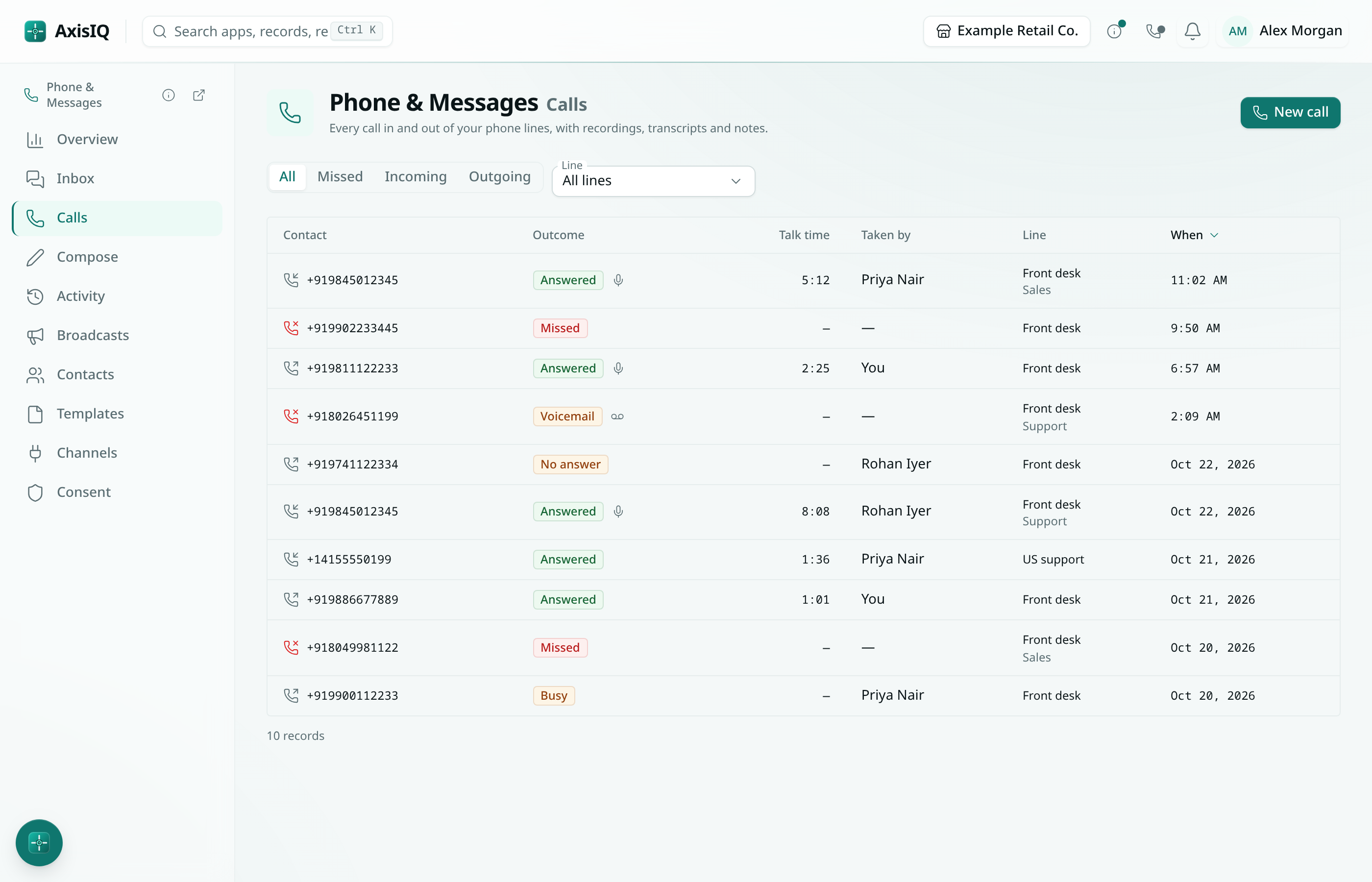
Find a call
- All, Missed, Incoming and Outgoing narrow the list. Missed includes voicemails.
- Line shows one phone line when you have several.
- Each row shows the number, the outcome, the talk time, who took it, the line and the menu option the caller chose.
| Outcome | Meaning |
|---|---|
| Answered | Someone talked to the caller. |
| Missed | An incoming call nobody answered, and no voicemail was left. |
| Voicemail | The caller left a message. |
| No answer / Busy | An outgoing call the other person did not pick up. |
| Failed | The provider could not connect the call. |
Open a call
Click a call to see:
- Recording — play it in the browser.
- Summary — choose Summarise with AI to write two or three sentences about why they called and what was agreed. It needs a transcript and uses your workspace's AI credit.
- Transcript — what each side said.
- Note — anything you want to remember. Choose Save note.
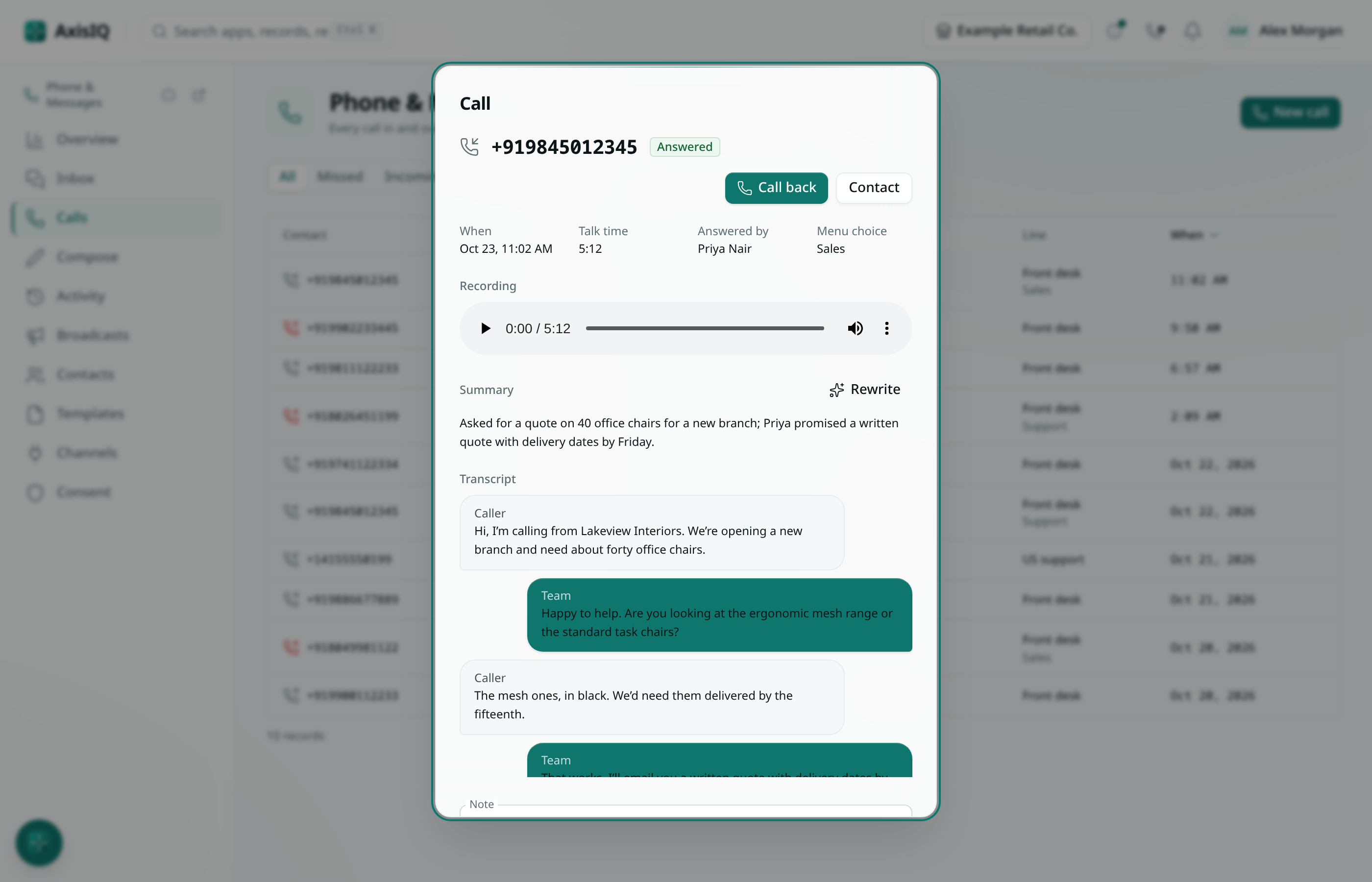
From the call you can Call back or open the Contact.
Missed calls and voicemails in the Inbox
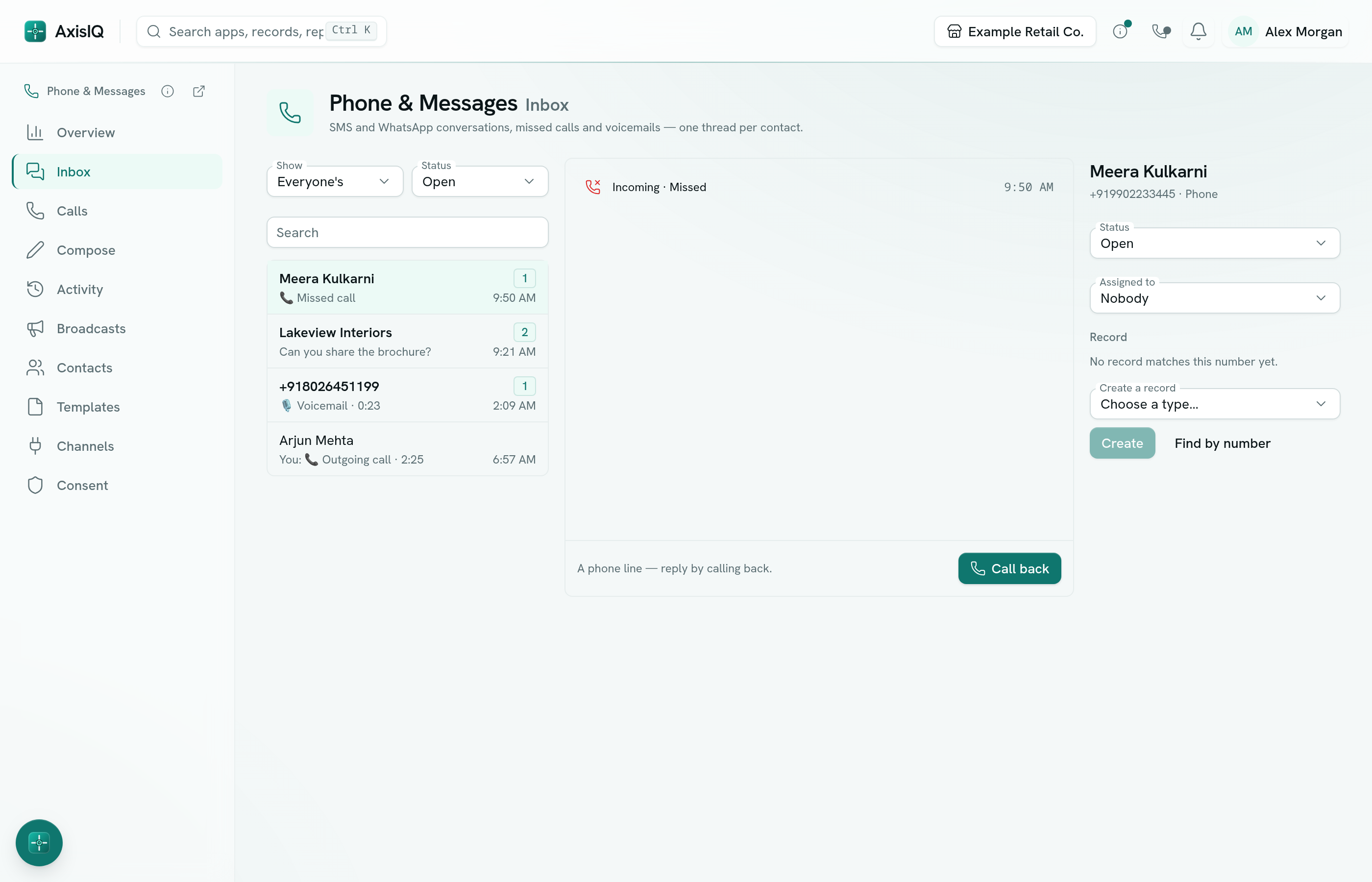
Every call is also filed in the Inbox under the caller's number. A missed call or a voicemail marks the conversation unread and notifies whoever it is assigned to (or the people who were rung). Reply by calling back.
Ask Axis
Ask Axis can read your call log for you — for example "Which calls did we miss today?" or "Summarise yesterday's calls from Lakeview Interiors". It never places or answers calls.