Write messages
Format text, mention people, attach files, edit and delete messages, forward them, and schedule a message to send later.
Type in the message box at the bottom of a conversation and press Enter to send. Shift + Enter starts a new line.
Format text
Use the toolbar above the message box, or type the formatting yourself:
| Format | Type | Shortcut |
|---|---|---|
| Bold | **text** |
Ctrl + B |
| Italic | _text_ |
Ctrl + I |
~~text~~ |
||
| Link | [text](https://…) |
|
| List | - item on its own line |
|
| Quote | > text |
|
| Code | `code` |
|
| Code block | ``` on the lines before and after |
Mention people
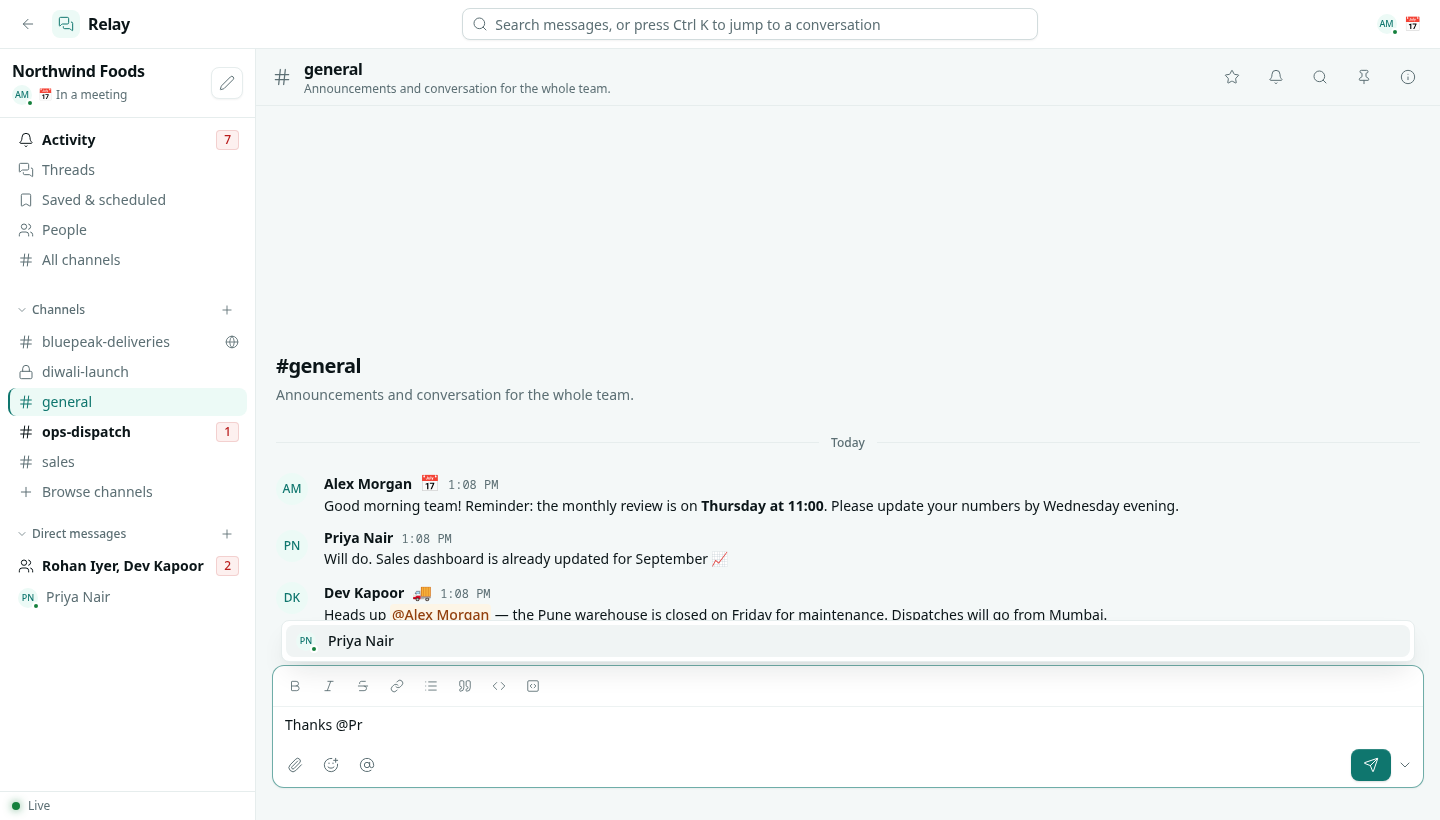
Type @ and the start of a name, then pick from the list with the arrow keys and Enter or Tab.
| Mention | Who it notifies |
|---|---|
@name |
That person. |
@channel |
Everyone in the channel. |
@here |
Everyone in the channel who is active in Relay right now. |
@role |
Everyone in that role (from Team & Permissions) who is in the channel. |
#channel |
Nobody — it links to a channel. |
A mention of you is highlighted in the message.
Add an emoji
Click the smiley in the message box, or type an emoji from your keyboard.
Attach files
Click the paperclip, drag files onto the conversation, or paste an image. You can attach up to 10 files to one message, and each file can be as large as your workspace's upload limit (50 MB unless your administrator changed it). Images and PDFs open in the browser; other files download. Every file shared in a channel is listed in its Files tab.
Edit or delete a message
Hover a message and click ⋯, or right-click it.
- Edit message changes your own message. Press
↑in an empty message box to edit your last message.Entersaves,Esccancels. The message shows (edited). - Delete message removes it. If it already has thread replies, the replies stay and the message reads "deleted". You can delete your own messages; the channel's admins and people with Can moderate can delete anyone's.
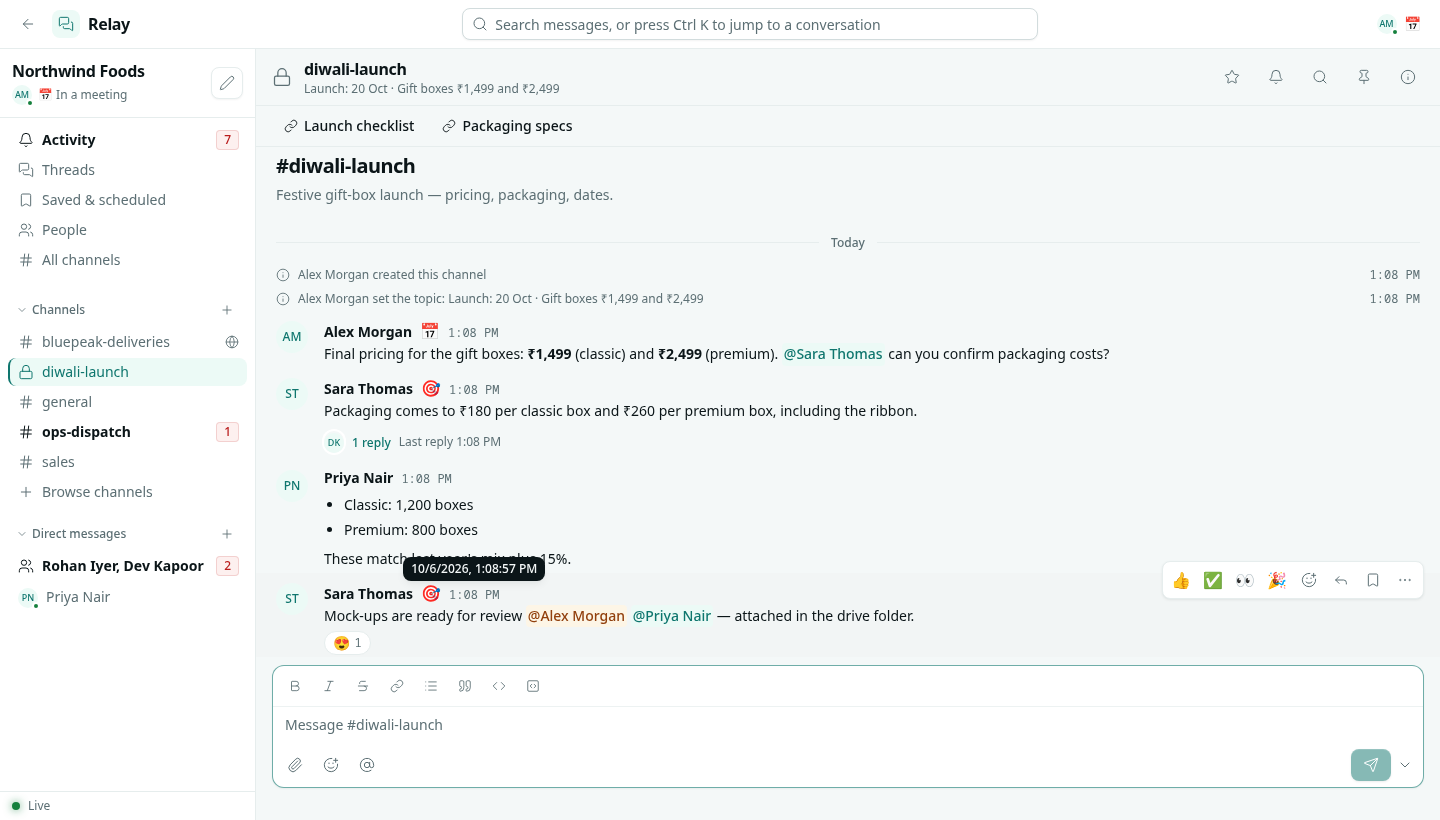
Other message actions
| Action | What it does |
|---|---|
| Reply in thread | Opens a thread. See Threads, reactions and pins. |
| Forward… | Sends the message to another channel or person, with an optional note. It arrives as a quote with the original author. |
| Copy link | A link that opens the conversation at this message. |
| Copy text | The message text. |
| Save / Remind me | See Saved, reminders and scheduled. |
| Mark unread from here | Makes this message and everything after it unread again. |
| Pin to channel | Adds it to the channel's Pins. |
Schedule a message
Click the arrow next to the send button and choose Send in 30 minutes, Send in 1 hour, Tomorrow at 9:00 or Custom time…. Scheduled messages wait in Saved & scheduled › Scheduled, where you can cancel them. They are sent as you, at the chosen time, up to 120 days ahead.
Troubleshooting
message is too long (max 12,000 characters) Split it into several messages, or attach the text as a file.
I cannot post in this channel The channel is archived.