Set duplicate rules
Decide which fields make two records the same, see every duplicate in an app, and merge them in one step.
Duplicate rules tell AxisIQ when two records are really the same customer, supplier or contact, so the duplicates show up in one list and you can merge them safely.
Before you start: to add or change rules you need Full control on Business records on the Roles page (the same permission as running a data quality check). Can view is enough to see a record type's duplicates; merging also needs permission to edit and delete those records.
Set up duplicate rules
- Open the app that holds the records, for example Sales, and click Settings.
- Open the Data quality tab and scroll to Duplicates.
- Next to the record type, click Add rules (or Edit rules if it already has some).
- In Rule 1, pick the fields that must match. Pick one field (for example Email) or up to three that must all match (for example Name and City). Text, choice, email and web address fields can be picked.
- Click Add rule to add another way of matching, such as Phone or GSTIN. A record counts as a duplicate when any one rule matches. You can have up to five rules.
- Click Save rules.
Matching is forgiving where it should be: capital letters, extra spaces, phone prefixes like +91 or 0, and words like "Pvt Ltd", "M/s" or "The" are ignored. Other fields must match exactly, ignoring capital letters.
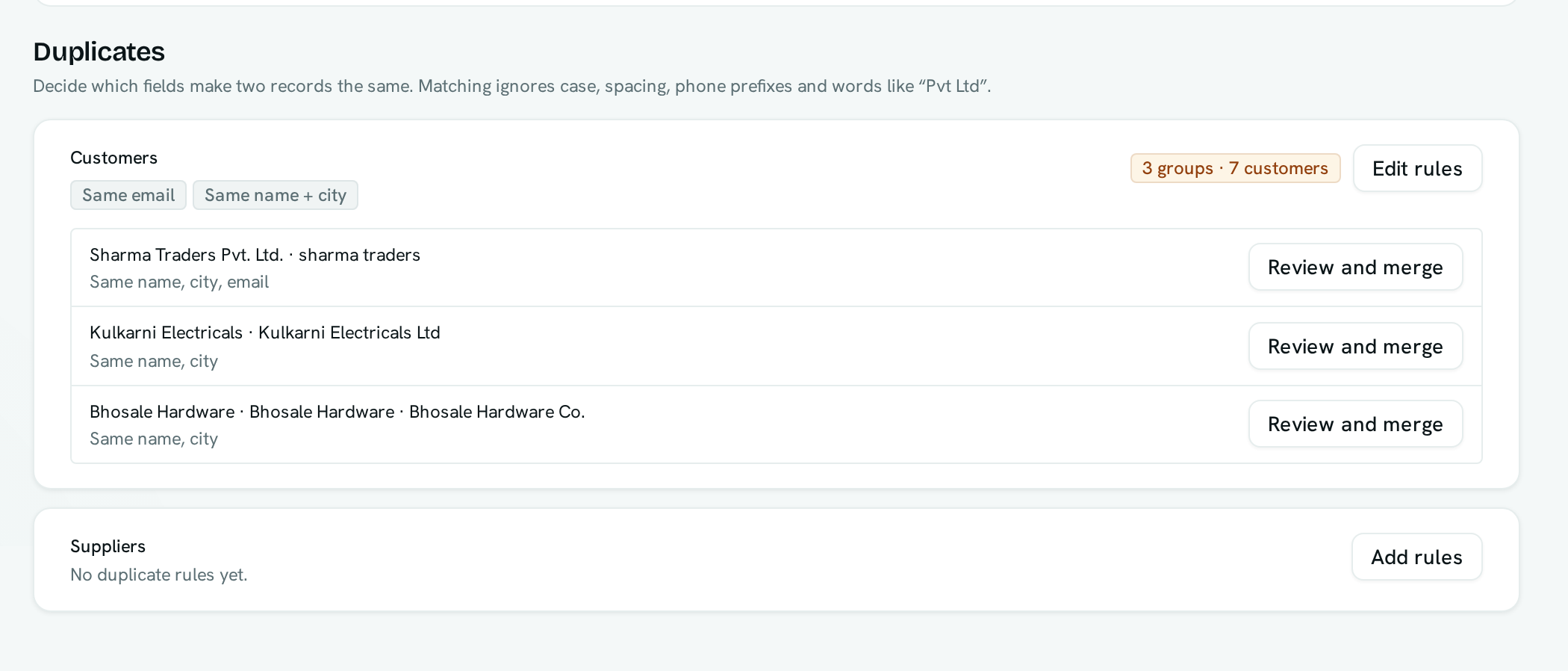
Review and merge duplicates
- In Data quality → Duplicates, each record type shows how many groups of duplicates it has.
- Find a group and click Review and merge.
- Under Keep, choose the record to keep.
- For each field where the records differ, choose whose value the kept record should end up with.
- Click Merge.
The other records move to the trash, and anything that linked to them (orders, invoices in draft, deals and so on) now links to the record you kept. Their comments and followers move over too.
The same rules are used by Find duplicates on the record list, so both places always show the same groups. A record type with no rules falls back to comparing its email, phone, GSTIN, PAN and name fields.
Good to know
- Duplicates are found fresh each time you open the tab, and only among records you can see. Fields hidden from you are never compared.
- A check covers up to 20,000 records of a type and shows up to 100 groups at a time. If it says only part of the list was checked, merge what you see and look again.
- A value shared by more than 25 records (like "NA" or 0000000000) is treated as a placeholder, not a duplicate.
- Merged records can be restored from the trash for 30 days, but restoring one does not undo the moved links.
- Issued documents such as sent invoices keep pointing at the original record — issued documents never change.
- A field that is unique stays with the record you keep.
- AxisIQ doesn't warn you about a possible duplicate while you create a record. Check the Duplicates list instead.