Digests
Have Ask Axis answer a question on a schedule — daily, weekdays or weekly — and send the answer to you.
A digest is a question Ask Axis answers for you on a schedule — "every Monday at 9, send me last week's sales and overdue invoices" — with the answer delivered to you.
Before you start: you need Can use on Ask Axis assistant, and Full control on Automations (digests are flows). Ask Axis answers with your own access, so a digest only ever contains what you could look up yourself.
Set one up in chat
Ask Axis in plain words, for example:
- "Every Monday at 9, send me last week's sales and overdue invoices."
- "Every weekday at 8:30, tell me which leads have a follow-up today."
- "On the 1st of every month, summarise last month's expenses by category."
Ask Axis sets it up at that time in your own time zone and tells you when the first one arrives. Monthly digests are set up this way.
Set one up yourself
- Open Ask Axis (the full page) and click Digests.
- Under New digest, give it a Title, for example
Weekly sales. - In What should Ask Axis send?, write the question, for example
Last week's sales by day, and every overdue invoice with customer and amount. - Pick Repeat (Every day, Weekdays (Mon–Fri) or Every week), the day under On for weekly ones, and the time under At.
- Click Schedule. You see
Digest scheduled.
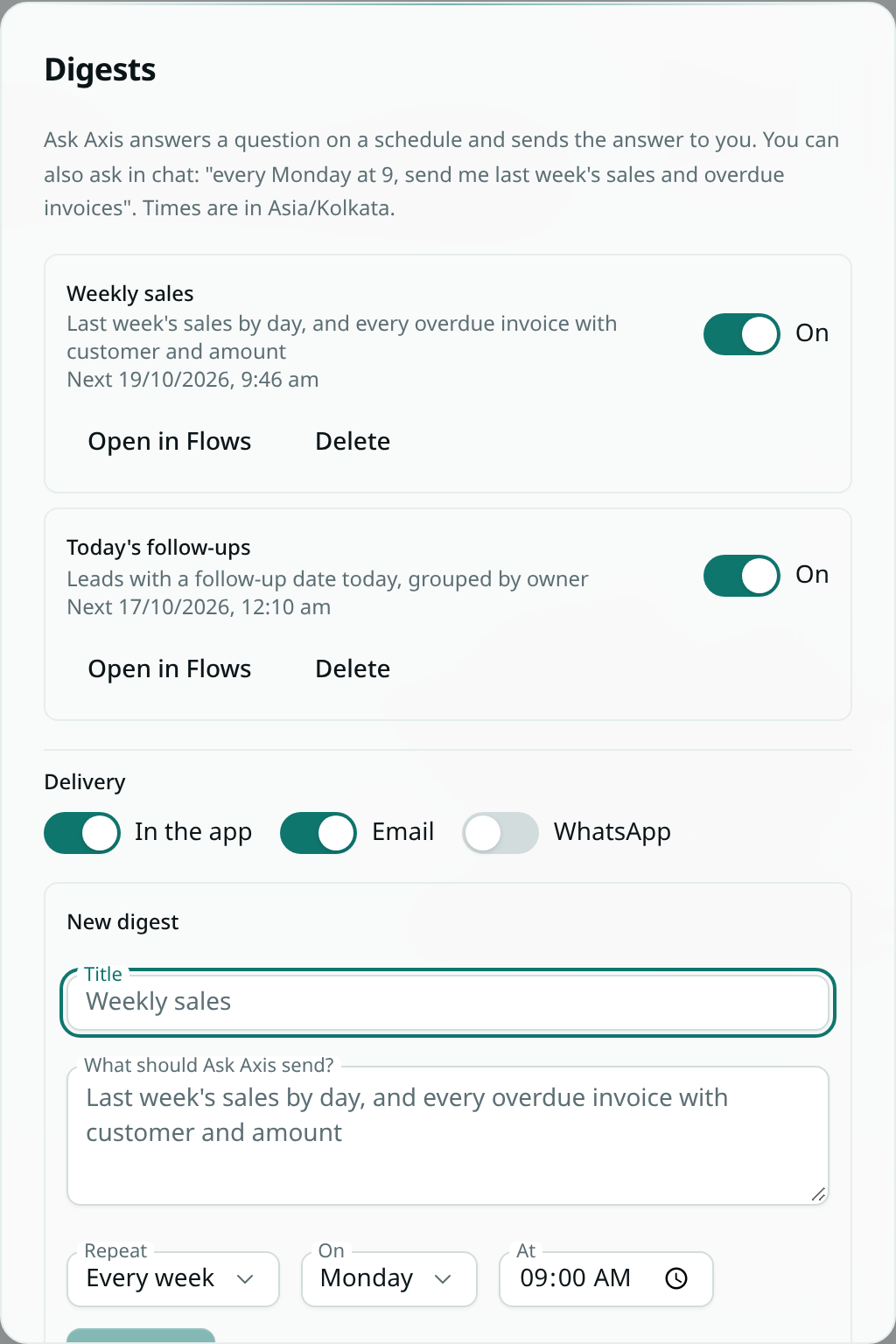
Your digests
The Digests window lists each one with its question and next run. Use the switch to pause or resume it, Open in Flows to see it as a flow with its runs, or Delete to stop it.
How it reaches you
Each digest arrives in the bell, and by email and WhatsApp if you have them switched on — under Delivery in the Digests window, or the Ask Axis digests row of your notification settings. Email is on to start with. The email and WhatsApp message carry the full answer; the bell shows the title and opens the run.
WhatsApp delivers within 24 hours of your last message to Ask Axis on WhatsApp, so a quick message to it keeps digests arriving there. See Ask Axis on WhatsApp.
What a digest can do
A digest reads and answers: it can look up records, run analytics and summarise. It never sends messages to anyone else, takes payments or deletes anything.
Each digest is an ordinary flow — a schedule, an Ask Axis step and a notification to you — so it shows in Flows, keeps a run history, and counts toward your Ask Axis use like any other question.