Team booking pages: round robin and collective
Let a team share one booking page. Round robin gives each booking to one free teammate, fairly; collective offers only times when everyone is free and invites them all.
A team booking page takes bookings for several people at once instead of one calendar. Guests see one page and one list of times; Axis works out who is free from each teammate's own calendar and decides who the booking goes to.
Before you start: team booking pages are set up on a shared (organization) calendar, and you need Full control of Calendars on the Roles page. Every host must be a member of the workspace.
Choose round robin or collective
- Round robin — a time is offered while at least one host is free, and each booking goes to one of them. Use it for sales calls, demos, support sessions or consultations that any one person on the team can take.
- Collective — a time is offered only when every host is free, and all of them are invited. Use it for panel interviews, joint onboarding calls or anything that needs the whole group.
Set up a team booking page
- In Calendar, find the shared calendar under Organization and point to it and press its gear (Settings) to open the settings. To start from scratch, create a new Organization calendar first.
- Open the Booking page tab and turn on Let people book time on this calendar.
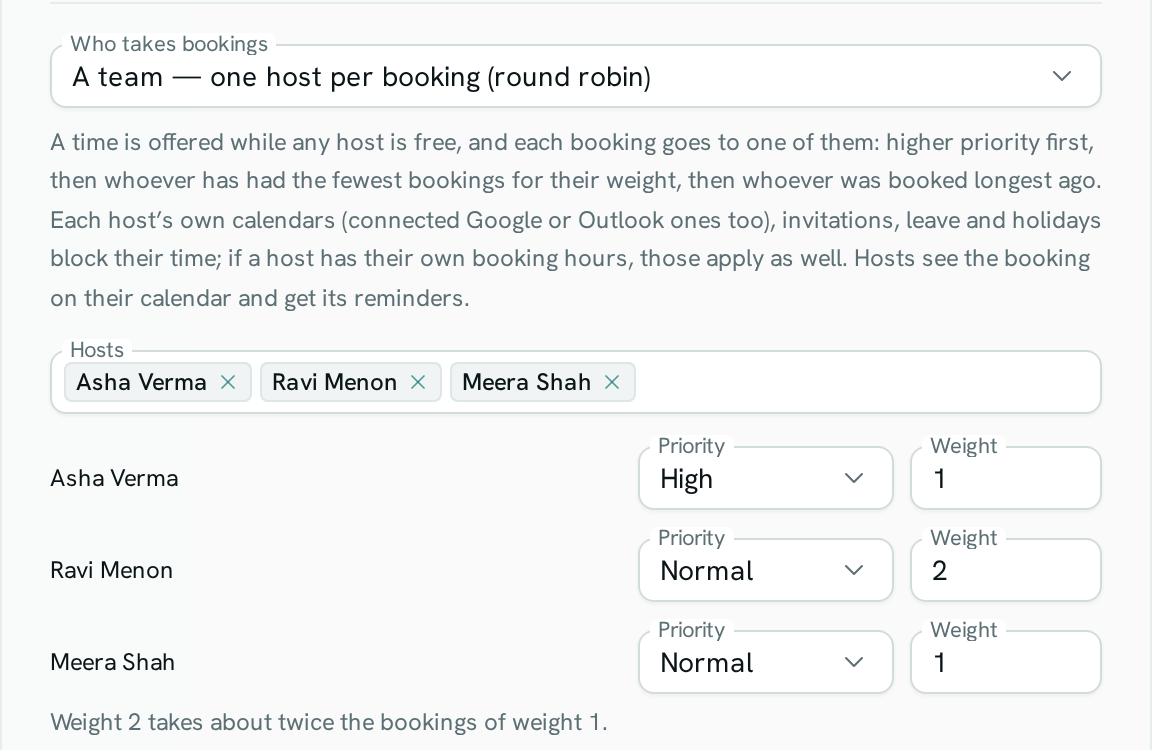
- Under Who takes bookings, choose A team — one host per booking (round robin) or A team — every host together (collective).
- In Hosts, pick the teammates who take bookings (up to 20).
- For round robin, set each host's Priority (High, Normal or Low) and Weight (1 to 10) if you want (see below).
- Set the page's Available hours, meeting lengths, notice and how far ahead people can book, as for any booking page.
- Press Save booking page and share the Booking link.
How Axis decides who is free
A host is busy when:
- anything is on any of their own calendars, including Google or Outlook calendars they connected;
- they have accepted, or not yet answered, an invitation — including a booking from another team page;
- they are on approved leave or it is a holiday on their schedule in People;
- the time is outside their own booking hours, if they have set up hours on their own booking page.
Times are always inside the team page's Available hours. Anything added straight to the team calendar that isn't a booking blocks every host.
How round robin picks a host
When more than one host is free at the chosen time, Axis picks, in this order:
- The host with the highest Priority (High, Normal, Low). A free higher-priority host always gets the booking first.
- The host with the fewest bookings on this page for their Weight. A host with weight 2 takes about twice as many bookings as a host with weight 1. Bookings from the last 30 days and all upcoming ones count; cancelled ones don't.
- The host who was booked longest ago.
If two guests pick the same time at the same moment, each gets a different free host, or the second guest is told the time was just taken. One host is never booked twice.
What hosts and guests see
- The booking appears on each host's calendar, they get a notification in their inbox and the event's reminders.
- The booking page names the team. After booking, the guest sees who they're meeting, and the confirmation email says With: and the host's name.
- If the guest cancels, every host on the booking is told.
Rescheduling
When a guest moves a round-robin booking from their confirmation link, they keep the same host if that host is free at the new time. If not, Axis picks another free host the usual way, and both the old and new host are told. A collective booking can only move to a time when every host is free.
Good to know
- Team booking works on shared (organization) calendars only, not on personal calendars.
- If a host leaves the workspace or is suspended, they stop being offered and picked straight away. Remove them from Hosts when you next edit the page.
- Charging for bookings, guest reminders, questions and the meeting link work the same as on any booking page.
- Team bookings live on the shared calendar, so they are not copied to a host's connected Google or Outlook calendar. Hosts see them in Axis.
- Fairness counts only bookings made on this page.