Message retention and exports in Relay
Choose how long Relay keeps messages, set a different rule for a channel, and export conversations to a ZIP in your Drive.
Decide how long your team's Relay messages are kept, and save a copy of any conversation — with its files — to your Drive whenever you need one.
Before you start: you need permission to manage Relay. Ask your workspace owner for permission to manage Relay if you don't see Retention & export in the left column.
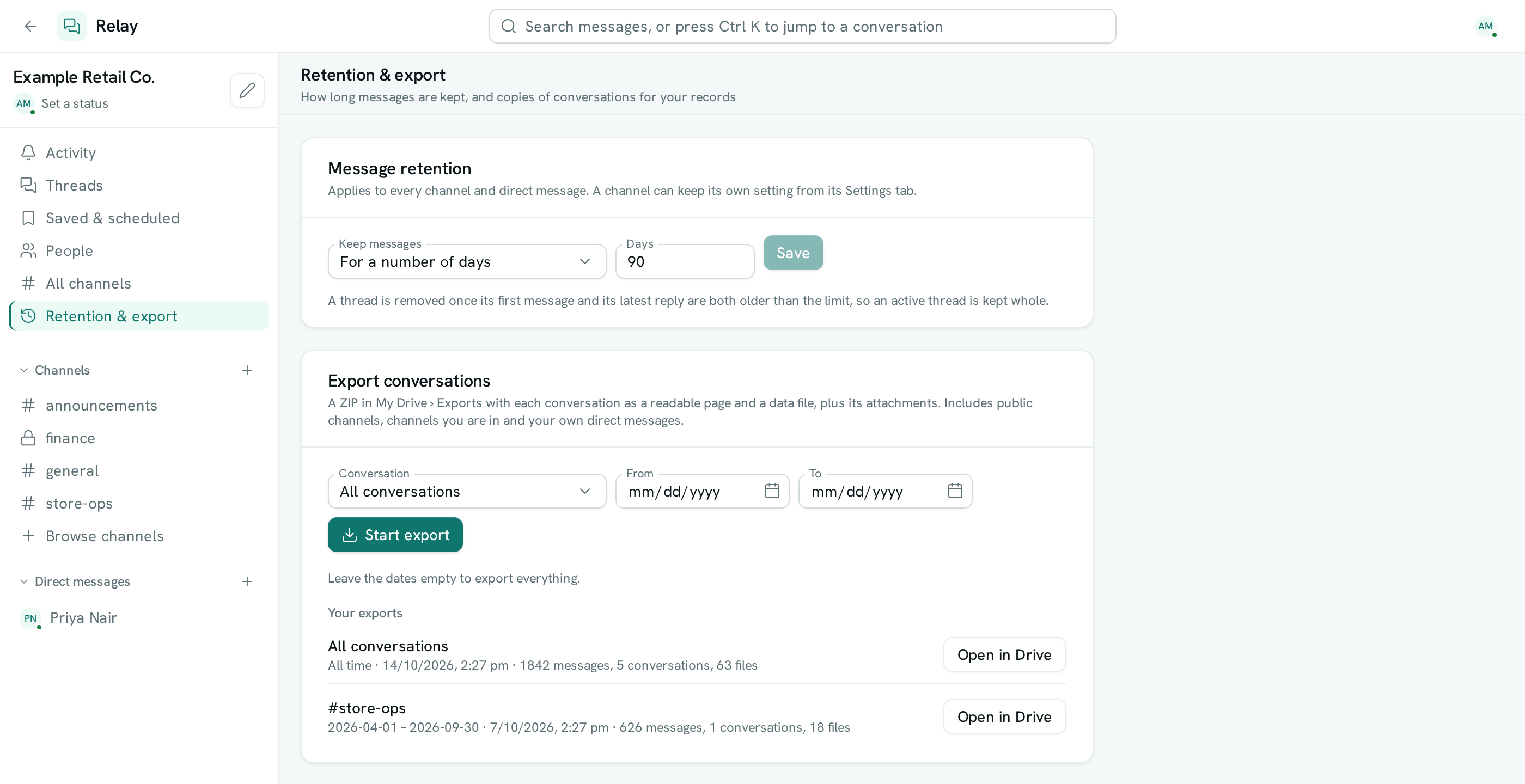
Choose how long messages are kept
- Open Relay and click Retention & export in the left column.
- Under Message retention, pick Forever or For a number of days in Keep messages.
- If you chose days, type a number between 1 and 3650 in Days.
- Click Save.
The setting applies to every channel and direct message in the workspace. Messages past the limit are deleted within the hour.
Give one channel its own rule
A channel can keep messages longer or shorter than the workspace — for example, keep #announcements forever while everything else is kept for 90 days.
- Open the channel and click its name to open the details panel.
- Go to the Settings tab and find Message history.
- In Keep messages, pick Forever, For a number of days, or Workspace setting to follow the workspace again.
- Click Save.
Export conversations
- In Relay, click Retention & export.
- Under Export conversations, pick one conversation in Conversation, or leave All conversations.
- Optionally set From and To dates. Leave both empty to export everything.
- Click Start export.
You get a notification when the export is ready. Click it, or Open in Drive next to the export, to find the ZIP in My Drive › Exports.
Each conversation in the ZIP has a page you can open in any browser (messages.html), a data file for other tools (messages.json) and a files folder with its attachments.
Good to know
- Deleted messages can't be recovered. Export first if you need a copy before shortening the limit.
- Relay deletes a whole thread at a time: a thread goes once its first message and its latest reply are both older than the limit. A thread people are still replying to is kept in full.
- Direct messages always follow the workspace setting.
- A channel shared with another organization follows the rules of the organization that created it.
- An export includes public channels, channels you are in and your own direct messages. It never includes other people's direct messages or private channels you aren't in.
- Attachments are included up to 1 GB per export. Files past that are listed in
export.jsonand left out — export a shorter date range to get them. - The export is saved in your own Drive and counts toward your workspace's storage.
- You can run two exports at a time. Your recent exports are listed for 30 days.
- Retention changes and exports are recorded in the audit log.