Sign-in and API on your website
Connect a user pool to your site, make pages sign-in only, and give your functions clean web addresses your pages can call.
Let people sign in on your website, keep pages for signed-in people only, and give your functions clean web addresses your pages can call.
Before you start: you need Full control on Websites for the site, and a user pool in Website Accounts you can see. To add an API route you also need Full control on Custom code.
Connect a user pool
- Open Sites, choose your site and go to Settings.
- In Sign-in & API, choose the User pool this website signs people in with.
- Click Save sign-in & API.
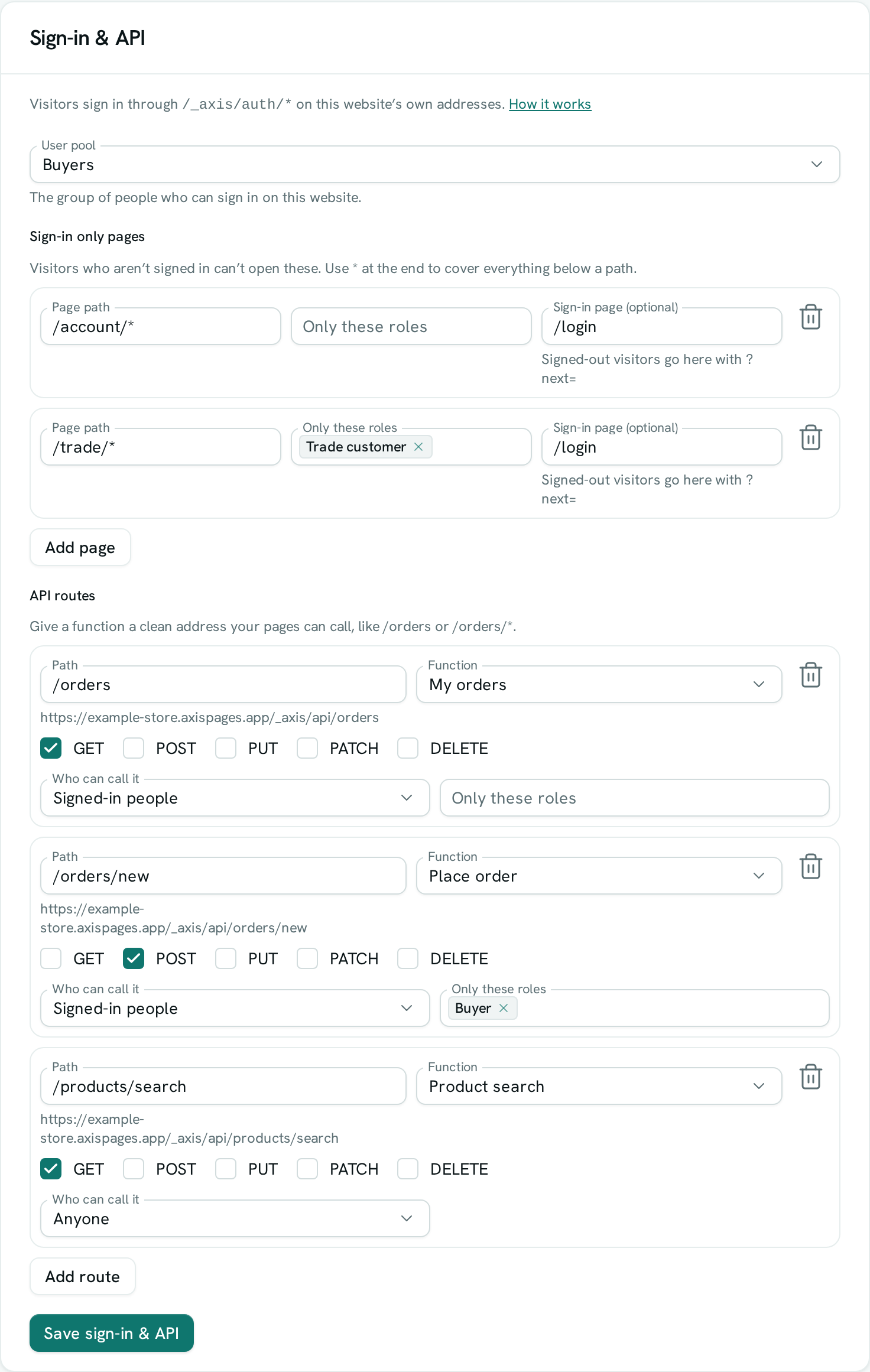
Your website now has sign-in at /_axis/auth/… on its own address — for example https://yourshop.axispages.app/_axis/auth/login. Your pages call these addresses to sign people up, sign them in and out, and show their account; see the Website sign-in API for every call and a ready-to-use example. Several sites can use the same pool, so one account works on all of them.
Make pages sign-in only
Under Sign-in only pages, click Add page:
- Page path — one page like
/account, or a whole folder like/members/*. - Only these roles — leave empty for anyone signed in, or pick roles from the pool.
- Sign-in page (optional) — where signed-out visitors are sent, for example
/login. They arrive with?next=set to the page they wanted, so you can send them back after they sign in. Without a sign-in page they see a short "Sign in to view this page" message.
People without one of the chosen roles see "Your account can't view this page". Sign-in only pages are never stored by browsers or caches, so a signed-in page is never shown to someone else. If you switch Website Accounts off, these pages stay closed to everyone.
Give a function a clean address
Under API routes, click Add route:
- Path — the address under
/_axis/api, for example/ordersor/orders/*(the part after/orders/is passed to the function). - Function — the function that answers.
- The methods it answers: GET, POST, PUT, PATCH, DELETE (GET and POST by default).
- Who can call it — Anyone, or Signed-in people (optionally Only these roles). Visitors who aren't allowed are turned away before the function runs.
Click Save sign-in & API. Your page then calls https://<your site address>/_axis/api/orders — the function's id never appears in your site.
The function runs as the visitor. For a signed-in person it can read and change exactly what their roles allow, and records it adds count as created by them. For anyone else it runs with the access you've opened to the public. Inside the function, axis.user tells you who is signed in.
Good to know
/_axis/…addresses belong to AxisIQ on every site; files you put in an_axisfolder are never served.- Requests that change something must send JSON from your own site. Calls from other websites are refused.
- Sign-in only works over
https://.