Lookup and rollup fields
Show a value from a linked record — like a customer's city on every order — or count and total the records that link to this one, like a customer's number of orders and total sales.
A lookup field shows a value from the record a link points at: put the customer's city or GSTIN on every order without typing it twice. A rollup field works the other way round: on a customer, count their orders or total their sales. Both fill themselves in and always show the current value.
Before you start: you need permission to change an app's fields. The type needs a link field first. For a lookup, that's a link on this type (for example Customer on an order). For a rollup, it's a link on the other type that points here (for example Customer on an order, for a rollup on customers).
Add a lookup field
- Open the app, then its Settings, and pick the type's tab (for example Orders).
- Click Add field and enter a Label.
- Under Value, choose Lookup from a linked record.
- In Through reference, pick the link field (for example Customer).
- In Show field, pick what to show from the linked record (for example City).
- Click Add field.
The field takes its kind from the field it shows: a money field shows money, a date shows a date, a link shows a link.
Add a rollup field
- Open the app's Settings and pick the tab of the type that gets the total (for example Customers).
- Click Add field and enter a Label.
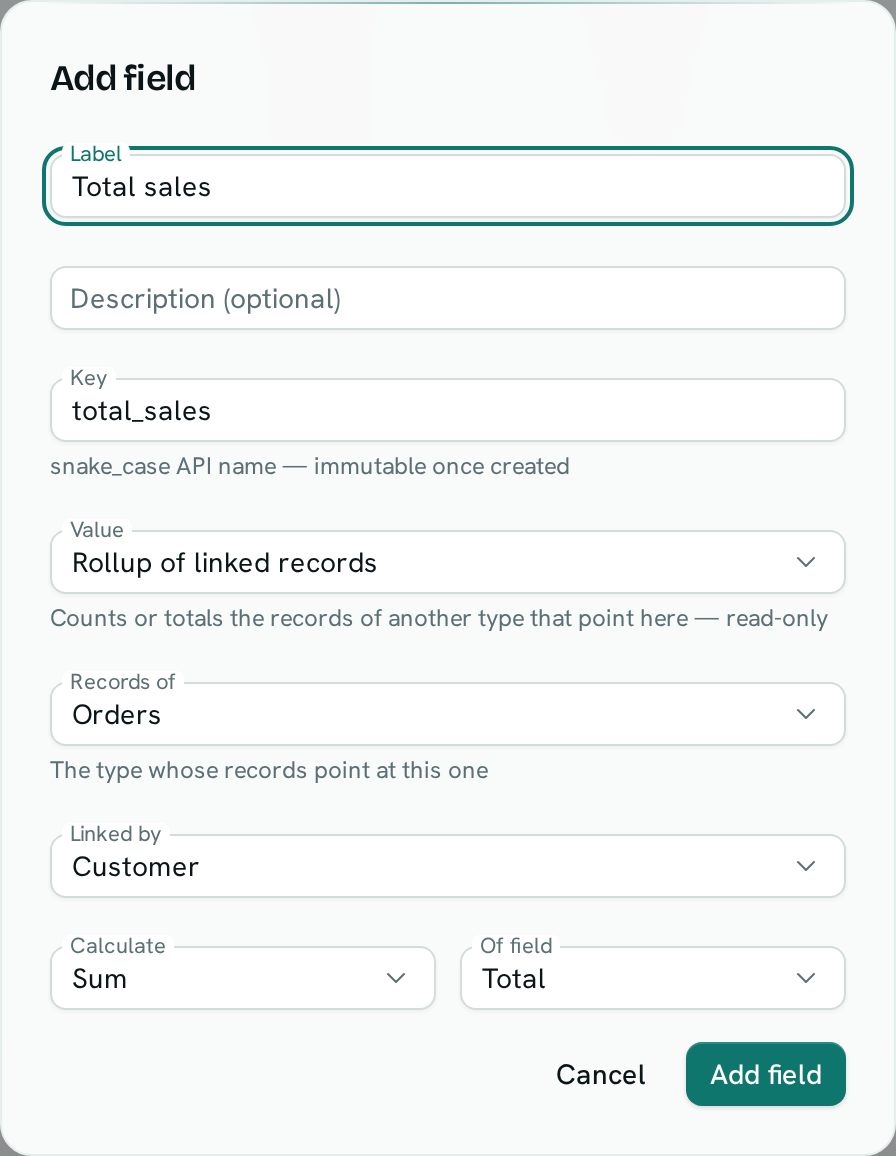
- Under Value, choose Rollup of linked records.
- In Records of, pick the type whose records point here (for example Orders).
- In Linked by, pick the link field on that type (for example Customer).
- In Calculate, pick Count of records, Sum, Average, Smallest / earliest or Largest / latest. For anything but a count, pick the field in Of field (for example Total).
- Click Add field.
Good to know
- Lookup and rollup fields are read-only. They are left out of forms, imports, bulk edits and spreadsheet pushes.
- Each person sees only what they're allowed to see. If someone can't see the linked customer, or can't see its City, the lookup stays empty for them. A rollup counts and totals only the records that person can see, so two people can see different totals.
- Sum and Average work on number and money fields. Smallest and Largest also work on dates.
- If the money being totalled is in more than one currency, the total stays empty rather than adding rupees to dollars. The count still shows.
- You can't filter or sort a list by a lookup or rollup field, group a board by it, or place a calendar on it. They also don't appear in Analytics queries.
- A lookup can't show another lookup or rollup, and a formula can't use one.
- After you add one, only its label and description can change. To change what it shows, delete it and add a new one.
- You can't delete a field that a lookup or rollup uses until you delete the lookup or rollup.
- When a page of records has more than 5,000 linked records to total, the rollup stays empty instead of showing a part total.