Relay — team chat inside your system of record
Relay is team chat inside AxisIQ: channels, direct messages, threads, files, reminders, search and channels shared with partner organizations — no extra tool.
Part of AxisIQ's single business model — The coordination layer (Run the business). How the layers fit.
Relay is team chat that lives inside AxisIQ. Channels for every team and project, direct messages, threads, files, reactions, reminders and search — in the same workspace as the orders, stock, invoices and reports the conversation is about, under the same sign-in and the same people list. And with Relay Connect, a channel can be shared with a supplier, customer or logistics partner who runs their own AxisIQ workspace.
Most companies run their conversations in one product and their business in another. The two never meet: the order number gets pasted into chat, the decision made in chat never reaches the record, and when someone leaves, their account has to be switched off in two places. Relay removes the second product.
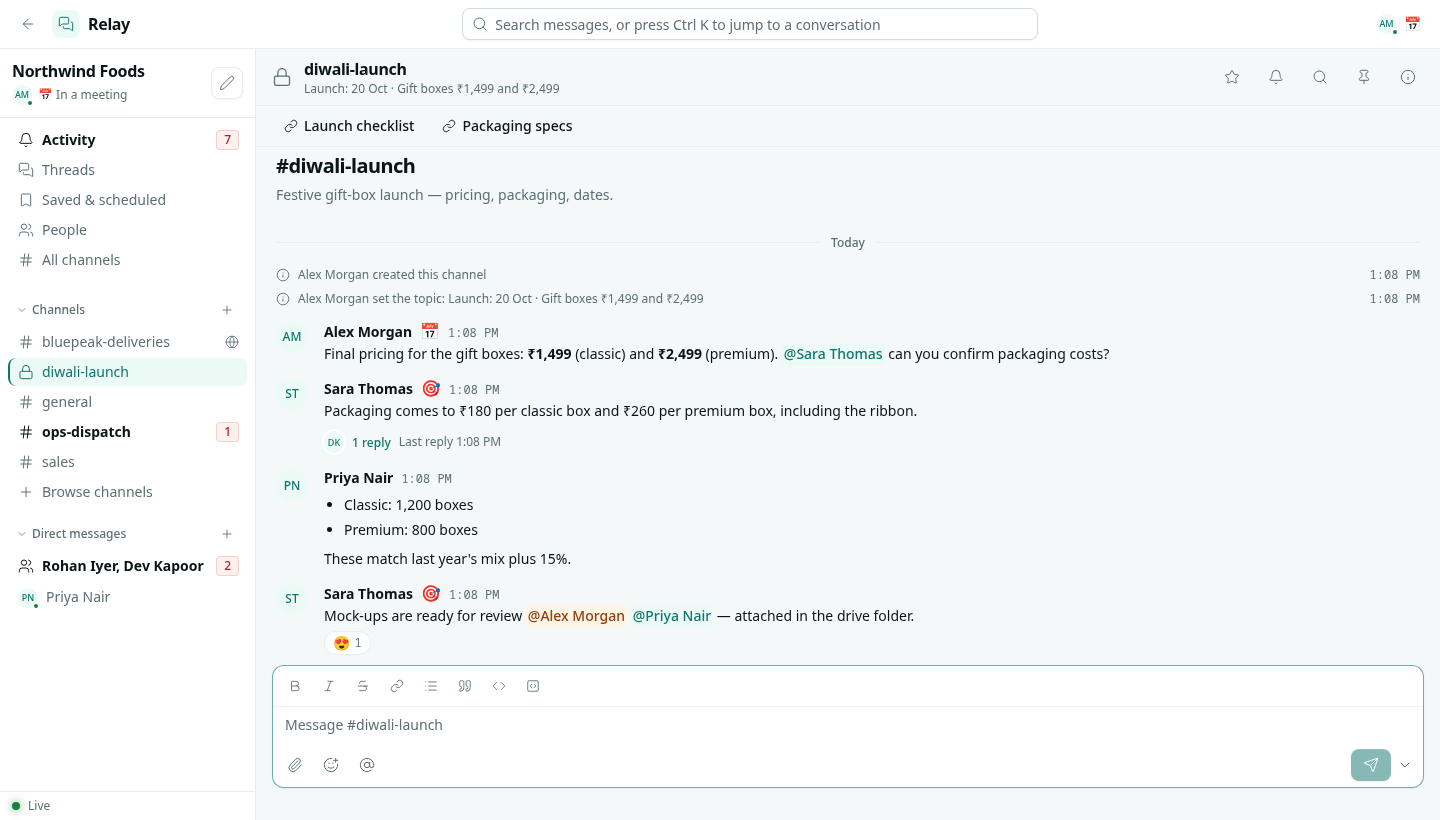
Everything a team chat needs, from the first day
- Channels — public ones anyone can find and join, private ones for a smaller group, and
#generalfor the whole company. Each with a topic, a description, bookmarks to the links people keep asking for, pins, and a list of every file shared in it. - Direct messages — one-to-one, small groups of up to nine, or a private note to yourself.
- Threads — reply to one message beside the channel instead of burying it, and send a reply back to the channel when everyone should see it.
- Formatting, mentions and files — bold, lists, quotes and code;
@person,@channel,@hereand@rolementions that notify exactly who they say; drag, drop or paste up to ten files on a message. - Edit, delete, forward, pin, react — the message menu people expect, plus Mark unread from here and a link straight to any message.
- Live — new messages, edits, reactions and who is typing appear as they happen; a green dot shows who has Relay open right now.
Nothing slips through
A busy channel is only useful if the things addressed to you stand out. Relay gives every person three places to work from:
- Activity — every mention, reply to your threads, direct message, reaction and reminder, with Mentions and Unread filters.
- Threads — every thread you started or replied in, newest reply first.
- Saved & scheduled — messages you saved to come back to, with a reminder if you want one, ticked off when done; and messages you scheduled to send later.
When you are not in Relay, the same things reach the notification bell in every other AxisIQ app, so a mention is not missed because you were in the stock report. Each channel can be set to notify on everything, only direct mentions, or nothing, and a status with do not disturb pauses the pings while letting Activity collect what you missed.
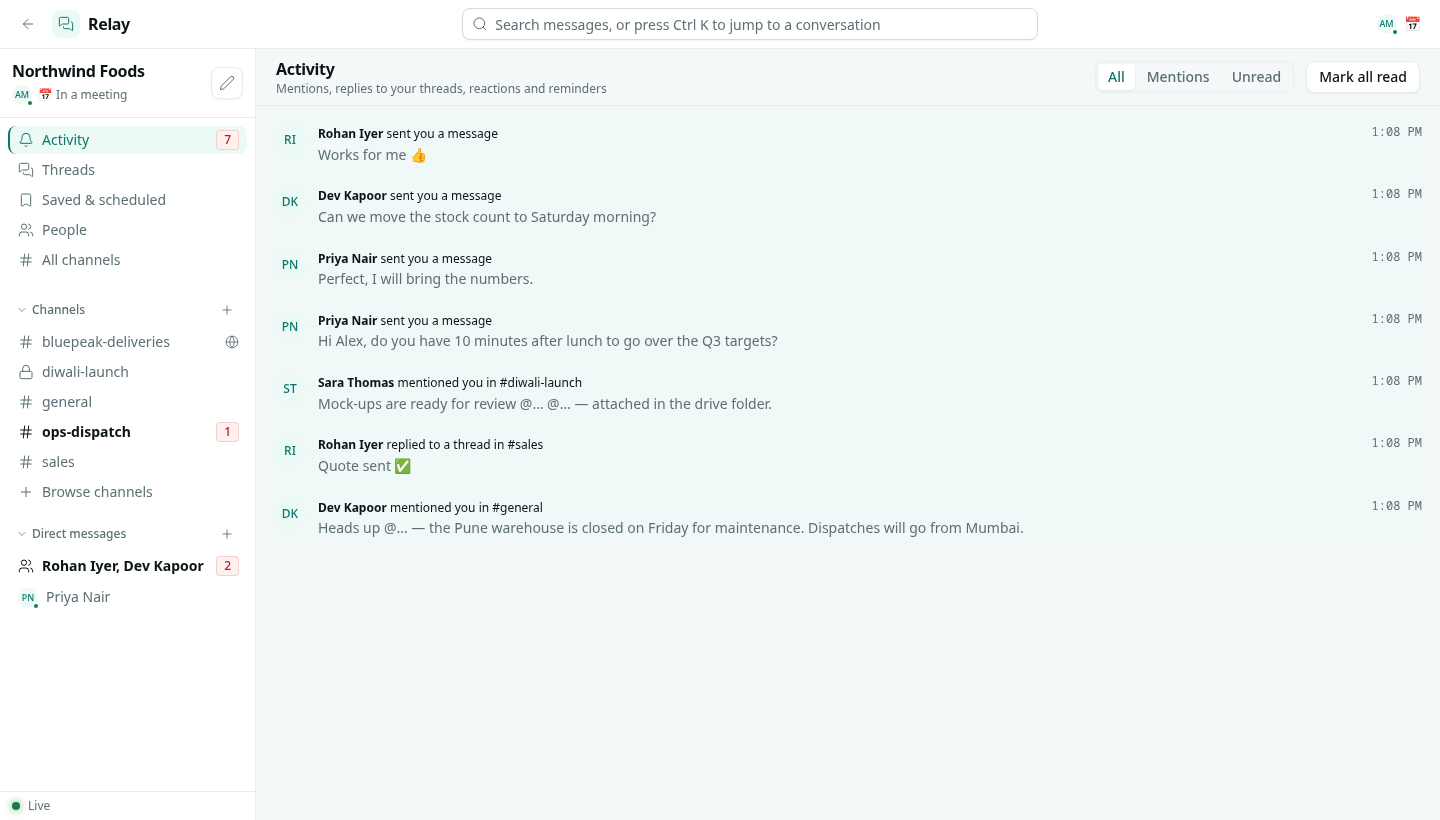
Find anything, go anywhere
Search covers every conversation you can read, filtered by conversation, by person or to messages with files, and a result opens the conversation at that message. Ctrl + K jumps to any channel or person by typing a few letters of the name.
Relay Connect: one channel with another company
Work with outside companies rarely stays inside your walls: the transporter confirming today's pickups, the packaging supplier, the distributor placing the festive order. Usually that means a phone group nobody can search later, or giving outsiders an account in your system.
Relay Connect takes a third route. Invite someone by their work email from a channel's Connect tab, and they bring that one channel into their own AxisIQ workspace. Each side keeps its own sign-in, its own people and its own permissions. They see that channel and nothing else of yours. Messages from the other company carry its name next to the author, and people who share a channel can message each other directly.
The invitation link works only for the address it was sent to, only once, and for seven days. The conversation stays with the company that started it, and either side can disconnect at any time: the guest company's people leave the channel at once, and the history stays with the host.
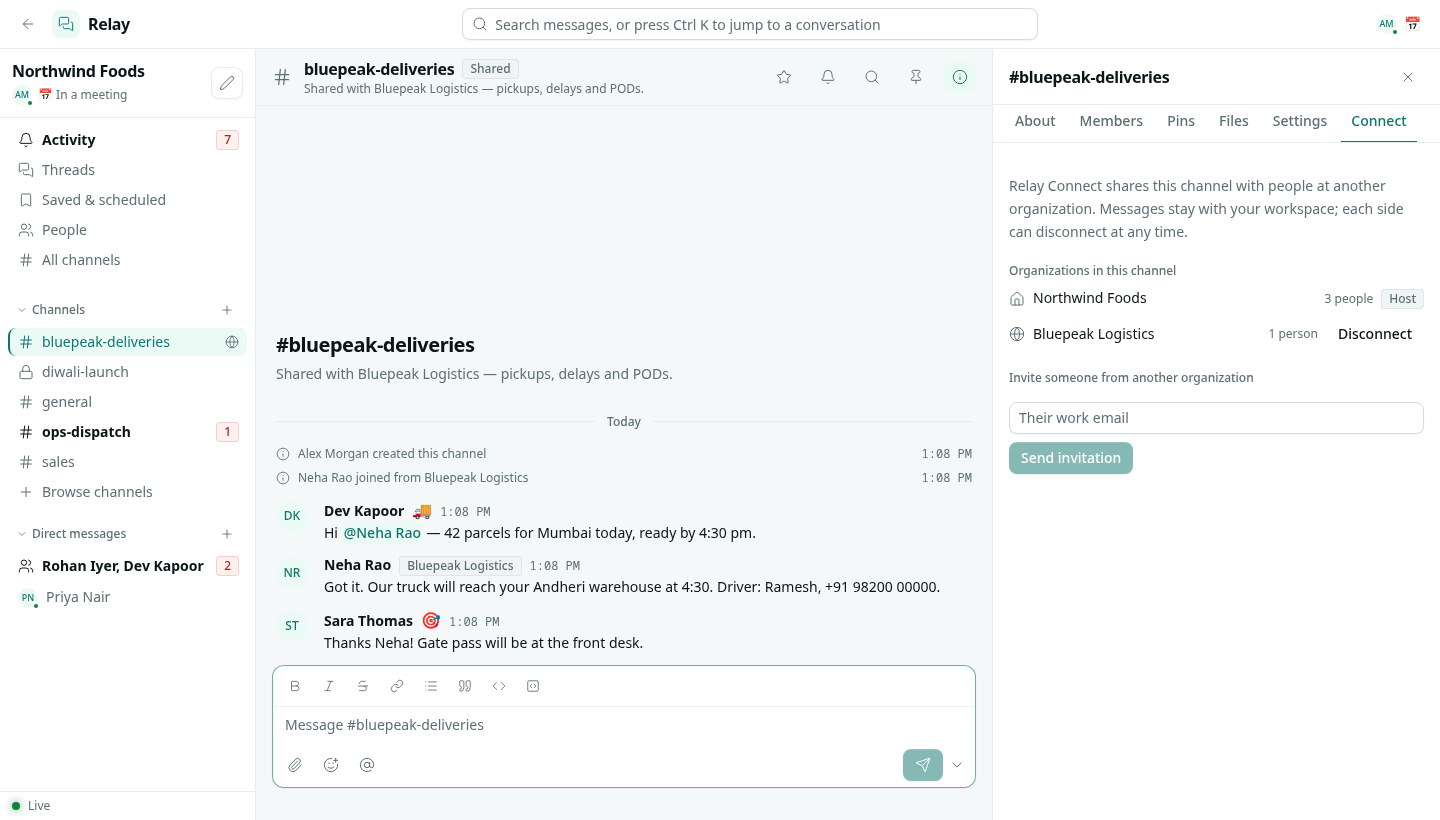
One people list, one off-switch
Relay has no user list of its own. Everyone in your AxisIQ workspace is in Relay, and when you remove someone from the workspace, their access to every channel goes with it — the same moment their access to your records does. There is no second tool to deprovision.
Every member can chat without being given a role. Two further levels sit on the same Roles page as everything else: Can moderate (archive any channel, remove people, delete anyone's message) and Full control (also share channels with other organizations). API keys can post into channels as well, so a script or a scheduled job can report into the team's channel under its own name.
Your conversations stay in your workspace
Messages and files are stored in your company's own AxisIQ database, beside the rest of your data, not in a separate vendor's service. A shared channel is stored once, with the company that created it; the other side reads and writes it through its own workspace rather than receiving a copy.
Included, not an add-on
Relay comes with every AxisIQ plan at no extra cost — it is part of the workspace, like the notification bell. There is no per-message or per-channel charge; files count toward your storage like any other upload. Relay can be switched off in Settings › Apps if your company already chats somewhere else.
The honest limits
Relay is text chat. There are no voice or video calls and no screen sharing. Links do not unfold into previews, there are no custom emoji, and a channel's history cannot be exported yet. There is no mobile app: Relay runs in the browser, like the rest of AxisIQ, and needs a connection. Search matches words as you type them; it does not search inside attached files. Relay Connect works between AxisIQ workspaces only — the other company needs an AxisIQ account. And chat does not yet trigger flows, nor can a flow post into a channel; the assistant does not take part in channels either. If your teams live on calls all day, keep your calling tool and use Relay for the written record.
How it fits with the rest
Ask Axis answers questions about your data; Relay is where people talk to each other about it. Messages to customers — email, SMS, WhatsApp through your own provider accounts — are a separate app, Messaging; Relay is for your team and the partners you choose. And when a conversation turns into work that has to be tracked, it belongs in a Work Queue or a record, where it has an owner and a status, not in a scrollback.
FAQ
Is Relay a separate product or account? No. It is an app inside your AxisIQ workspace, using the same sign-in and the same people. There is nothing to install and nobody to invite twice.
Does Relay cost extra? No. It is included in every plan. Files shared in Relay count toward your workspace storage like any other upload.
Can we talk to people outside our company? Yes, with Relay Connect. Share a channel with someone at another company that uses AxisIQ; they join it from their own workspace and see only that channel. Either side can disconnect whenever the work is done.
Can we have private conversations? Yes. Private channels are visible only to the people in them, and direct messages only to their participants.
Does it have threads, reactions and file sharing? Yes — threads with an option to also send a reply to the channel, emoji reactions, pins, bookmarks, and up to ten files per message.
Will I miss messages when I am working in another app? No. Mentions, replies and direct messages reach the notification bell across AxisIQ when you are not in Relay, and everything addressed to you collects in Activity.
Does it support voice or video calls? Not today. Relay is text chat with files.
Where are our messages stored? In your company's own AxisIQ database, alongside your records. A shared channel is stored once, with the company that started it.
Read the full guide in the Relay documentation.