Axis Sheets — a spreadsheet inside your system of record
Axis Sheets is a spreadsheet inside your system of record: 97 formulas, formatting, charts, templates, XLSX import, live co-editing and tabs linked to your records.
Part of AxisIQ's single business model — The modelling layer (Understand the business). How the layers fit.
Axis Sheets is a real spreadsheet — tabs, A1 references, a formula bar — that lives inside AxisIQ instead of in a downloads folder. It is the grid where thinking happens, sitting next to the records your business runs on, under the same permissions, with one formula no standalone spreadsheet can have: AXLOOKUP, which reads your live business data into a cell.
The case against running a business on spreadsheets is made elsewhere on this site, and every word of it still stands. But the grid remains the best thinking tool ever shipped: pricing a quote, stress-testing a margin, planning next quarter's purchases. Until now that thinking happened in a file — exported, emailed around, stale by Thursday. Now it happens beside the data it is thinking about.
An actual spreadsheet, not a table with ambitions
Open a workbook and it takes over the screen, the way a spreadsheet should. Arrow keys move the selection, ranges drag out, shift-click extends, ctrl-click adds a second range. Ctrl-C copies a range that pastes cleanly into other spreadsheet tools; pasting a block from one fills the grid the same way. There is a formula bar with function autocomplete, and point mode: click cells while typing a formula and the references insert themselves at the caret, exactly as your hands expect.
Ctrl-Z undoes, a fill handle drags a series (1, 2 becomes 3, 4, 5), Ctrl-D fills down, Ctrl-arrow jumps to the edge of the data, and frozen rows and columns keep headings in view. Press ? and every shortcut is listed.
Tabs run along the bottom — drag to reorder, colour, duplicate or hide them. Columns are typed — text, number, currency, date, checkbox, select — so a date column holds dates and a currency column holds money, which is more than most production spreadsheets can claim.
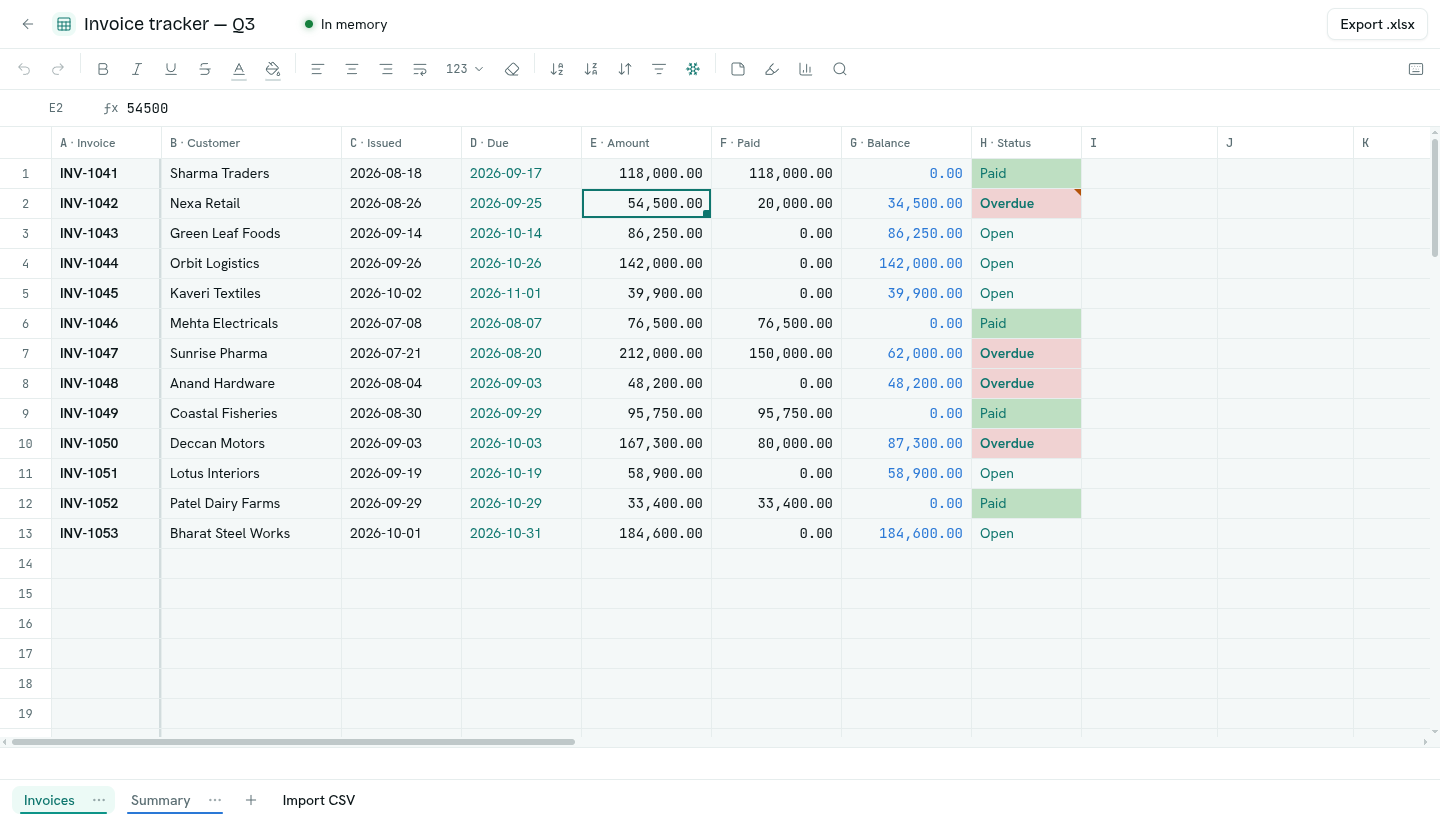
Formulas you already know
The grammar is the familiar spreadsheet one. =SUM(B2:B40), absolute refs like $A$1, whole-column ranges like A:A, cross-tab references like 'Costs'!B2. Ninety-seven functions are built in — SUM, AVERAGE, IF, IFS, IFERROR, VLOOKUP, XLOOKUP, INDEX, MATCH, SUMIFS, COUNTIFS, MEDIAN, TEXT, EOMONTH, NETWORKDAYS, DATEDIF, the finance set (PMT, FV, PV, NPV) and the usual text and date family. Copy, fill or sort and references move with the formula, while $-locked ones stay put.
Errors are values, never silence: #DIV/0!, #VALUE!, #N/A, and #CYCLE! when formulas chase each other in a circle. Insert or delete a row and every formula that pointed at moved cells is rewritten to follow them; a formula that pointed into a deleted row shows #REF! instead of quietly reading the wrong data — which is the failure mode that makes ordinary spreadsheets dangerous.
Formatting, sorting, filtering and charts
The everyday tools are on a toolbar where you expect them:
- Formatting — bold, italic, underline, strikethrough, text and fill colours chosen to stay readable in light and dark mode, alignment, wrap, and number formats per column (thousands, decimals, percent, three date styles).
- Conditional formatting — colour cells by their value ("Overdue" in red, anything over ₹1 lakh in bold) so the colour stays right as the data changes.
- Notes on any cell, marked in the corner.
- Data validation — a dropdown list, a number or date range, a length, or a format such as GSTIN or PAN on any column; a bad value is refused, or kept and flagged.
- Sort by up to five columns, keeping a header row in place; filter any column by a checklist of its values or by a condition; find and replace across a sheet, inside results or inside formulas.
- Charts — bar, line, area or pie from a selection, in a side panel that redraws as the numbers change.
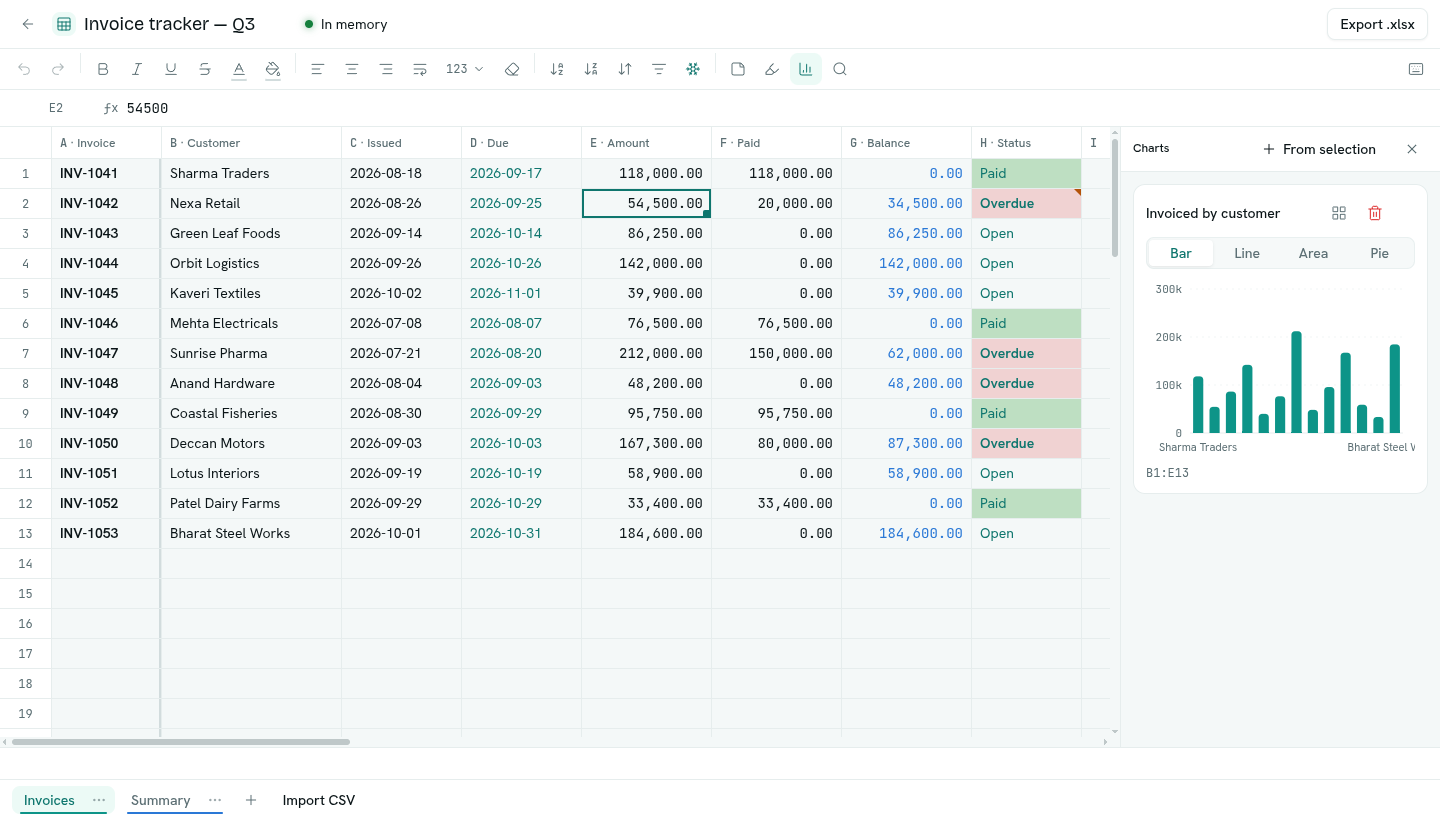
Formatting, rules, charts and frozen panes are saved with the sheet, so everyone who opens it sees the same thing.
Start from a template
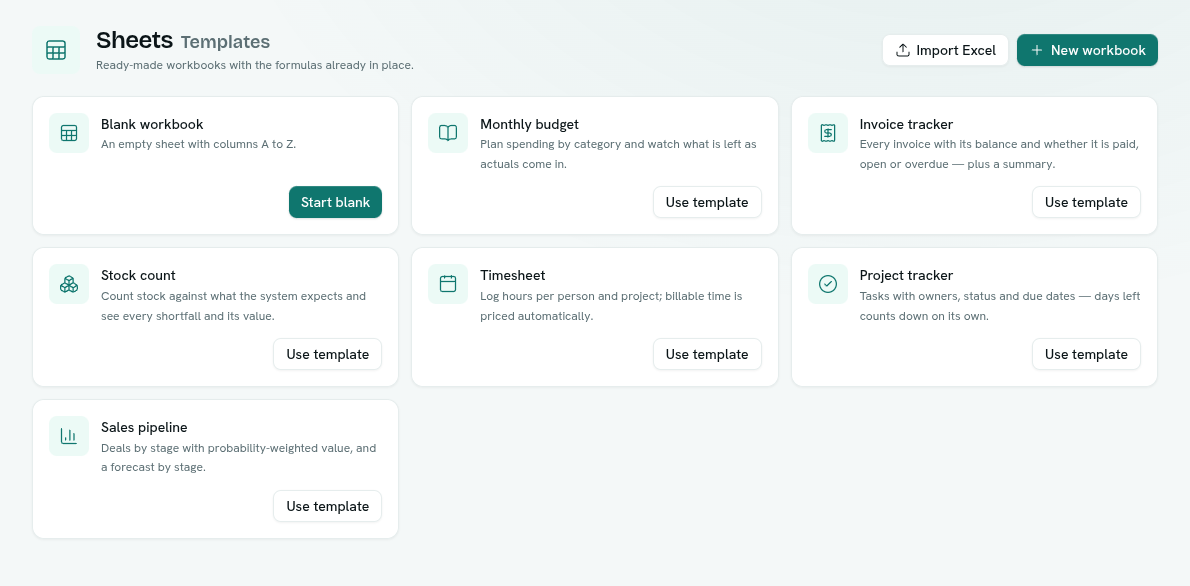
Six ready-made workbooks come with the formulas already wired: a monthly budget, an invoice tracker with paid / open / overdue worked out from today's date, a stock count with variance values, a timesheet that prices billable hours, a project tracker whose days-left counts down on its own, and a sales pipeline with a weighted forecast. Replace the example rows with yours.
AXLOOKUP — the formula a standalone spreadsheet cannot have
=AXLOOKUP("customers", "email", A2, "credit_limit")
That cell now holds the credit limit of the customer whose email is in A2 — read from the live record, not from a copy somebody exported last month. Build a quote against today's price list, check a payment plan against today's outstanding balance, without an export step existing at all.
Two properties matter here. It runs under your permissions: a field you are not allowed to read comes back empty in the sheet too, because the sheet asks as you, not as some system account. And a formula is read-only: AXLOOKUP reads records, never changes them. Changing records from a grid is a separate, deliberate path.
Edit records in a grid
Choose Edit in Sheets on a record type — or Fix in Sheets on a data-quality issue — and the records arrive as a record-linked tab: one row per record, columns typed from the fields. Edits push back to the records as you type, under your permissions and through the same field rules as any other write, so validation and the audit trail still apply; a row with no id becomes a new record. Changes other people make to those records flow into the sheet. For a large paste there is an explicit Push to records, up to 2,000 rows at a time, with a result for every row.
Your spreadsheet files come in whole
Import an .xlsx and the workbook arrives as a workbook — every tab, with formulas the engine understands staying live formulas, and anything it cannot evaluate keeping the value last computed, so nothing reads as blank. Export goes the other way: a real .xlsx with values and formula sources, which spreadsheet tools recompute on open. CSV works per tab in both directions.
Fast because it is served from memory
Each tab's grid is held in RAM by AxisDB — the same database engine that runs the rest of the platform — while you work. Opening a workbook warms it, workbooks idle for a while are released automatically, and every write is durable on disk the moment it lands: memory is the serving tier, not the storage.
Edit together, live
Everyone with edit access works in the same workbook at once. You see who else is in it — a coloured cursor and name tag on the cell each person is on — and their changes appear as they make them. Two edits to the same cell resolve as last write wins; there is no merging inside a cell, so for a sheet where that matters, agree who owns which range.
Permissions like everything else
Who can open a workbook, who can edit it and who can manage it are set per workbook, in the same permissions model that governs every record and report — not a per-file share dialog that nobody audits. API keys can read and write sheets programmatically under the same rules.
The honest limits
A workbook holds up to 20 tabs of 200 columns each. Rows per tab depend on plan: 50,000 on Core, 100,000 on Intelligence and Enterprise; a workbook that will not fit in memory tells you so instead of degrading.
There are no pivot tables, a chart reads the first 200 rows of its range, and a column's type is fixed once created. If the workbook is the deliverable — a pixel-perfect board pack or a pivot-heavy model — a dedicated spreadsheet application is still the better tool, and the XLSX export exists precisely so you can finish there. And money truth does not live in any spreadsheet: formula arithmetic here is ordinary floating point, good for planning and analysis, while amounts the business answers for belong in the ledger, which does exact arithmetic and cannot be quietly edited.
How it fits with the rest
Operations holds the records; Sheets is the thinking surface beside them. Analytics answers questions about data as it is — a sheet is for changing the numbers by hand and watching what happens. When a sheet grows up into a process the business depends on, the migration path is a CSV import away — or link it to records from the start.
FAQ
Can I import my existing spreadsheet files? Yes. XLSX import brings in the whole workbook, and formulas the engine supports stay live formulas rather than frozen values. Anything it cannot evaluate keeps the value last computed. CSV import per tab works too.
Can two people edit the same sheet at once? Yes. Everyone with edit access works live in the same workbook, with each person's cursor visible. If two people change the same cell, the last write wins.
Can a sheet read my business records?
Yes — that is AXLOOKUP. It reads live record values under the permissions of the person recalculating, so it can never show you a field you could not open directly. One thing to know: the value it fetches is stored in the workbook, so anyone who can read the workbook sees it. Share workbooks accordingly.
Can a sheet change my records?
Yes, through a record-linked tab: edits push back to the records under your permissions and the same field rules as any other edit, and every change lands in the audit trail. Formulas such as AXLOOKUP only ever read.
Does it do charts, pivots or cell formatting? Charts and formatting, yes: bar, line, area and pie charts from a selection, plus bold, colours, number formats, notes and conditional formatting. Pivot tables, no. For dashboards over live business data, use Analytics.
How big can a sheet get? 20 tabs per workbook, 200 columns per tab, and rows per tab by plan: 50,000 on Core, 100,000 on Intelligence and Enterprise.