Let customers pay an invoice online
Customers open the invoice link you send them, press Pay now and pay the amount due by card, UPI or net banking. The invoice marks itself paid.
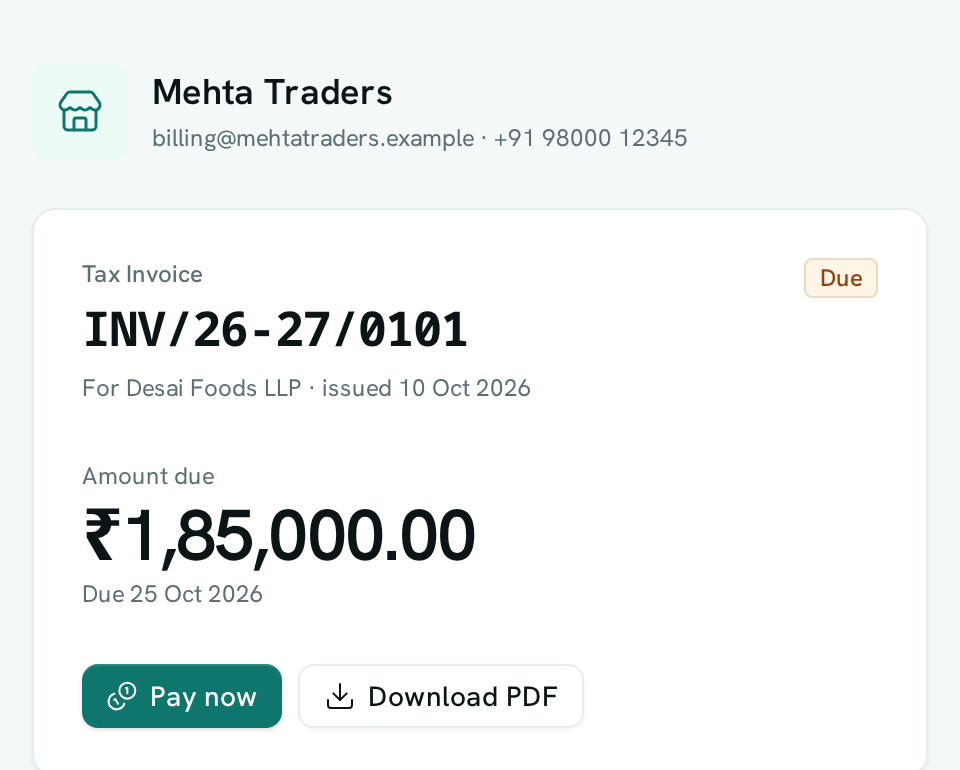
When you send a customer the link to an invoice, they can pay it right there: the page shows a Pay now button for whatever is still owed, and the invoice marks itself paid once the money arrives.
Before you start: you need a payment account connected under Invoices & Payments → Connections, which needs permission to manage payment connections. Sharing an invoice needs permission to issue that kind of document.
Send an invoice customers can pay
- Open Invoices & Payments and open an issued invoice.
- Choose Create public link (or Copy public link if the invoice already has one) and send the link to your customer by email, WhatsApp or any other channel.
- Your customer opens the link and sees the invoice, the amount due and a Pay now button.
- They press Pay now and are taken to a secure payment page for exactly the amount due.
- When they finish paying, they come back to the invoice. It shows Paid as soon as the payment is confirmed, usually within a few seconds.
The payment is recorded against the invoice and posted to your books the same way as any other payment you receive through a payment link.
Turn online payment off for a kind of document
- Go to Invoices & Payments → Invoice settings → Document types and edit the document type.
- Turn off Let customers pay online from the shared link.
- Save. Shared links for that document type still show the invoice and its PDF, without Pay now.
Good to know
- Pay now appears only on issued invoices that still have an amount due. Drafts, cancelled invoices, quotations, credit notes and fully paid invoices never show it.
- The amount is always the invoice's current amount due. If a customer has already paid part of it, they are asked only for the rest.
- If a customer presses Pay now more than once, they are taken back to the same payment page.
- If you have more than one payment account connected, online payments go to the first account that is working, preferring live accounts over test accounts.
- Your customer's email and phone number are not passed to the payment page, so they don't receive separate payment messages from it.
- Turning off a public link (Stop sharing) also removes Pay now, since the link stops working.
- If the payment confirmation is delayed, the invoice is still marked paid automatically within a few minutes.