Knowledge Base
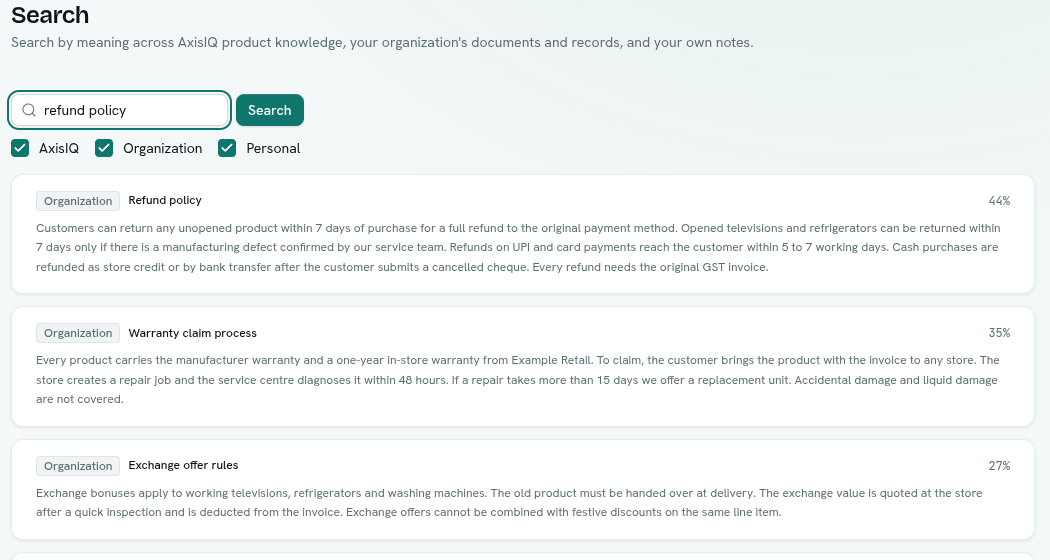
Search by meaning across AxisIQ product knowledge, your own documents and records, and your personal notes. It also powers Ask Axis answers.
The Knowledge Base finds answers by meaning rather than exact words. You add documents and choose which record types to include, and then you or Ask Axis can ask a question in plain language and get the most relevant passages back, with their source.
What you can do
- Search — ask a question across AxisIQ, your organization and your own notes. Search the knowledge base
- Add documents — paste text into a collection or keep it personal. Documents and collections
- Index records — let chosen record types answer searches too. Record indexing
Before you start
- Who can use it: the Knowledge base app on the Roles page. Can search lets you search. Can add documents lets you upload documents. Full control adds creating and deleting collections and choosing which record types are indexed.
- Access to documents is decided per collection, and you only see passages you are allowed to read.
- The app can be switched off in Settings › Apps. It must be on to appear.
- If meaning-based search is not enabled for your platform, adding documents is refused.
Where to find it
Launcher category Intelligence › Knowledge Base. The left rail has:
- Search — the search page.
- Documents — collections and uploaded documents.
- Record indexing — which record types are searchable.
Key ideas
| Term | What it means |
|---|---|
| Scope | Where a result comes from: AxisIQ (product knowledge), Organization (your documents and indexed records) or Personal (your own notes). |
| Collection | A named group of organization documents with its own access. |
| Document | Text you add. It is split into passages and made searchable. |
| Indexing | Preparing text for search. Documents show a status while it happens. |
Related
- Ask Axis uses the Knowledge Base to answer product and company questions.
- Analytics & Reports — knowledge vectors can be searched in SQL.