Find your way around
A tour of the top bar, app launcher, left menu, notifications and the Ask Axis button.
Every signed-in page shares one frame: a top bar, an optional left menu and a floating Ask Axis button.
The top bar
| Item | What it does |
|---|---|
| AxisIQ logo | Goes to your dashboard. |
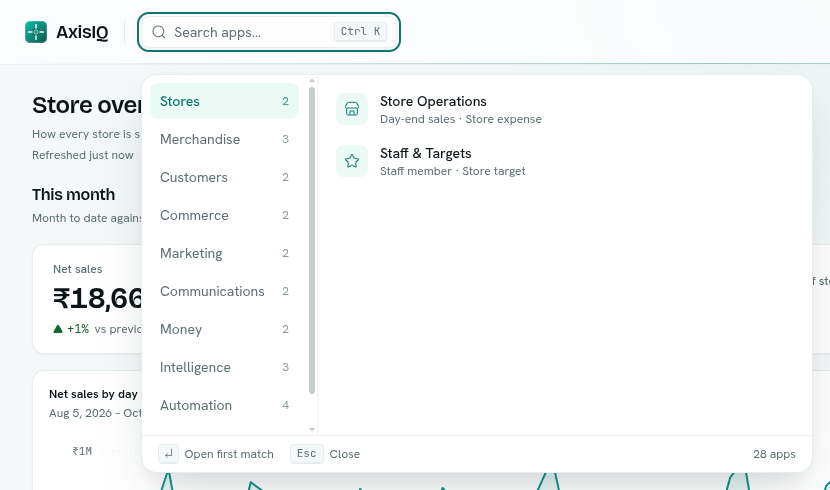
| Search apps... | Opens the app launcher. Press Ctrl + K (⌘ + K on Mac) from anywhere. |
| Workspace name | A menu: Switch organization, People & permissions, Organization settings, Billing & usage. |
| Bell | Your notifications inbox. |
| Your name | A menu: Account security, Switch to dark mode (or light), Log out. |
The app launcher
- The left column lists categories. Your own workspace's categories come first, then the platform's: Commerce, Marketing, Communications, Money, Intelligence, Automation and Platform. Each shows how many apps it holds.
- Click a category to see its apps on the right. Click an app to open it.
- Type to search every app by name or description. Press
Enterto open the first match andEscto close. - Apps your workspace has switched off are not listed. See Turn apps on or off.
- Apps built for your business (by a template or the setup assistant) appear first, each listing the record types it holds.
The left menu
Inside an app, the left menu shows that one app:
- The app name and its Overview (some apps use another first label, such as Registers or People).
- The app's own sections, such as Runs or Journal. Each section is a real page, so you can bookmark it.
- A Records list of the record types filed under the app.
- Settings for apps that hold record types.
On a phone the menu is hidden. Tap the menu icon in the top bar to open it in a dialog.
On the dashboard the same column lists your favourite reports once you have more than one.
Ask Axis
The Ask Axis button floats at the bottom right of every page (it shows Ctrl + J or ⌘ + J). It opens a small chat. Use the expand icon to open the full Ask Axis app. It is marked Preview. See Ask Axis.
Light and dark
Choose Switch to dark mode or Switch to light mode in your name menu.
Tips
- If an app's page says " is switched off", someone who can change organization settings needs to turn it back on in Settings > Apps. See Turn apps on or off.
- Right-click is used in many lists for a context menu of row actions.