D2C Ecommerce Software: A Brand's Whole Day in One App
Follow a D2C brand's day in one app: Shopify orders to GST invoices, scan-checked dispatch, stock and refunds. Includes a daily checklist you can use.

Good D2C ecommerce software should let one order travel from your Shopify store to a GST invoice, a packed parcel, an updated stock count and a recorded payout without copying between tabs. AxisIQ covers that path: hourly store sync into GST invoices, scan-checked dispatch, and stock that moves on issue once you turn it on.
Why does a D2C brand end up running six tools?
Each tool arrives to fix one job. Shopify takes the order. An Excel sheet tracks stock because the store's count drifts from the godown's. Tally holds the books. The courier panel knows which AWBs went RTO. WhatsApp is where customers ask about refunds. A second sheet tries to match Razorpay, COD remittance and marketplace payouts at month end.
None of these tools is bad. The gaps between them are the problem. An order paid at 11 pm sits in Shopify until someone exports it. A refund pushed in the store never reaches the books. A parcel that never got onto the courier's van shows up three days later as a "where is my order" message.
What should inventory and order management for D2C brands in India cover?
Most comparisons list the same layers. Here is where each sits with AxisIQ:
| Layer | Where it lives with AxisIQ |
|---|---|
| Storefront | Stays on Shopify or WooCommerce |
| Orders | Hourly order sync from Shopify or WooCommerce; marketplace orders by CSV import |
| GST invoicing | Invoice per order, place of supply from the shipping state |
| Stock | Moves when an invoice is issued (a setting you turn on), with a reorder list |
| Pick and pack | Dispatch work queue and the Scan station |
| Courier booking | Not in AxisIQ; use your courier or aggregator panel |
| Payouts | Settlement records with gross, fees and net |
How does a D2C brand's day run on AxisIQ?
Before you start: set up Invoices & Payments and Items & Stock once, and make sure your role has Full control under Online stores. If the Order sync tab is missing, the workspace owner applies the waiting workspace upgrade.
1. Store orders sync in (morning)
You connect your Shopify or WooCommerce store once, with an access key you create in that store. Then you switch on order sync:
- Open Marketplaces, click the store and open the Order sync tab.
- Switch on Import orders from this store.
- Set Import orders placed on or after, so years of old orders don't flood your books.
- Choose the Document type (for example Invoice) and the Business profile.
- Decide on Also import unpaid orders (cash on delivery) and Leave documents as drafts (don't issue).
- Click Save, then Sync now if you don't want to wait for the hourly run.
2. How does a Shopify order become a GST invoice in India?
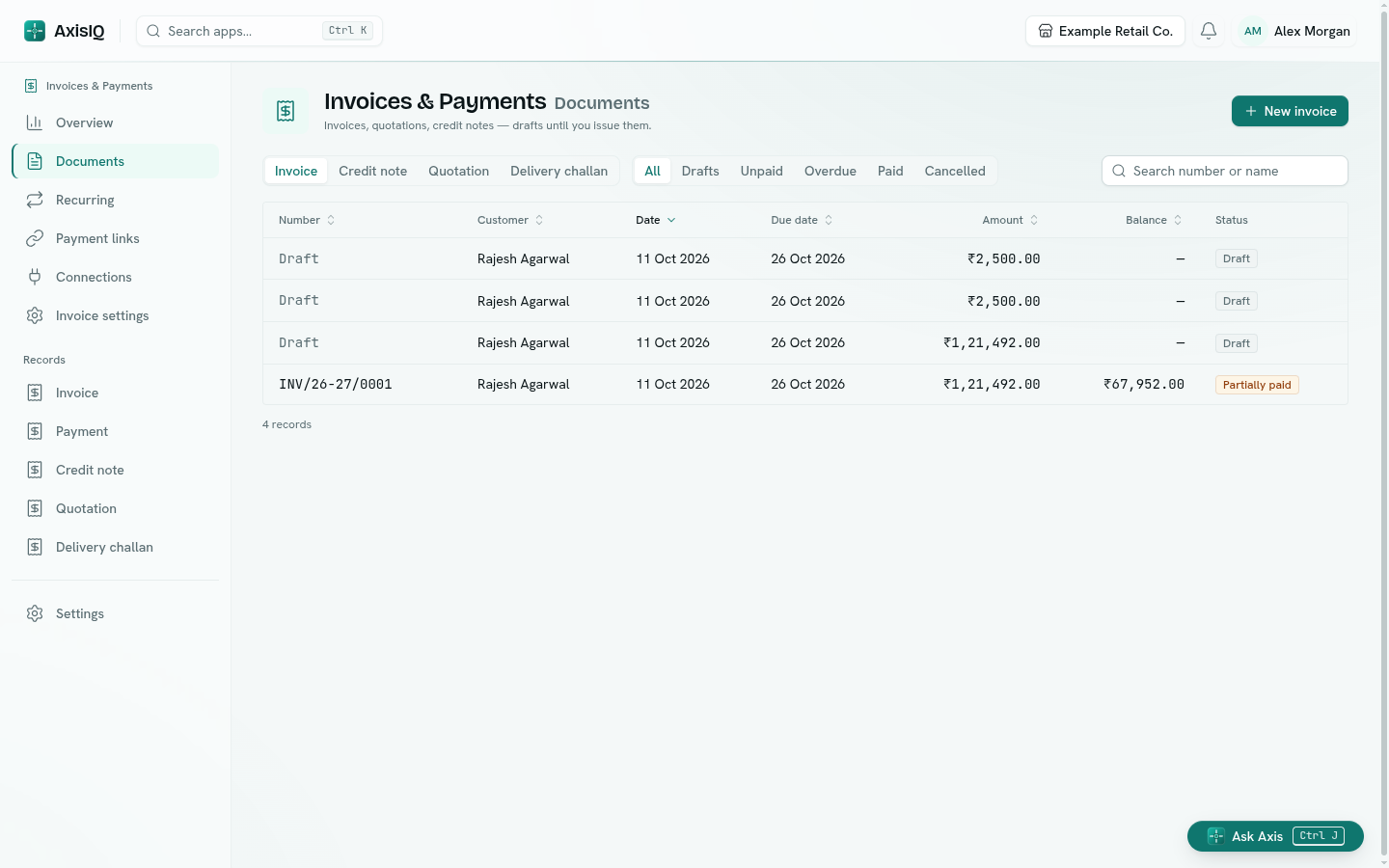
Each synced order becomes a document in Invoices & Payments, with the store order number as its reference (for example "Shopify order #1001"):
- The customer is matched by email (else phone) or added with their name, email, phone and state.
- Items are matched to your item records by SKU. An unknown SKU still comes in, as a plain description line with a flag on the order, so you can add the item.
- The shipping state becomes the place of supply, so CGST + SGST or IGST is worked out as usual. Tax-inclusive store prices are split into taxable value and GST. Shipping and fees become lines.
- For a paid order, the payment is recorded once. Running the sync again never records it twice.
An order that can't be imported at all, for example one dated in a locked period, shows Needs attention with the reason. Fix the cause and click Retry.
3. Pick, pack and check the manifest before handover (afternoon)
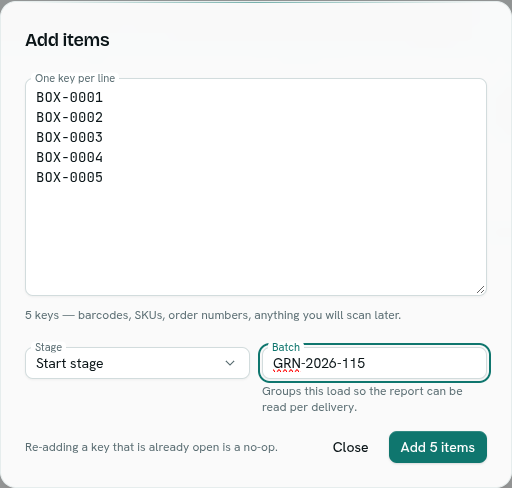
The D2C & E-commerce template sets up a Dispatch work queue (To pick, Picked, Packed, Handed to courier). Synced invoices don't enter it by themselves: the queue fills from the template's Order records, or from keys you load. To fill it from the day's synced orders, load a manifest: click Add items and paste the order numbers or AWBs into One key per line, with a Batch name per pickup. Up to 500 keys go in one load; split bigger pickups into two batches.
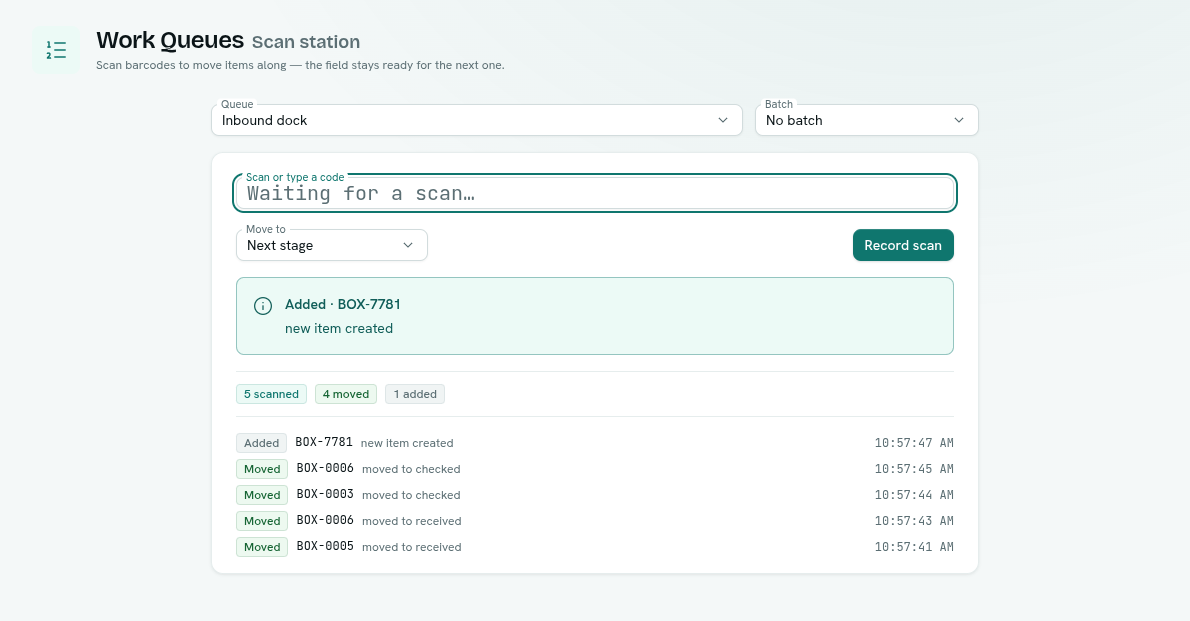
Packers then work from the Scan station, a page made for a barcode gun:
- Open Work Queues › Scan station and choose the Queue.
- Scan into Scan or type a code. Each scan answers at once: Moved, Added, Already scanned, Not on this list or Can't move. A double beep is harmless.
For the handover check, set the queue to Reject it for unknown scans, so any parcel that isn't on the manifest shows Not on this list instead of being added. The queue's Report then shows anything Missing before the van leaves. That is the parcel you catch at the gate, not in a customer complaint.
COD needs one more check. With the template, every COD order record opens a Support ticket with the topic COD confirmation, so someone confirms before packing. You can also send a Razorpay payment link to turn it prepaid; a paid link comes back as a payment record. A Shipment marked rto_initiated flags its order as RTO.

4. Stock updates itself
Once Items & Stock is set up, open your invoice document type in Invoices & Payments and turn on Move item lines in Items & Stock when issued (cancel moves them back). Turn it on for your credit note type as well, so refunds put stock back. Every issued invoice, synced or manual, then takes stock out at your default location. Unless you allow negative stock, an invoice that would go below zero is refused, so an oversell shows up at once.
The Overview lists everything at or below its reorder level, with a Reorder list (CSV) to send your supplier.
5. Returns, refunds and settlements (evening)
When an order is cancelled or fully refunded in the store, the next sync deals with it: a draft is deleted, an unpaid document is cancelled and a paid one gets a credit note. A partial refund is flagged for you to raise the credit note yourself.
The template also gives you Return records (reason, resolution, refund amount) and Settlement records for Razorpay, Cashfree, Amazon, Flipkart, Myntra or COD remittance, with gross, fees and a computed Net amount. You enter each payout (or import it by CSV) when it lands, so marketplace commission and gateway fees stop hiding inside a bank credit.
A worked example: one hypothetical Tuesday
Take a hypothetical apparel brand selling kurtas on Shopify, with one warehouse in Jaipur and two packers.
- 9 am: the hourly sync has brought in 48 overnight orders as issued invoices. Two orders carry a flag: a new colour's SKU isn't in the items list yet, so that line came in as a plain description and took no stock out. Someone adds the variant as an item. One order dated in a locked period shows Needs attention; once the cause is fixed, Retry says "Order applied".
- Noon: a Bengaluru order is billed with IGST and a Jaipur order with CGST + SGST, both from the shipping state. Nobody touched a tax rate.
- 4 pm: the 48 order numbers are pasted into the Dispatch queue as batch
PICKUP-TUE, and the packers scan each label as they pack. At handover, the report shows one Missing. It is still on the packing table. - 6 pm: two customers cancelled in Shopify. On the next run, the paid one gets a credit note and its stock goes back.
- 7 pm: the founder asks Ask Axis, "What sold most this week?" and gets a table.
The numbers are invented; every step uses features from the docs linked above.
What should you check daily, whatever D2C ecommerce software you use?
Run this with or without AxisIQ. Any line that takes more than a glance is a gap between your tools.
| Check | What "good" looks like | Where it breaks with separate tools |
|---|---|---|
| Orders in | Every store order since yesterday has a document | CSV export forgotten on a busy day |
| GST correct | Place of supply follows the shipping state | Wrong state copied, IGST vs CGST + SGST mixed up |
| SKUs matched | No invoice line without an item record | New variant added to Shopify, not to the stock sheet |
| COD confirmed | Every COD order confirmed before packing | Confirmation calls tracked in someone's WhatsApp |
| Parcels handed over | Manifest has zero missing before the van leaves | Courier panel shows fewer pickups than packed orders |
| Stock moved | On hand fell by what was invoiced | Excel updated at week end, if at all |
| Refunds booked | Every full refund has a credit note | Refund pushed in the store, books unchanged |
| Payouts recorded | Gross, fees and net entered for each payout | Bank credit booked as one lump sum |
Watch yesterday's Shopify orders arrive as GST invoices. Start a 30-day free trial with the D2C template (no card needed), connect your store and click Sync now. Prefer a walkthrough? Book a free demo.
What AxisIQ doesn't do for D2C brands
- No built-in Amazon, Flipkart, Myntra or quick-commerce connector. Order sync covers Shopify and WooCommerce, and may need the owner to apply a workspace upgrade first. Marketplace orders come in by CSV import, a flow you write, or by hand. Nothing is written back to your store.
- Synced invoices and template Order records are separate. The Dispatch queue fills from Order records or a pasted manifest, not straight from the sync.
- No courier booking. AxisIQ records the AWB and status. Manifesting with the courier still happens in your courier or aggregator panel.
- Payouts are not pulled in from Razorpay or marketplaces automatically.
- No GST filing, e-invoicing (IRN), e-way bills or Tally sync. The ledger keeps double-entry postings your CA files from.
- Stock limits. Batches, serial numbers, expiry dates, multiple units of measure and FIFO valuation are not available, and invoices always move stock at the default location.
- No offline mode.
FAQ
Can AxisIQ create GST invoices from Shopify orders in India?
Yes. Order sync turns each Shopify or WooCommerce order into an invoice, using the shipping state as the place of supply to choose CGST + SGST or IGST. It runs every hour, or on demand with Sync now.
Does order sync handle cash on delivery orders?
Only paid orders come in by default. Switch on Also import unpaid orders (cash on delivery) to bring COD orders in as unpaid invoices.
Does AxisIQ replace Shopify or WooCommerce?
No. Your storefront keeps selling. AxisIQ is the back office behind it: orders, GST invoices, stock, dispatch, returns and settlements. Order sync reads from the store and nothing is written back.
Is AxisIQ inventory and order management software for D2C brands?
Yes. Items & Stock tracks stock per item and location, and issued invoices can move stock once you turn that on. The D2C template adds orders, variants, shipments, returns and settlements as linked records.
How much does AxisIQ cost?
The Core plan is ₹4,999/month, GST extra, with a 30-day free trial and no card needed. See pricing for what's included.
Run tomorrow from one app
Connect your store, sync yesterday's orders and scan one pickup through a manifest. That shows whether one app can replace your six. Start a 30-day free trial with no card needed, or book a free demo to see it with your own order flow.