Account security
Where to manage how you sign in and what protects your account.
Account security belongs to you personally, not to a workspace. Open it from your name menu in the top bar, then Account security.
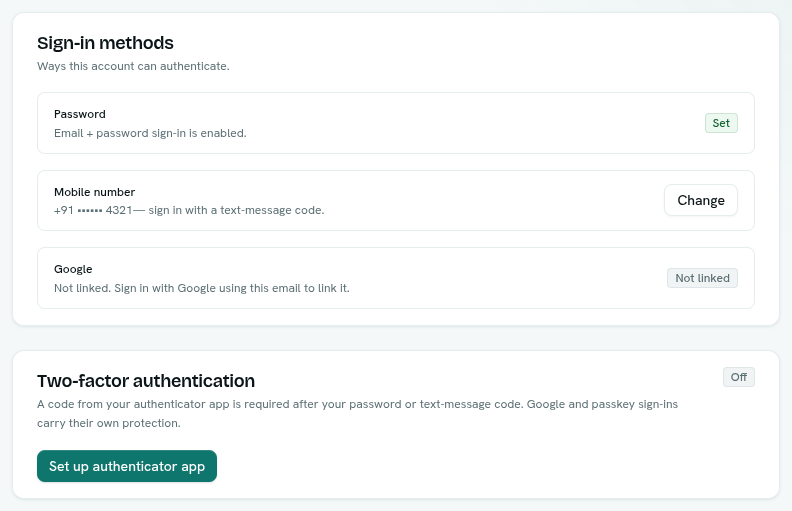
What is on the page
| Card | What it does |
|---|---|
| Sign-in methods | Shows whether a Password is Set, your Mobile number (Add or Change) and whether Google is Linked. |
| Two-factor authentication | On or Off. See Two-factor authentication. |
| Passkeys | Your passkeys, with Add passkey and Remove. See Passkeys. |
| Ask Axis on WhatsApp | Shown only if the installation supports it. Message Ask Axis from your verified mobile number. See Ask Axis. |
Changes that need a recent sign-in
Turning two-factor on or off, adding a passkey and changing your mobile number need you to have signed in within the last 10 minutes. If not, you see "For your security, sign in again to change this." with a Sign in again button. It signs you out and brings you back here.
Email notices
When your password changes, two-factor is turned on or off, a passkey is added or your mobile number changes, AxisIQ emails a security notice so you can spot changes you did not make.
Signing out
Choose Log out in your name menu. This signs out this browser only. Resetting your password signs out every device. See Reset your password.