Forms
Collect enquiries, orders and sign-ups with forms for your team or the public. Every answer is stored, and can create a record or run a function.
A form is an ordered list of questions. You publish it and it gets its own page you can link to or embed in your website. Every answer is stored. A form can also create a record from each answer, or run a function.
What you can do
- Build a form from a template, from a record type's fields, from AI suggestions, or from scratch. Build a form
- Choose the answer types. Field types
- Decide where answers go: a new record, a function, or just the response log. Where responses go
- Publish and share with a link or an embed, open it to the public, and pre-fill answers. Publish and share
- Read the responses. Responses
Before you start
- Who can use it: the Forms app on the Roles page. Can view opens a form. Can fill in also submits one. Can read answers adds the Responses log. Full control builds, publishes and deletes forms. A role can be narrowed to individual forms.
- Forms can be switched off in Settings → Apps. It must be on.
- Publishing a form for the public needs one more step in Team & Permissions. See Publish and share.
- If a form creates records, you need permission to create records of that type.
Where to find it
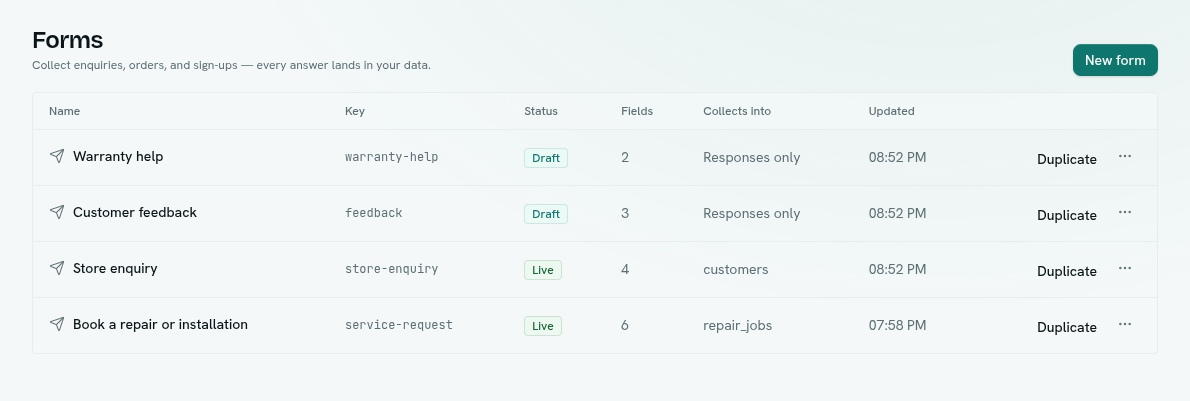
Launcher › Automation › Forms. There is one page, the list. The table shows Name, Key, Status (Live or Draft), Fields, Collects into (the record type, or "Responses only") and Updated. Click a form to open the full-page builder, which has Build, Responses and Share tabs.
Reports can also show a form inside the report. See Analytics.
Key ideas
| Term | What it means |
|---|---|
| Form | A named list of questions with settings. |
| Question | One field on the form, with an answer type. |
| Key | The form's short web name, such as contact-us. It is in the public link and is what permissions point at. |
| Draft / Live | A draft is not public. A live form accepts answers. |
| Response | One submitted answer set. Always stored. |
| Target | Optional: create a record or run a function for each response. |